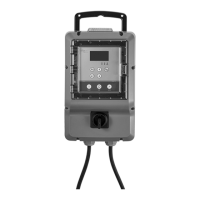
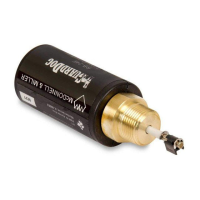
Set the parameters for the flowmeter
1. Select the ANALOG INPUT 4 parameter.
2. Select the 4-20 mA FLOW RATE parameter.
3. Set the following values:
Value Setting
0 4.00 mA
Max Maximum flow of the 4-20 mA signal from the flowmeter
The default flow values for the MJK 7200 series flowmeters are as follow:
Diameter, in Flow, gpm
3 800
4 1000
6 3000
8 5000
10 8000
12 10000
18 25000
24 40000
36 100000
48 200000
Set the parameters for the suction pressure transducer
1. Select the ANALOG INPUT 6 parameter.
2. Select the 4-20 mA SUCTION PRESSURE parameter.
3. Set the following values for the applicable transducer:
Value
PXTK30v30
30 inHg to 30 psi
PXTK30v60
30 inHg to 60 psi
PXTK30v100
30 inHg to 100 psi
Vacuum transducer
0 9.26 mA 7.14 mA 6.04 mA 4 mA
Max 30 psi 60 psi 100 psi 14.7 psi
Set the parameters for the discharge pressure transducer
1. Select the ANALOG INPUT 7 parameter.
2. Select the 4-20 mA DISCHARGE PRESSURE parameter.
3. Set the following values:
Value Setting
0 4.00 mA
Max Maximum pressure of the discharge pressure transducer in psi
Set the parameters for the fuel level transducer
1. Select the ANALOG INPUT 3 > MURPHY FUEL LEVEL parameter.
2. Press NEXT to return to the main screen.
5 System Setup
26 FST Installation, Operation, and Maintenance Manual



 To Next Page