Maintenance, cleaning, disposal Multi 3630 IDS
102 ba77170e03 10/2017
14 Maintenance, cleaning, disposal
14.1 Maintenance
14.1.1 General maintenance activities
The only maintenance activity required is replacing the batteries.
14.1.2 Replacing the rechargeable batteries
See the relevant operating manuals of the IDS sensors for
instructions on maintenance.
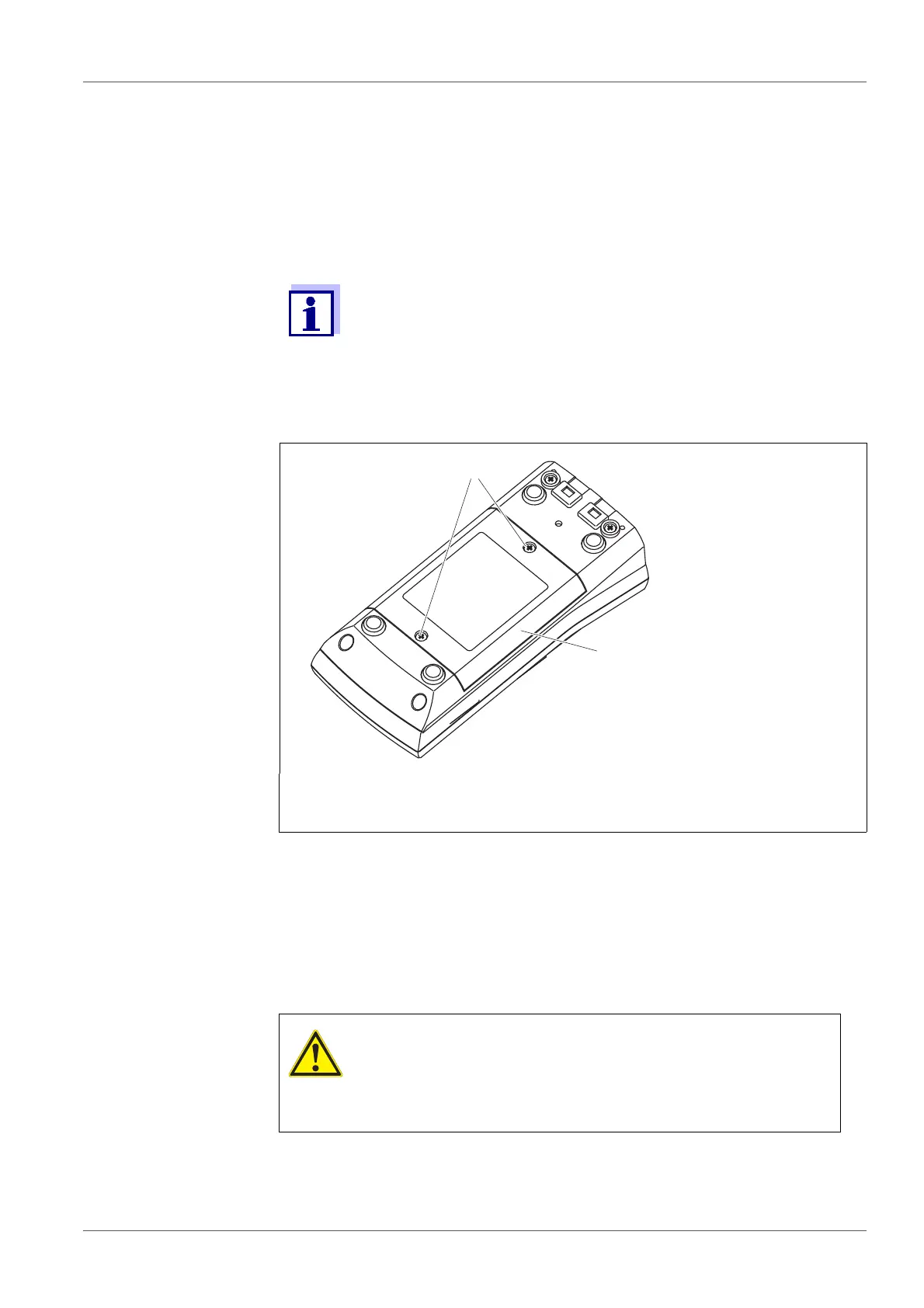
1Screws
2 Battery compartment
1 Unscrew the two screws (1) on the underside of the meter.
2 Open the battery compartment (2) on the underside of the meter.
3 Remove the four rechargeable batteries from the battery compart-
ment.
CAUTION
Make sure that the poles of the rechargeable batteries are
positioned correctly.
The
± signs on the batteries must correspond to the ±
signs in the battery compartment.
4 Place four new rechargeable batteries (type Mignon AA) in the bat-
tery compartment.














 To Next Page