Multi 3630 IDS Operation
ba77170e03 10/2017 17
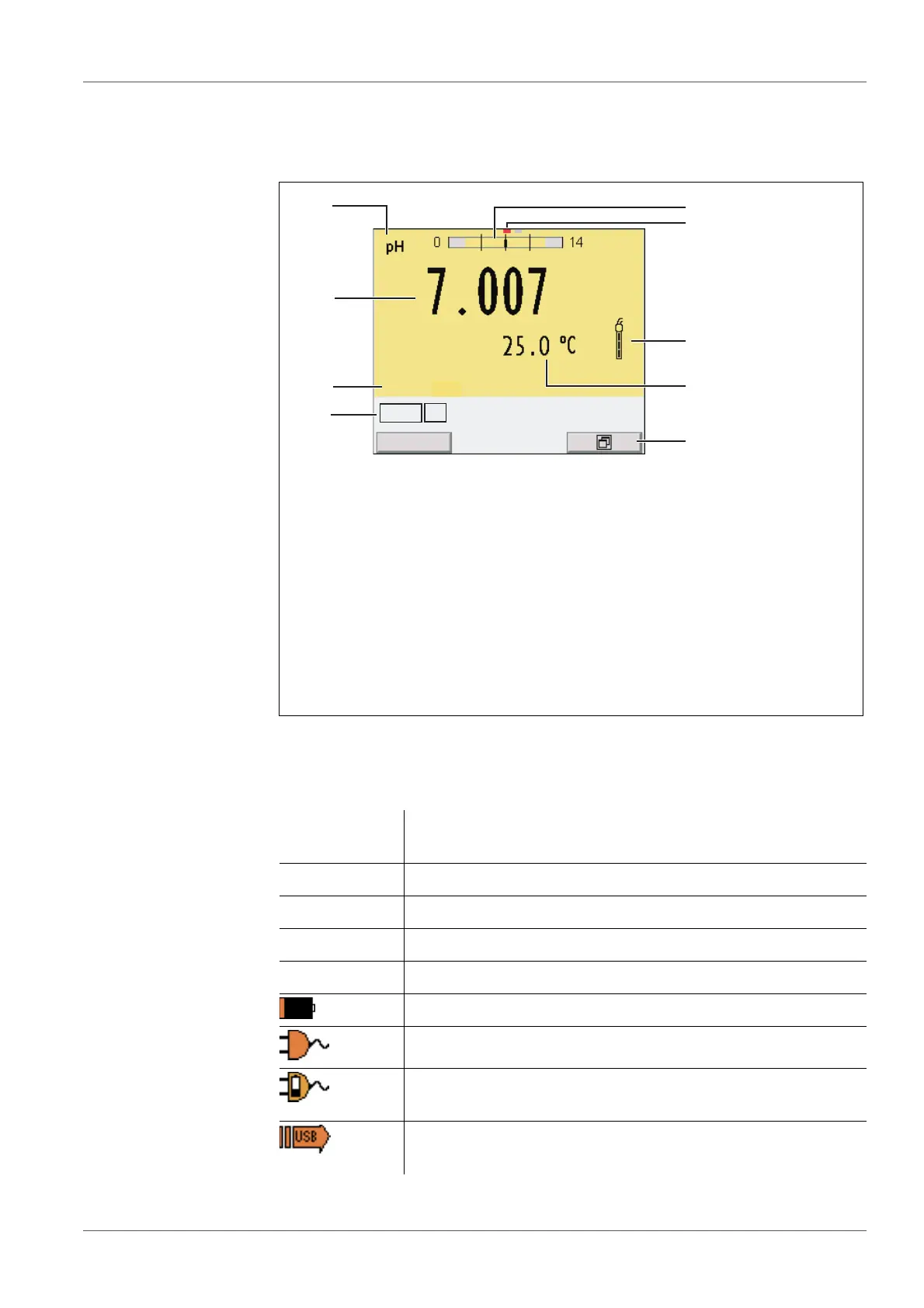
4.1.2 Display
Example (pH):
4.1.3 Status information
1 Status information (meter)
2 Status information (sensor)
3 Measured value
4 Measured parameter
5 Continuous measurement control (CMC function)
6 Channel display: Plug position of the sensor
7 Sensor symbol (calibration evaluation, calibration interval)
8 Measured temperature (with unit)
9 Softkeys and date + time
AutoCal
e.g. TEC
Calibration with automatic buffer recognition, e.g. with the
buffer set: Technical buffers
ConCal Calibration with any buffers
Error An error occurred during calibration
AR Stability control (AutoRead) is active
HOLD Measured value is frozen (<AR> key)
Batteries are almost empty
Mains operation
Mains operation with charge function
Batteries are automatically charged in the background.
Data are automatically output to the USB-B interface at
intervals
5
4
3
7
8
9
1
6
2
HOLD AR
AutoCal TEC














 To Next Page