Operation Multi 3630 IDS
18 ba77170e03 10/2017
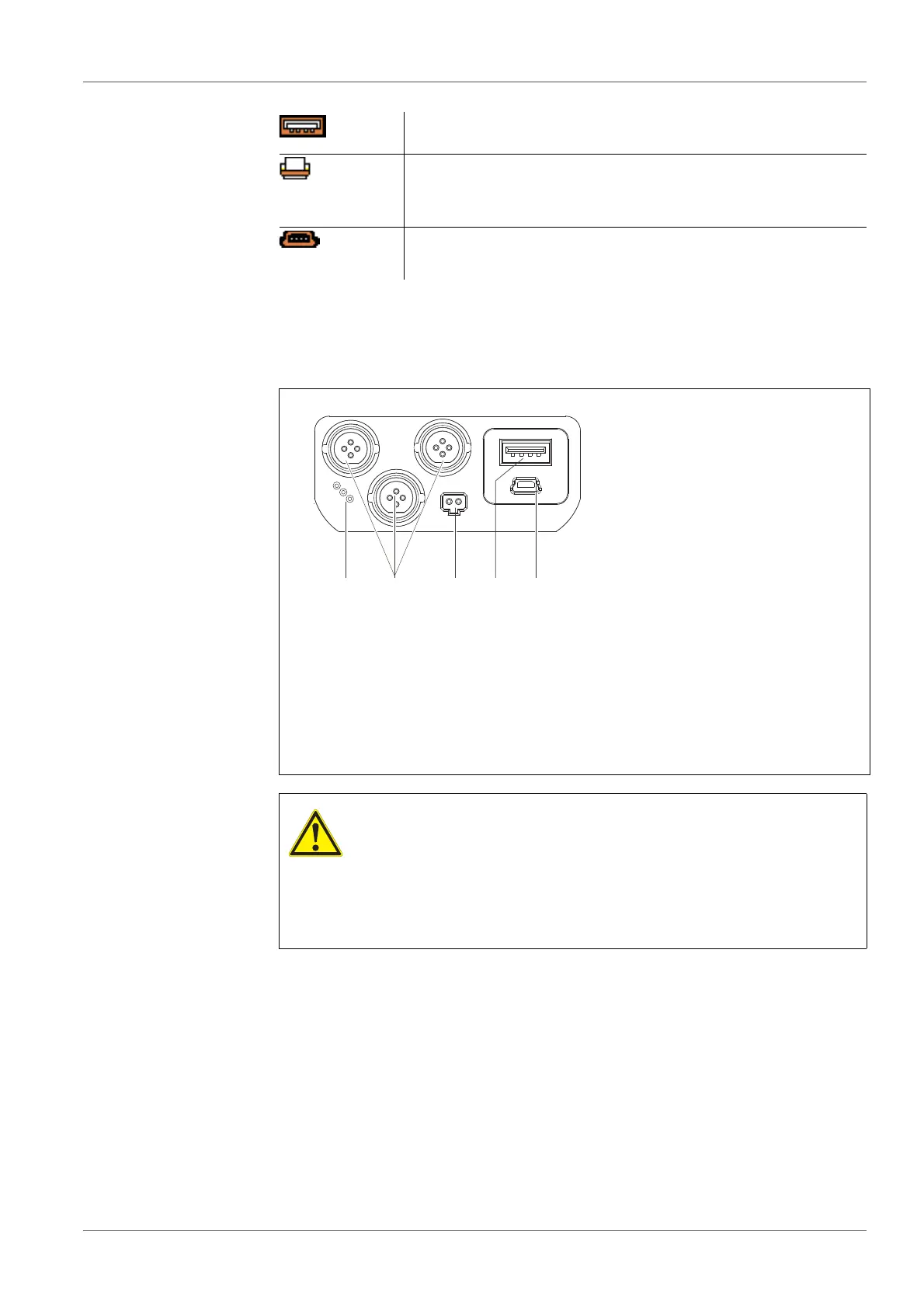
4.1.4 Connectors
4.1.5 Channel display
The Multi 3630 IDS administers the sensors connected and displays which
sensor is plugged to which connection.
Data are output to the USB-A interface (USB flash drive)
Data are output to the USB-A interface (USB printer).
If there is a USB-B connection at the same time (e.g. to a
PC), the data are output to the USB-B interface only.
Power supply via the USB-B interface
Batteries are not being charged
1 IDS sensors: (pH, ORP, conductivity, D.O.)
2 Power pack
3 USB-A (host) interface
4 USB B (device) interface
5 Service interface
CAUTION
Only connect sensors to the meter that cannot return any volt-
ages or currents that are not allowed (> SELV and > current
circuit with current limiting).
WTW IDS sensors and IDS adapters meet these requirements.














 To Next Page