DR-2X / DR-2XE Operating Manual 31
14. Setting the interval and number of voice messages
The DR-2X/DR-2XE has a message function that automatically transmits the recorded message on the
downlink frequency at specified intervals and number of times.
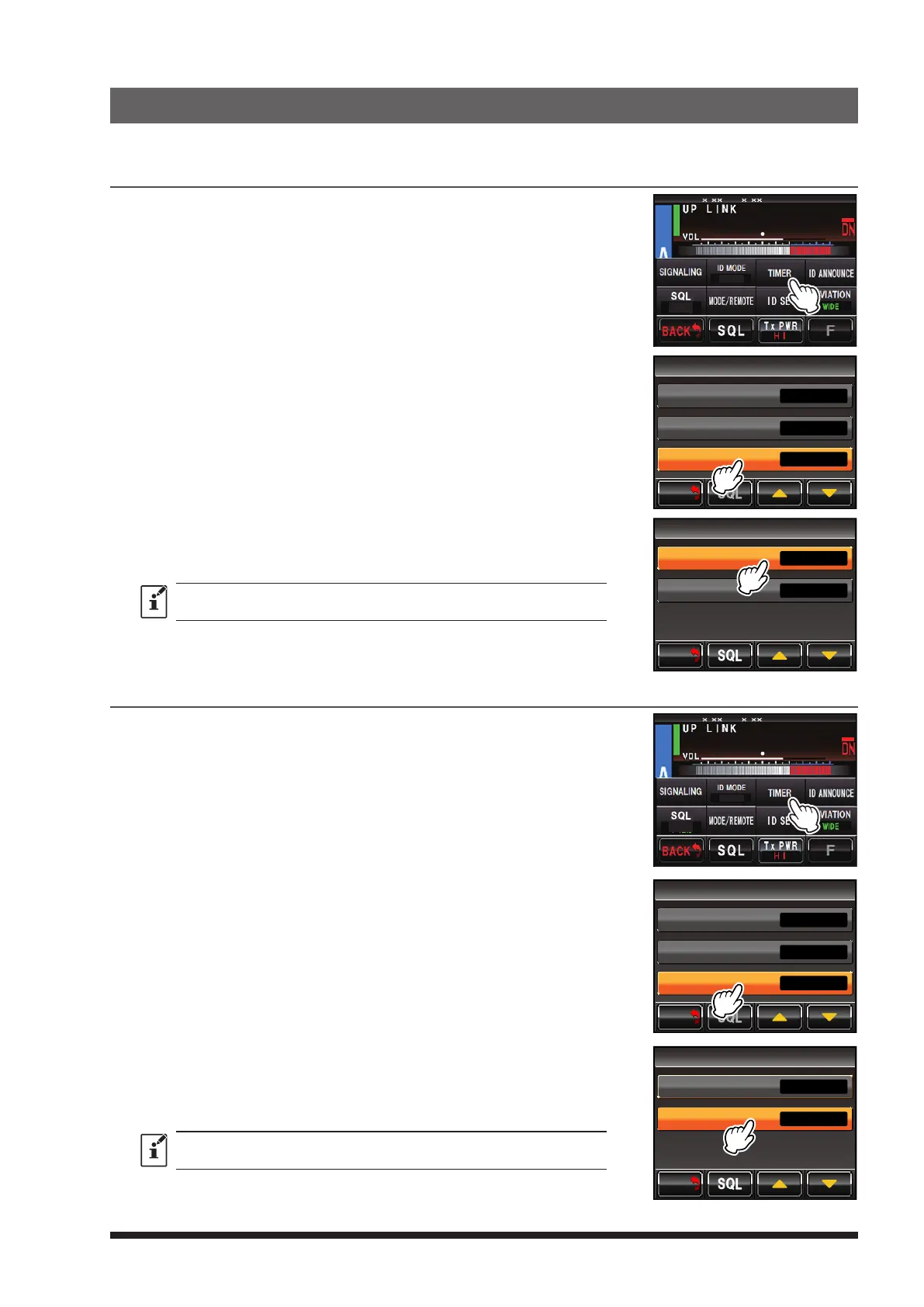
Setting the transmission interval of the message:
1 Touch
[
A SETUP
]
or
[
B SETUP
]
to display the frequency set up
screen, then touch
[
F
]
on the bottom of the screen.
2 Touch
[
TIMER
]
.
8
4
DG-ID
T-OFF
R-OFF
SETUP RXx.xx TX .x
3 Touch
[
MESSAGE
]
twice.
TIMER
>
> MESSAGE
SQL
>
TOT
BACK
BACK
4 Touching
[
PLAY INTERVAL
]
switches the transmission interval as
follows, then select the desired number of announcements.
à 0.5 hour à 1 hour à 2 hour à 3 hour à
The default setting is “1 hour”.
5 Touch
[
BACK
]
4 times.
The screen returns to the operation mode screen.
MESSAGE
5times
1hour PLAY INTERVAL
PLAY TIMES
BACK
BACK
Setting the number of message transmissions:
1 Touch
[
A SETUP
]
or
[
B SETUP
]
to display the frequency set up
screen, then touch
[
F
]
on the bottom of the screen.
2 Touch
[
TIMER
]
.
8
4
DG-ID
T-OFF
R-OFF
SETUP RXx.xx TX .x
3 Touch
[
MESSAGE
]
.
TIMER
>
> MESSAGE
SQL
>
TOT
BACK
BACK
4 Touch
[
PLAT TIMES
]
.
5 Touching
[
PLAY TIMES
]
switches the transmission play time as
follows:
à 1time à 2times à 3times à 5times à 10times à 20times à
The default setting is 5 times.
6 Touch
[
BACK
]
4 times.
The screen returns to the operation mode screen.
MESSAGE
5times
1hour PLAY INTERVAL
PLAY TIMES
BACK
BACK


 To Next Page