DR-2X / DR-2XE Operating Manual 35
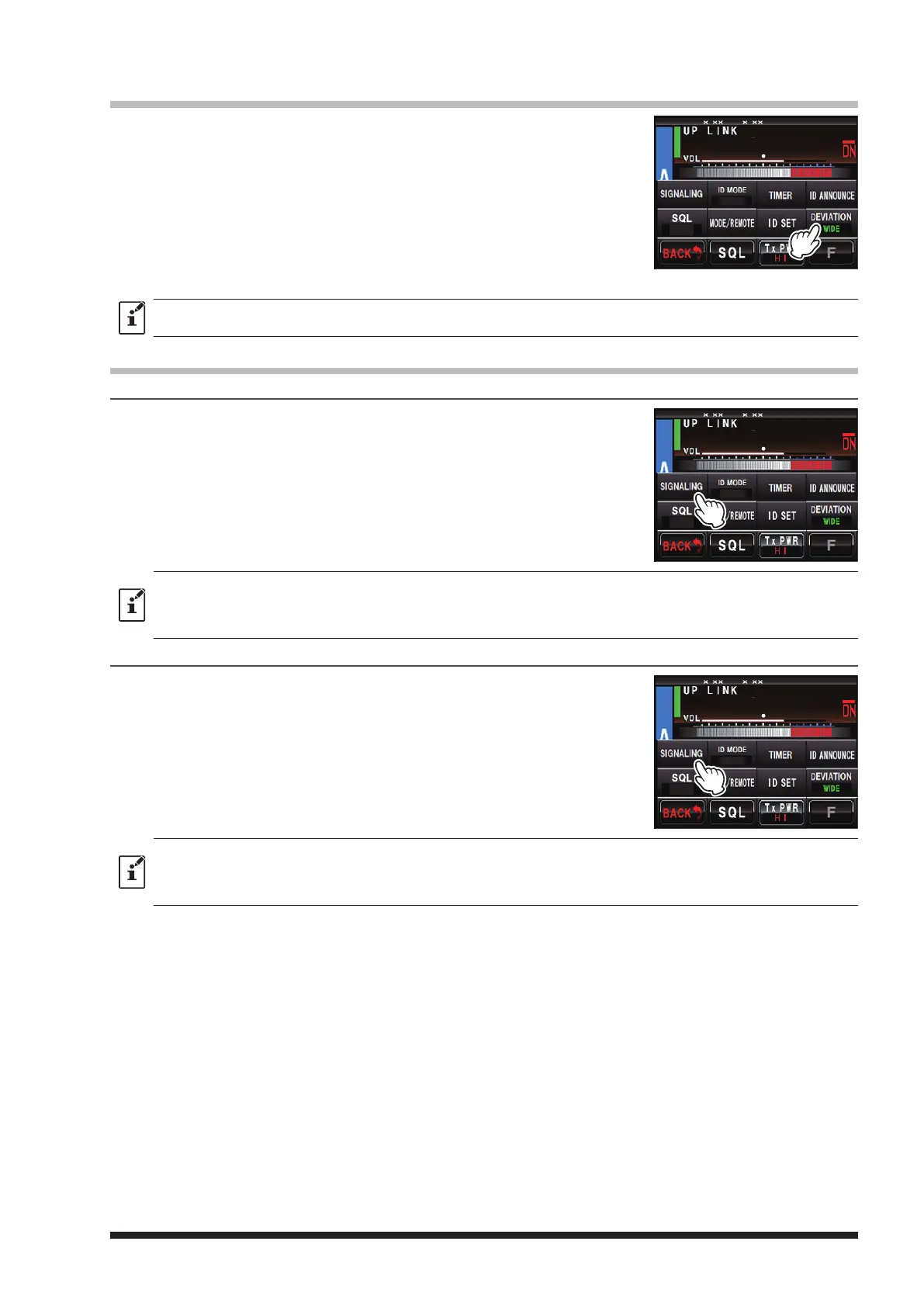
Setting the half deviation operation
1 Touch
[
A SETUP
]
or
[
B SETUP
]
, and then touch
[
F
]
.
2 Touch
[
DEVIATION
]
to display “NARROW”.
The setting will toggle between “NARROW” and “WIDE” each time
[
DEVIATION
]
is touched.
NARROW: Reduces the analog FM/C4FM digital modulation to half.
WIDE: Uses the normal analog FM/C4FM digital modulation.
3 Touch
[
BACK
]
twice.
The setting is determined and the display will return to the operation
mode screen.
z Factory default: WIDE
z This setting item may be set on CH-A and CH-B individually.
Setting the tone signals for analog FM mode
Setting the tone frequency
1 Touch
[
A SETUP
]
or
[
B SETUP
]
, then touch
[
F
]
.
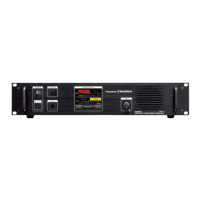
2 Touch
[
SIGNALING
]
.
3 Touch
[
◄ ►
]
to select the “RX TONE FREQ” and the “TX TONE FREQ”.
4 Touch
[
▲
]
or
[
▼
]
.
The set value will change each time
[
▲
]
or
[
▼
]
is touched.
5 Touch
[
BACK
]
3 times.
The setting is determined and the display will return to the operation
mode screen.
z Factory default: 100.0 Hz
z Tone frequencies between 67.0 Hz and 254.1 Hz can be selected.
z Both TX and RX can be set to different Tone frequency.
z This item may be set separately on the CH-A and CH-B.
Setting the DCS code
1 Touch
[
A SETUP
]
or
[
B SETUP
]
, then touch
[
F
]
.
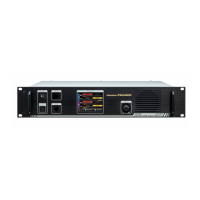
2 Touch
[
SIGNALING
]
, then touch
[
DCS CODE
]
.
3 Touch
[
◄ ►
]
to select the “RX DCS CODE” and the “TX DCS CODE”.
4 Touch
[
▲
]
or
[
▼
]
.
The set value will change each time
[
▲
]
or
[
▼
]
is touched.
5 Touch
[
BACK
]
3 times.
The setting is determined and the display will return to the operation
mode screen.
z Factory default: 023
z DCS codes between 023 and 754 can be selected.
z Each TX and RX can be set to different code.
z This setting item may be set on the CH-A and CH-B individually.
8
4
DG-ID
T-OFF
R-OFF
SETUP RXx.xx TX .x
8
4
DG-ID
T-OFF
R-OFF
SETUP RXx.xx TX .x
8
4
DG-ID
T-OFF
R-OFF
SETUP RXx.xx TX .x


 To Next Page