DR-2X / DR-2XE Operating Manual 33
How to erase recorded contents:
1 Touch
[
A SETUP
]
or
[
B SETUP
]
on the bottom of the Operation Mode Screen, then touch
[
F
]
.
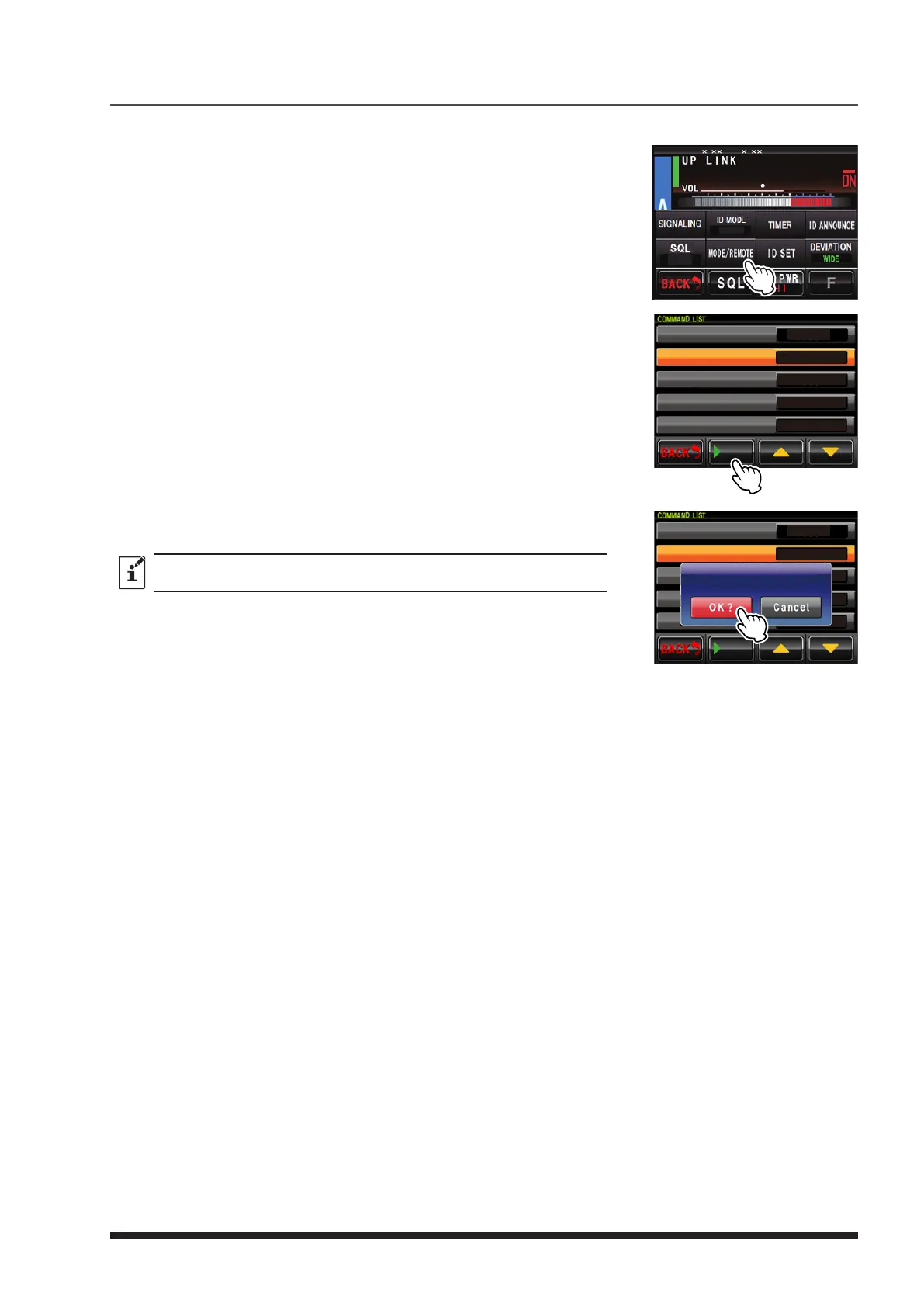
2 Touch
[
MODE/REMOTE
]
.
3 Touch
[
COMMAND
]
twice.
4 Touch
[
CONTROL MODE
]
to select “DTMF”.
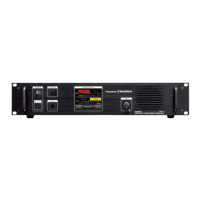
5 Touch
[
▼
]
.
[
uPLAY
]
will be displayed at the bottom of the screen.
8
4
DG-ID
T-OFF
R-OFF
SETUP RXx.xx TX .x
6 Touch and hold
[
uPLAY
]
.
[
CLEAR ALL VOICE
]
will be displayed.
DTMF
*1111
*2222
*3333
*4444
CONTROL MODE
ACTIVATE
DEACTIVATE
FIX DIGITAL
AUTO
PLAY
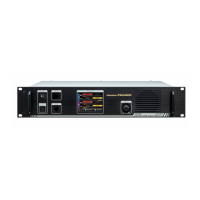
7 Touch
[
OK?
]
to erase all the recorded contents.
Touch
[
CANCEL
]
to cancel erasing.
Voice messages used with C4FM digital cannot be erased by operation of the
DR-2X/DR-2XE.
DTMF
*1111
*2222
*3333
*4444
CONTROL MODE
ACTIVATE
DEACTIVATE
FIX DIGITAL
AUTO
PLAY
CLEAR MESSAGE


 To Next Page