Page 100 FT-2000D OPERATING MANUAL
MEMORY OPERATION
STANDARD MEMORY OPERATION
The Standard Memory of the FT-2000D allows storage and recall of up to 99 memories, each storing frequency, mode, and
a wide variety of status information detailed previously. Memories may be grouped into as many as six Memory Groups,
and additionally you get nine pairs of band-limit (PMS) memories along with five QMB (Quick Memory Bank) memories.
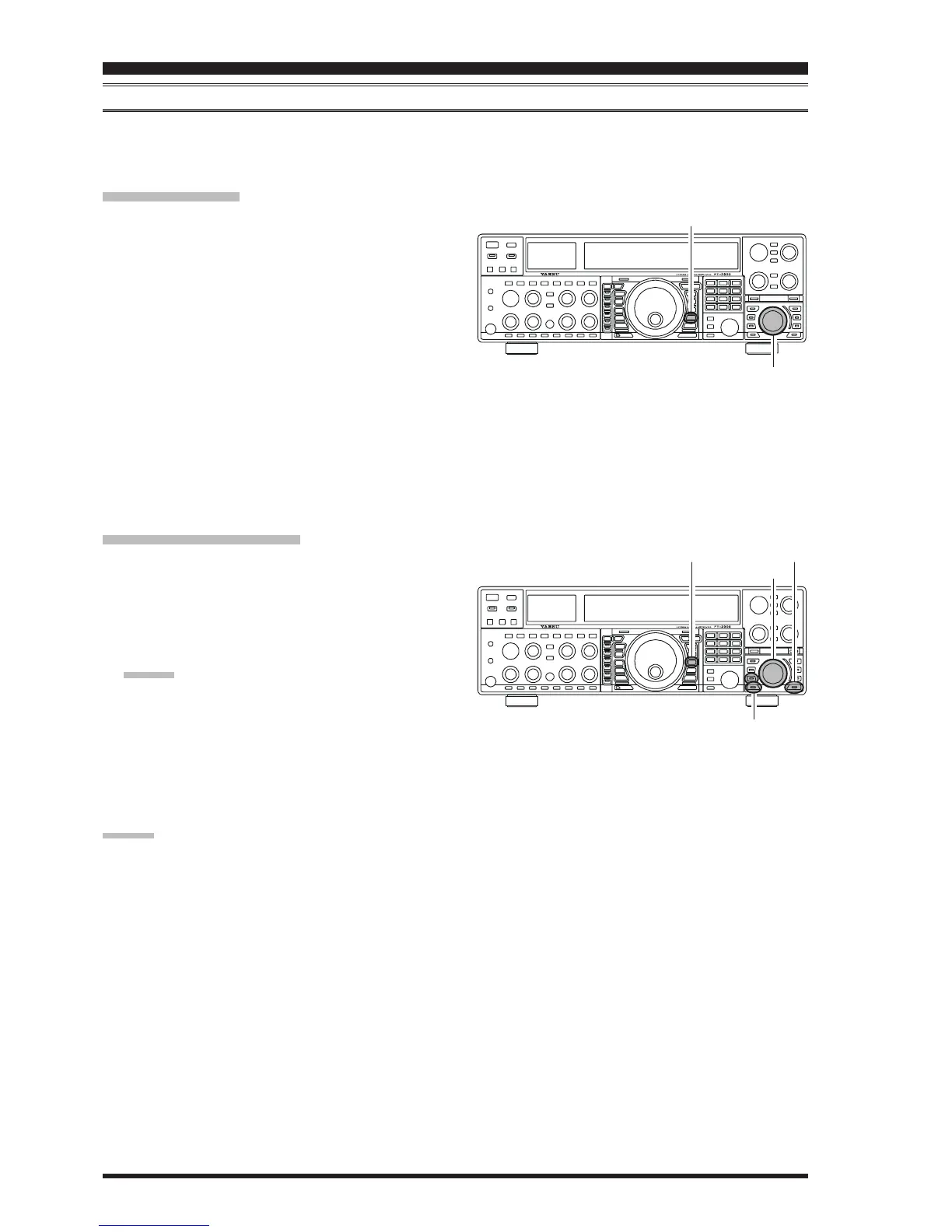
[
A
XX
XX
X
M
]
Button
[
SUB VFO-B
]
Knob
[
V/M
]
Button
[
A/B
]
Button
[
GRP
]
Button
[
M CH
]
Button
[
SUB VFO-B
]
Knob
Memory Storage
1. Set the Main band (VFO-A) up with all frequency,
mode, and status the way you want to have it stored.
2. Press the
[
A
XX
XX
X
M
]
button momentarily (the current chan-
nel number will start blinking in the multi-panel win-
dow); the contents of the current memory channel will
be shown on the Sub band (VFO-B) display field.
3. Rotate the
[
SUB VFO-B
]
knob to select the memory
channel onto which you wish to store the data. If you
have selected a channel on which data is already stored,
that frequency will appear on the Sub band’s (VFO-B)
frequency display field.
4. Press and hold in the
[
A
XX
XX
X
M
]
button for two seconds
to store the frequency and other data into the selected
memory channel. A double beep will confirm that you
have held the
[
A
XX
XX
X
M
]
button in long enough.
Memory Channel Recall
1. Press the
[
V/M
]
button, if necessary, to enter the
Memory mode. A memory channel number will ap-
pear in the multi-panel window.
2. Press the
[
M CH
]
button. The Red LED inside the but-
ton will light up, indicating that you are ready to recall
a memory channel.
ADVICE:
If the Red LED imbedded in the
[
M CH
]
button does
not light up, check to be sure that the orange lamp to
the right of the
[
SUB VFO-B
]
knob is not illuminated.
If it is, press the
[
A/B
]
switch to make it go out, then
press the
[
M CH
]
button again.
3. After pressing the
[
M CH
]
button, you may rotate the
[
M CH
]
knob to select the desired memory channel.
ADVICE:
To work within a particular Memory Group, press the
[
GRP
]
button (the imbedded LED will glow Red), then
rotate the
[
SUB VFO-B
]
knob to select the desired
Memory Group. Now press the
[
M CH
]
button (the im-
bedded LED will glow Red); you may now choose the
memory channel within the selected Memory Group.










 To Next Page