Page 101FT-2000D OPERATING MANUAL
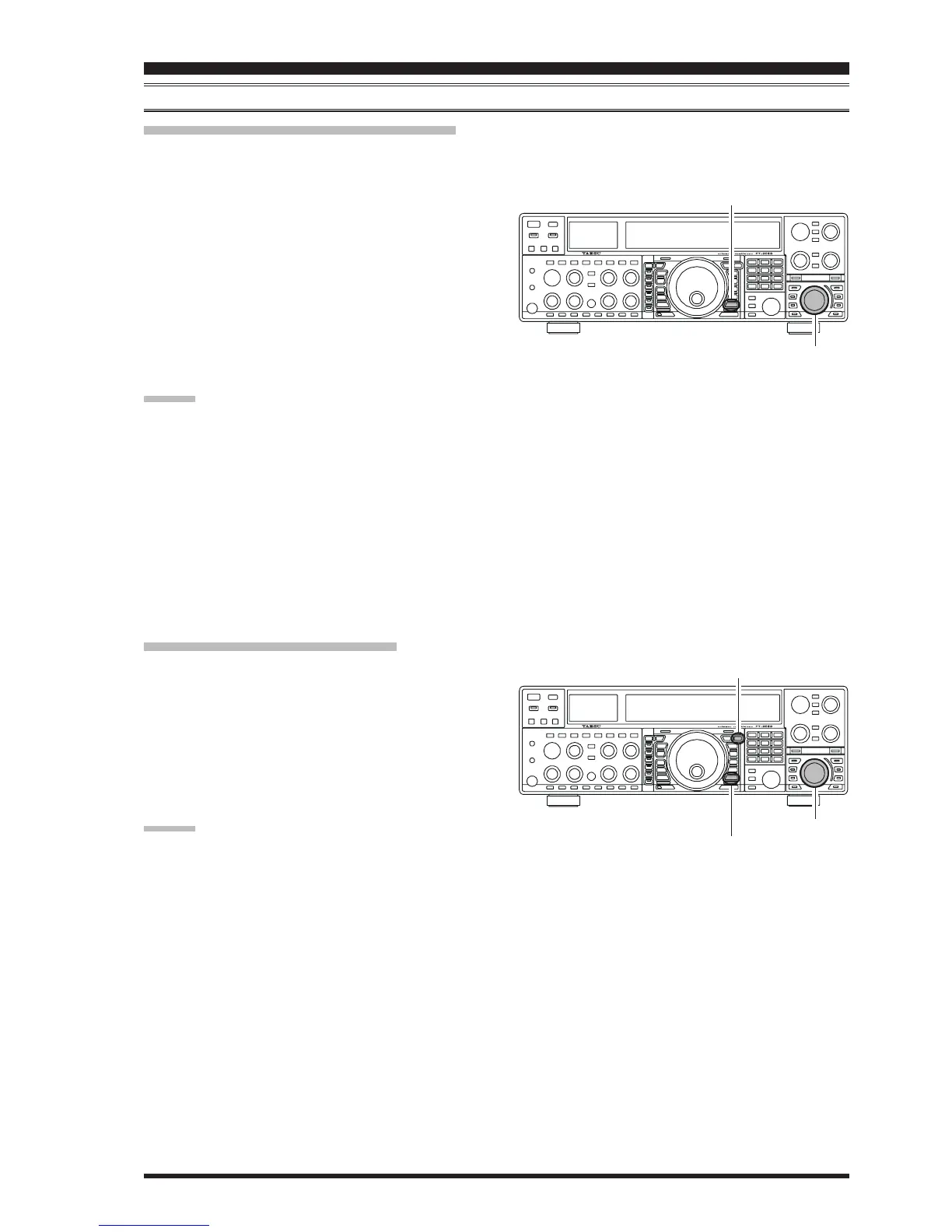
Checking a Memory Channel’s Status
Before programming a channel into memory, you can check the current contents of that channel without the danger of over-
writing the channel accidentally.
MEMORY OPERATION
STANDARD MEMORY OPERATION
1. Press the
[
A
XX
XX
X
M
]
button momentarily.
The data stored in the currently-selected memory chan-
nel will be displayed in the Sub band (VFO-B) fre-
quency field. However, since you are only checking
the contents of the memory channel, your radio will
not have moved to the memory channel’s frequency.
2. Rotate the
[
SUB VFO-B
]
knob to select a different
memory channel. To exit from the Memory Check
mode, press the
[
A
XX
XX
X
M
]
button momentarily once
more.
ADVICE:
While the Memory Check function is engaged, the
memory channel number will blink in the multi-panel
window.
While operating in the VFO mode, using Memory
Check, you may store the current contents of the Main
(VFO-A) register into the selected memory by press-
ing and holding in the
[
A
XX
XX
X
M
]
button for two seconds
(until the double beep). Conversely, if you wish to write
the contents of the current memory into the Main (VFO-
A) register, press and hold in the
[
M
XX
XX
X
A
]
button for
two seconds.
Erasing Memory Channel Data
1. Press the
[
A
XX
XX
X
M
]
button.
The data stored in the currently-selected memory chan-
nel will be displayed in the Sub (VFO-B) band fre-
quency field.
2. Rotate the
[
SUB VFO-B
]
knob to select the memory
channel that you would like to erase.
3. Press the
[
LOCK
]
button to erase the contents of the
selected memory channel.
ADVICE:
After erasure, only the memory channel number will
remain; the frequency data will disappear from the dis-
play.
If you make a mistake and wish to restore the memory’s
contents, just repeat steps (1) through (3) above.
[
A
XX
XX
X
M
]
Button
[
SUB VFO-B
]
Knob
[
LOCK
]
Button
[
SUB VFO-B
]
Knob
[
A
XX
XX
X
M
]
Button










 To Next Page