Page 96 FT-2000D OPERATING MANUAL
FM MODE OPERATION
BASIC OPERATION
[
AM/FM
]
Button
[
MOX
]
Button
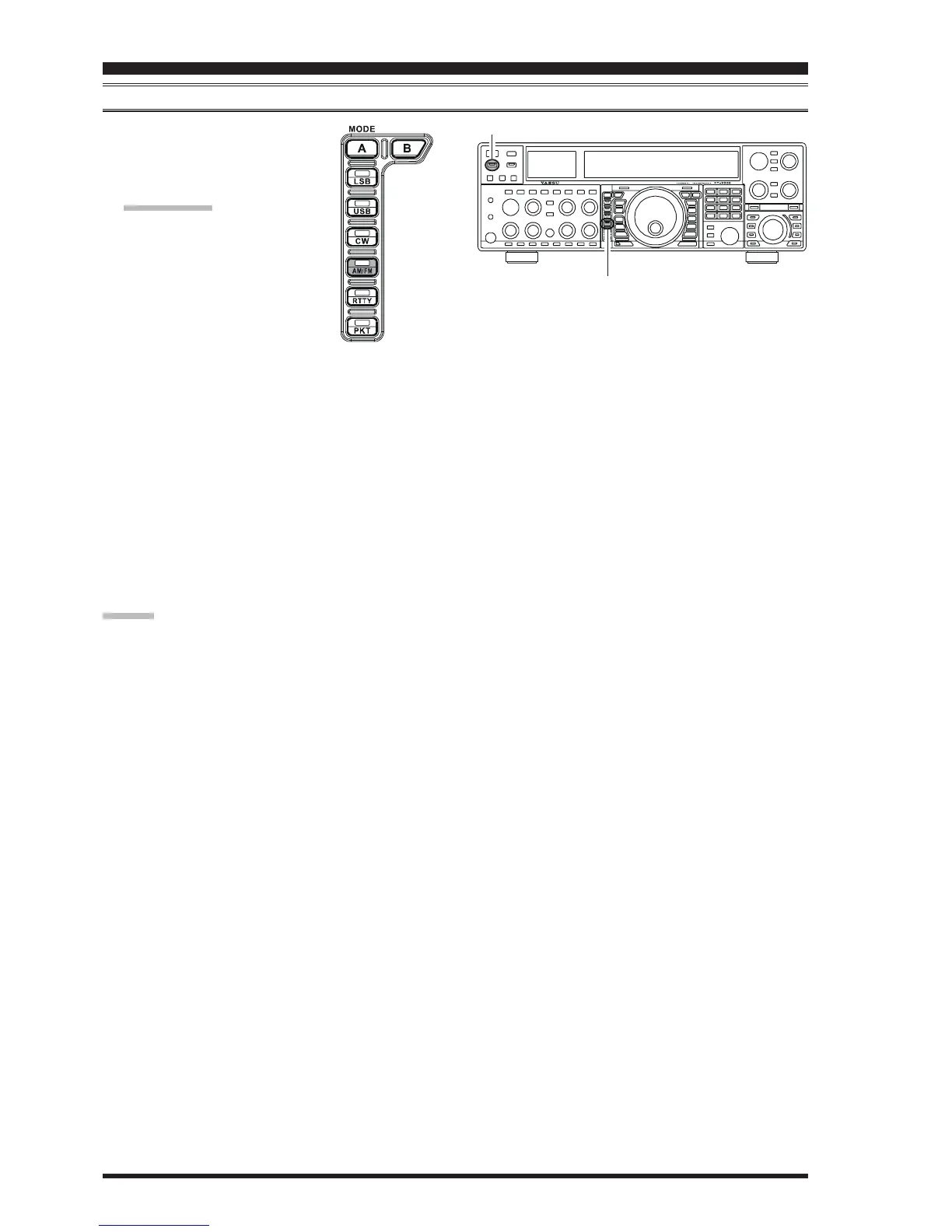
1. Press the
[
AM/FM
]
button several
times, until the imbedded LED glows
orange, to select the FM operating
mode.
QUICK POINT:
When the
[
AM/FM
]
button glows
red, it indicates AM operation.
2. Rotate the Main Tuning Dial knob
(in the case of Main (VFO-A) op-
eration) to select the desired operat-
ing frequency. Pressing the
microphone’s
[
UP
]
or
[
DWN
]
but-
ton will cause frequency change in 5 kHz steps.
3. Press the microphone’s PTT switch (or press the front
panel
[
MOX
]
button) to transmit. Speak into the mi-
crophone in a normal voice level. Release the PTT or
[
MOX
]
switch to return to receive.
4. Adjustment of the microphone gain may be accom-
plished in two ways. At the factory, a default level has
been programmed that should be satisfactory for most
situations. However, using Menu item “074 F3E
MICGAIN,” you may set a different fixed value, or
choose the “
urur
urur
ur” option, which then lets you use the
front panel
[
MIC
]
knob to set the microphone gain in
the FM mode.
ADVICE:
The Transmit Monitor is another helpful way of veri-
fying proper adjustment of the FM MIC Gain. By press-
ing the
[
MONI
]
button then adjusting the
[
MONI
]
knob
for a comfortable listening level while you are trans-
mitting, you will be able to hear the difference in de-
viation as you make adjustments.
FM is only used in the 28 MHz and 50 MHz Amateur
bands covered in the FT-2000D. Please do not use
FM on any other bands.










 To Next Page