Page 102 FT-2000D OPERATING MANUAL
MEMORY OPERATION
STANDARD MEMORY OPERATION
Moving Memory Data to the Main Band
(
VFO-A
)
You may transfer the contents of the currently-selected memory channel into the Main band (VFO-A) register, if you like.
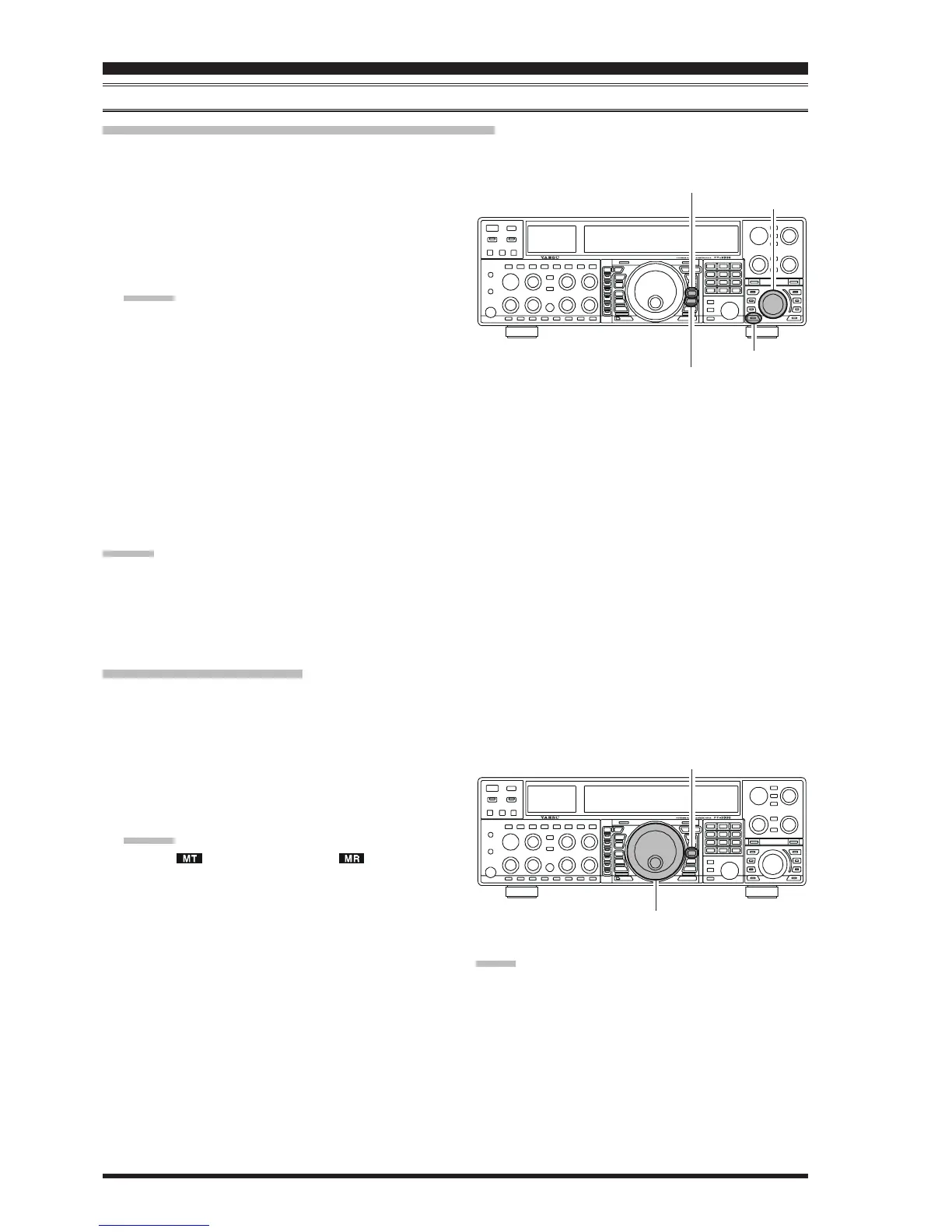
1. Press the
[
V/M
]
button, as necessary, to go to the
Memory mode. The memory channel number will ap-
pear in the multi-panel window.
2. Press the
[
M CH
]
button. The Red LED inside the
switch will light up, indicating that you are ready to
recall a memory channel.
ADVICE:
If the Red LED imbedded in the
[
M CH
]
button does
not light up, check to be sure that the orange lamp to
the right of the
[
SUB VFO-B
]
knob is not illuminated.
If it is, press the
[
A/B
]
switch to make it go out, then
press the
[
M CH
]
button again.
3. Rotate the
[
SUB VFO-B
]
knob to select the memory
channel the contents of which you wish to transfer to
the Main band (VFO-A).
4. Press and hold in the
[
M
XX
XX
X
A
]
button for two seconds,
until you hear the double beep. The data in the selected
memory channel will now be transferred to the Main
band (VFO-A).
ADVICE:
This transfer of data to the Main band (VFO-A) does not
affect the original contents of the memory channel; this is
a “copy” function that leaves the memory contents un-
changed.
1. Press the
[
V/M
]
button to recall any memory channel.
2. Rotate the Main Tuning Dial knob; you will now ob-
serve that the memory channel’s frequency is chang-
ing.
ADVICE:
The “ ” icon will replace the “ ” icon in the
multi-panel window, indicating you are in the
“Memory Tune” mode.
During Memory Tune operation, you may change
operating modes, and engage the Clarifier, if de-
sired.
3. Press the
[
V/M
]
button momentarily to return to the
originally-memorized frequency of the current memory
channel. One more press of the
[
V/M
]
button will re-
turn you to VFO operation.
NOTE:
Computer software programs utilizing the CAT system
interface port may presume that the transceiver is operat-
ing in the VFO mode for certain features like “band map-
ping” and/or frequency logging. Because the “Memory
Tune” mode so closely resembles the VFO mode, be sure
that you have the FT-2000D operating in a control mode
compatible with your software’s requirements. Use the
VFO mode if you’re not sure.
Main Tuning Dial Knob
[
V/M
]
Button
Memory Tune Operation
You may freely tune off of any memory channel in a “Memory Tune” mode that is similar to VFO operation. So long as
you do not over-write the contents of the current memory, Memory Tune operation will not alter the contents of the
memory channel.
[
SUB VFO-B
]
Knob
[
V/M
]
Button
[
M CH
]
Button
[
M
XX
XX
X
A
]
Button










 To Next Page