27
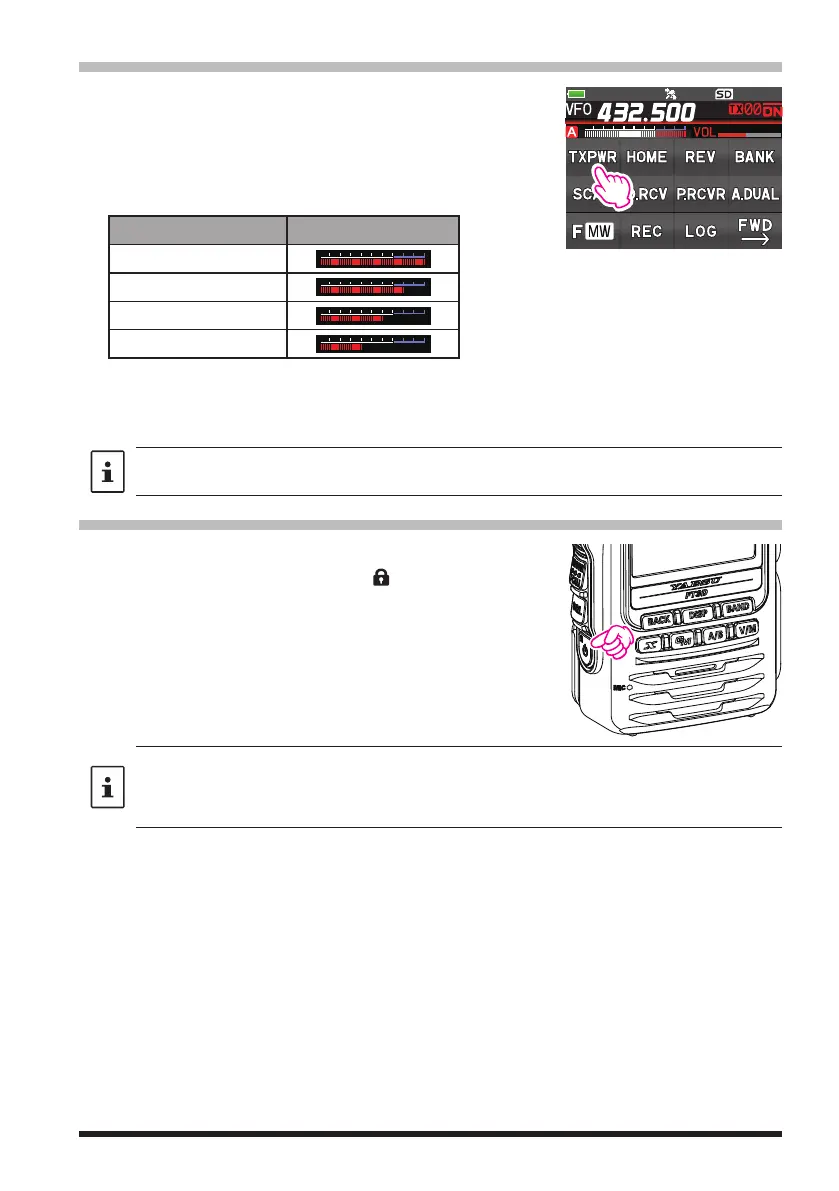
Changing the Transmit Power Level
1. Touch [F MW], then touch [TX PWR].
If [TX PWR] is not displayed, touch [BACK ←] to dis-
play [TX PWR] and then touch it.
2. Rotate the DIAL knob to select one of the following
transmit power levels.
TX PO Level PO Meter
HIGH (5W)*
LOW3 (2.5W)
LOW2 (1W)
LOW1 (0.3W)
*The default setting. When the optional alkaline battery case (FBA-39) is used, only LOW2 (about
0.9W) and LOW1 (about 0.3W) can be selected.
3. Press the PTT switch to save the setting and return to the normal operation.
The transmission power level may be set separately for each frequency band.
Locking the Keys and DIAL knob
1. Press the Power (Lock) switch, “LOCK” is shown on
the display for one second, the “
” icon appears on
the LCD, and then the keys and DIAL knob are
locked.
• The keys, the DIAL knob, and the PTT switch may be selected to be locked using Set
Mode [CONFIG]→[9 LOCK]. The default setting is the “KEY&DIAL” (the keys and the
DIAL knob are locked).
• The MONI/T-CALL switch, SQL switch and the VOL knob cannot be locked.
2. Press the POWER (Lock) switch again, “UNLOCK” will be shown on the Display and
the keys and the DIAL knob are unlocked.



 To Next Page