176 Chapter 13—Dynamics Processors
01V—Owner’s Manual
Editing Dynamics Program Titles
User program titles can be edited using the Title Edit function.
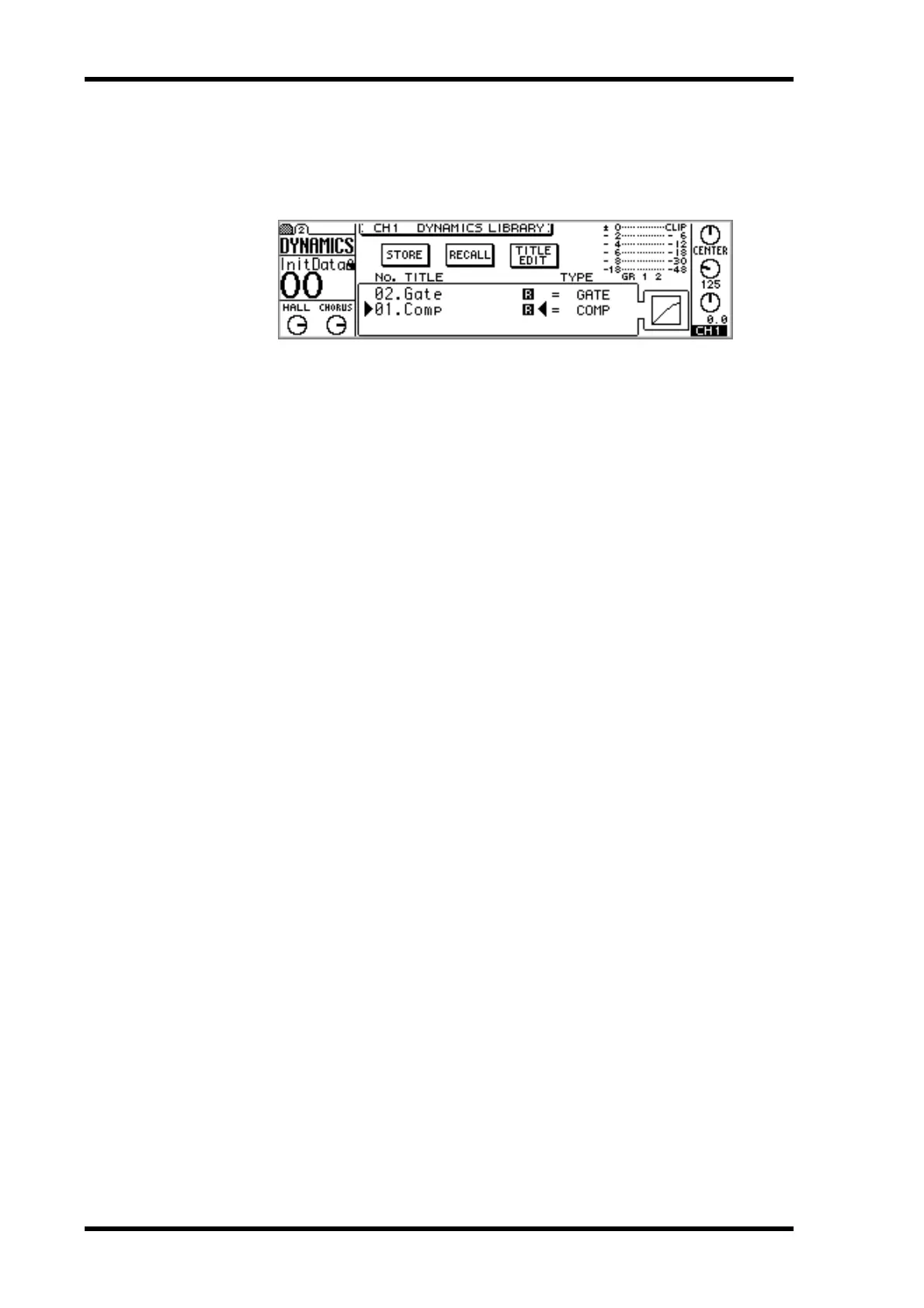
1. Use the [DYNAMICS] button to locate the Library page, as shown below.
2. Use the PARAMETER wheel or [–1/DEC] and [+1/INC] buttons to select a
user program from 41 through 80.
3. Use the cursor buttons to select the TITLE EDIT switch, and then press
the [ENTER] button.
The Title Edit dialog box appears.
4. Edit the program title.
See “Title Edit Dialog Box” on page 37 for more information.
5. Select OK, and then press the [ENTER] button.
The program is stored with its new title.


 To Next Page