Swapping Inputs 1–8 & 17–24 51
01V—Owner’s Manual
Swapping Inputs 1–8 & 17–24
The inputs to channels 1 through 8 can be swapped with those of input channels 17
through 24 either individually or altogether. This allows signals from the Option I/O
digital inputs to make use of the 4-band EQ, dynamics processors, and other functions
of full-feature input channels 1 through 8.
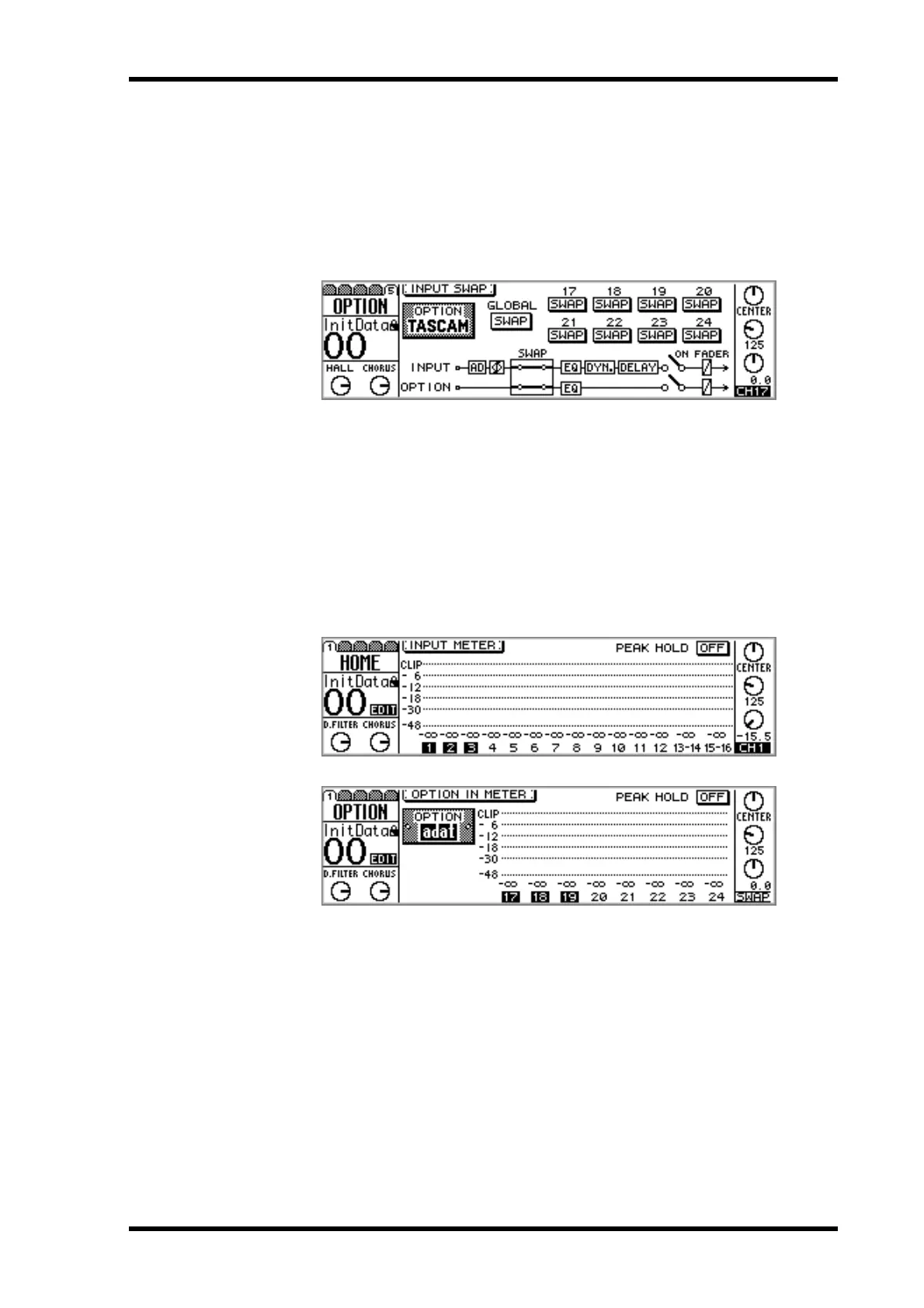
1. Use the [OPTION I/O] button to locate OPTION page 5, as shown below.
2. Use the cursor buttons to select the GLOBAL or individual SWAP switches,
and the [ENTER] button, PARAMETER wheel, or [–1/DEC] and [+1/INC]
buttons to set them.
Swap switches appear highlighted when channels are swapped.
When channels are swapped, their meter numbers appear highlighted on HOME page
1 and OPTION page 1, as shown below. When a swapped channel is selected, the
selected channel area of the display alternately shows the channel number and “SWAP”,
also shown below.



 To Next Page