84 Chapter 7—Solo, Monitors & Meters
01V—Owner’s Manual
Omni Outs
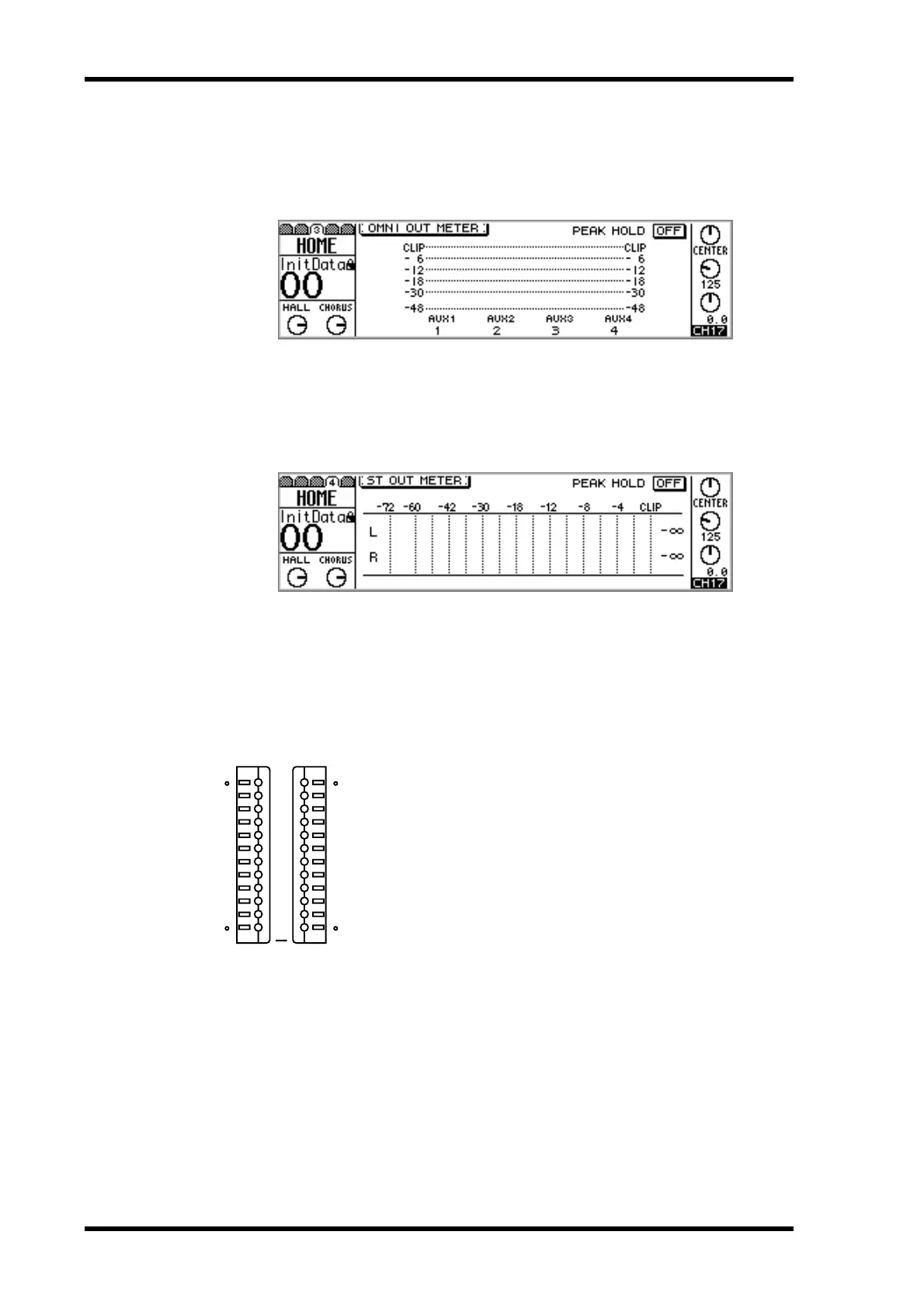
HOME page 3 displays signal level meters for the four omni outs. The source assigned
to an omni out is displayed below its meters. These assignments are made on
PAN/ROUT page 4. See “Assigning Omni Outs” on page 116 for more information.
Stereo Output
HOME page 4 displays signal level meters for the stereo output. Compared to the main
stereo meters, these have a large scale from –72 dB to CLIP.
Meters for the stereo output also appear on the VIEW pages. See “Viewing Stereo Out-
put Settings” on page 89 for more information.
Main Stereo Meters
In addition to the meters on HOME page 4, stereo output levels are
displayed on the dedicated 12-segment main stereo meters, with
Peak Hold. The meters range from –48 dB to CLIP. If a CLIP LED
does light, reduce the stereo output level to prevent signal distor-
tion. The main stereo meters are not affected by the metering
points on HOME page 5.
Peak Hold
The Peak Hold function works with the HOME, OPTION I/O, and main stereo meters.
When it’s turned on, the meter segments lit by the loudest signal peaks remain on, pro-
viding an easy way to check for peak levels.
1. Use the PARAMETER wheel, [–1/DEC] and [+1/INC] buttons, or [ENTER]
button to turn the Peak Hold function on or off.
To reset the Peak Hold function, turn it off and then on again.
L STEREO R
CLIP
–3
–6
–9
–12
–15
–18
–24
–30
–36
–42
–48



 To Next Page