56 Chapter 5—Input Channels
01V—Owner’s Manual
Grouping Mutes
Input channel [ON] buttons 1 through 16 can be grouped together in mute groups for
multi-channel control using a single button. Three groups are available: D, E, and F.
Mute groups may contain on channels and off channels, making it easy to toggle
between channels. When switched, on channels go off and off channels come on.
Making a Mute Group
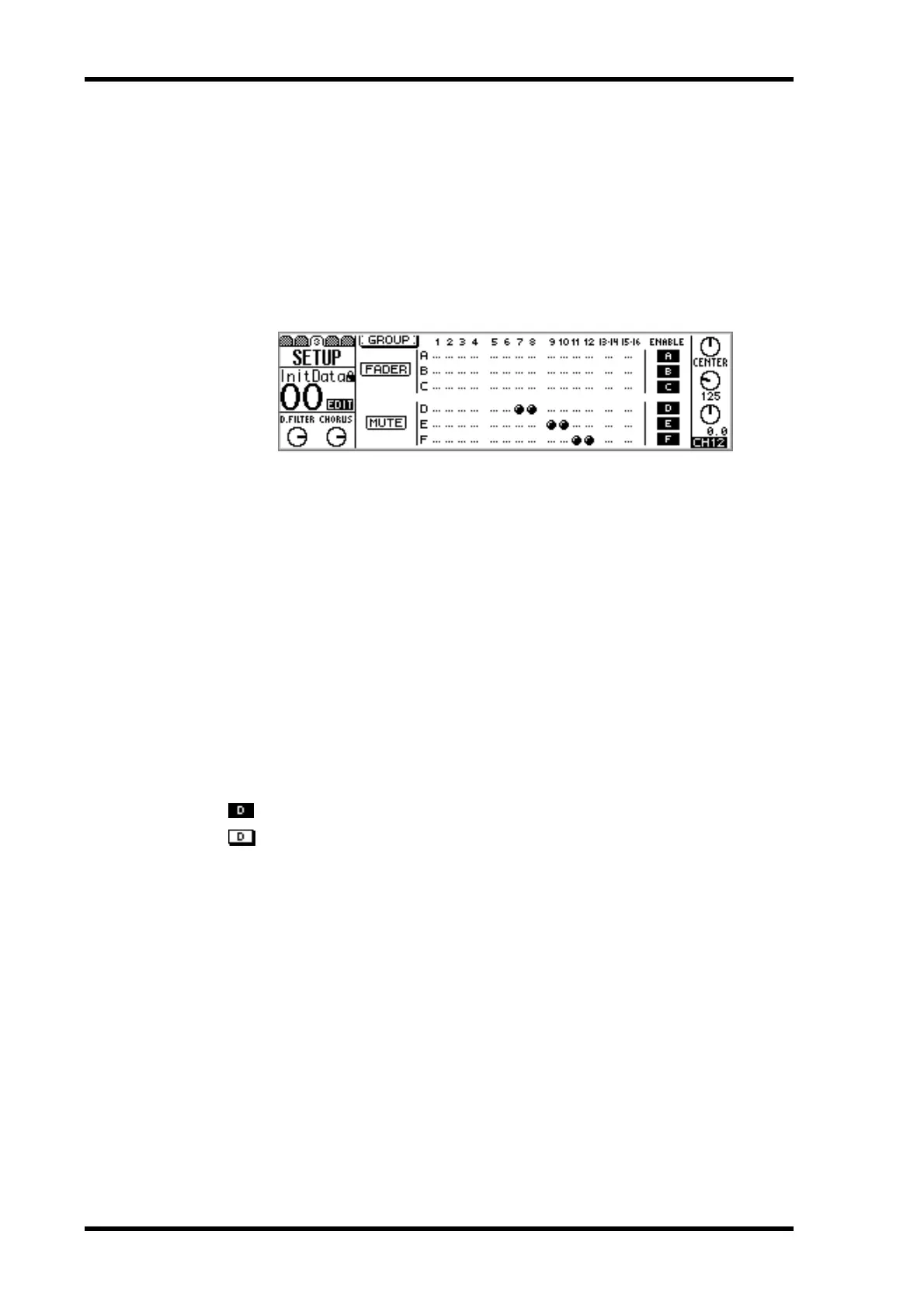
1. Use the [SETUP] button to locate SETUP page 3, as shown below.
2. Use the up and down cursor buttons to select the mute groups, and the
[SEL] buttons to add and remove channels to and from that group.
Channels cannot be in more than one group at a time.
Input channels 13/14, 15/16, and paired input channels 1 through 12 (“Pairing Input
Channels” on page 52) are added and removed together.
Enabling & Disabling Mute Groups
Mute groups can be enabled and disabled using the ENABLE switches. Disabling a
group allows you to set channels without removing them from the group.
1. Use the up and down cursor buttons to select the mute group that you
want to disable: D, E, or F.
2. Use the [ENTER] button, PARAMETER wheel, or [–1/DEC] and [+1/INC]
buttons to enable or disable the selected group.
Mute group enabled
Mute group disabled



 To Next Page