Reference
DTX900 Owner’s Manual
135
Drum Kit mode
Reference
Song modeClick modeTr igger modeFile modeUtility modeChain modeSampling mode
Sampling Mode
[SAMPLING]
The Sampling Record function lets you record sounds—such as vocals from a connected microphone, the signal from
an electric guitar, or audio from an external CD or MP3 player—directly to the DTX900, and assign them to the DTX900
as User Drum Voices. The User Drum Voices obtained via the Sampling function can be assigned to the Drum Kit and
played back by hitting the pads.
Sampling Setup
1
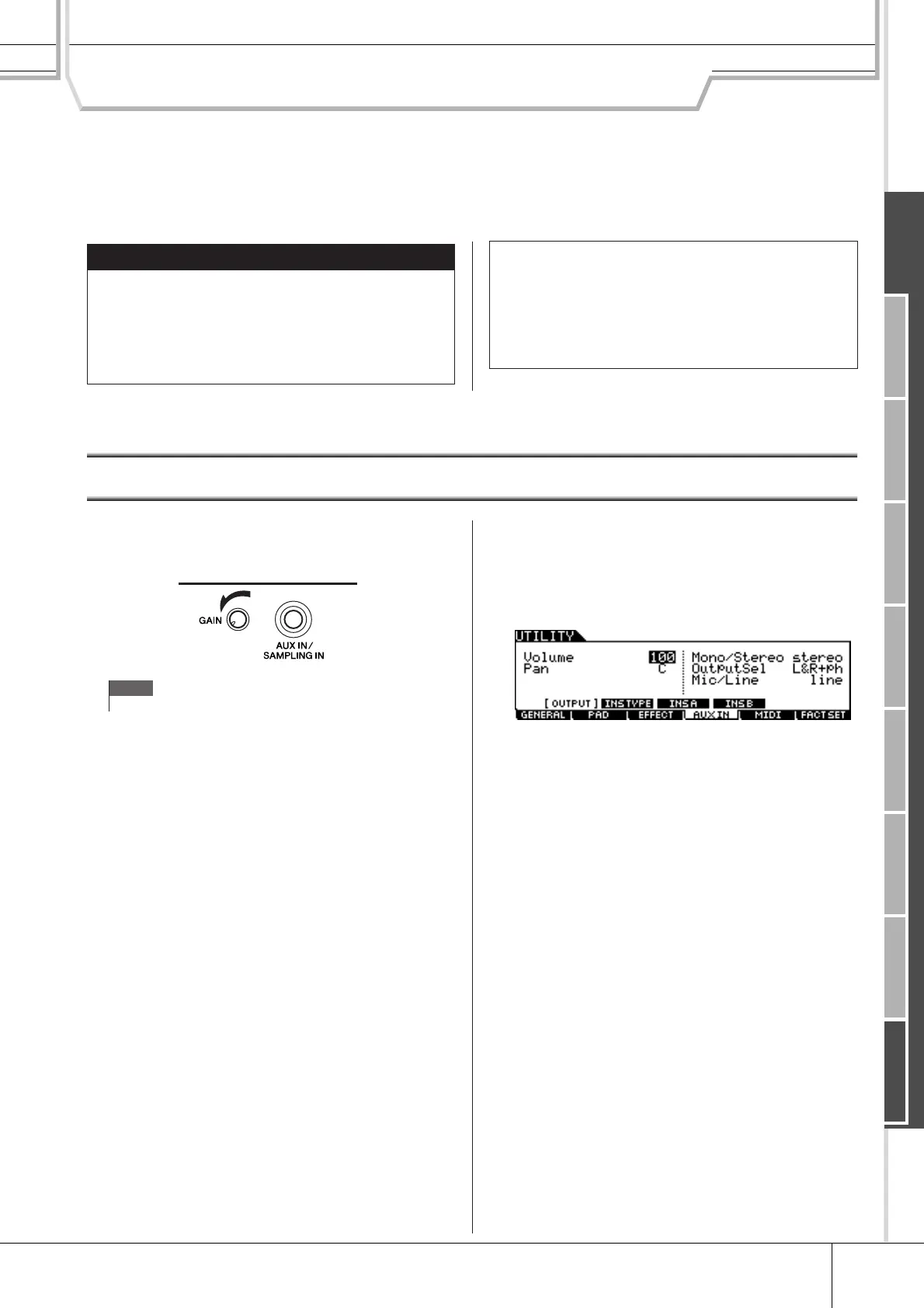
Turn the power off and set the GAIN knob
on the rear panel to the minimum.
2
Connect an audio device (CD player, etc.)
to the AUX IN/SAMPLING IN jack on the
rear panel.
3
Turn the power of the DTX900 on.
4
Press the [UTILITY] button to enter the
Utility mode, press the [F4] AUXIN button,
then press the [SF1] OUTPUT button to
call up the Output display.
5
Set the Mic/Line parameter.
When connecting low output equipment, such as a micro-
phone, electric guitar or bass, set the Mic/Line parameter to
“mic.” When connecting high output equipment, such as a
keyboard, synthesizer or CD player, set the Mic/Line parame-
ter to “line.”
6
Press the [ENTER/STORE] button to store
these settings.
IMPORTANT
In order to use the Sampling function, DIMM mod-
ules must be installed to the DTX900. When no
DIMMs are installed to the DTX900, you cannot enter
the Sampling mode even if you press the [SAM-
PLING] button. For details on installing DIMMs, see
page 147.
●
User Voice
In addition to Preset Voices, the DTX900 has User
Voices, which you can create in the following ways:
Recording audio signals in the Sampling mode or load-
ing WAV files or AIFF files from the USB storage device
connected to the DTX900 in the File mode.
NOTE
•For details about how to turn the power on/off, see page 18.



 To Next Page