Setting Up
DTX900 Owner’s Manual
17
■ DTX950K
■ Setting up with Acoustic Drums
The DTX900 can be played from an acoustic drum kit if the kit is fitted with an optional set of drum triggers (such as
Yamaha DT20 Drum Triggers) and the triggers are properly connected to the input jacks of the DTX900.
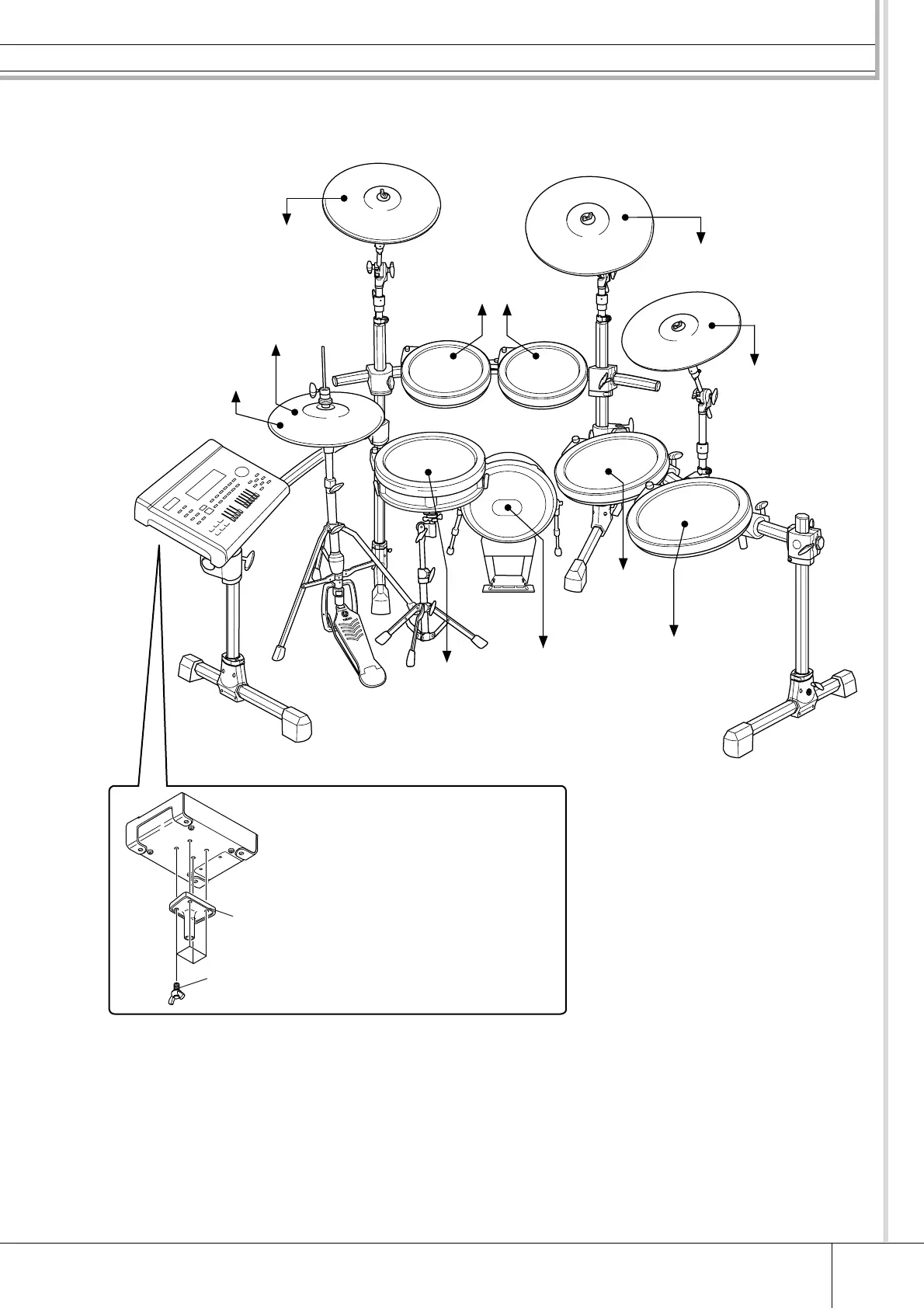
PCY135
PCY135
DTX900
PCY155
KP125W
XP120SD
RHH135
XP100T XP100T
XP120T
XP120T
Attaching the module stand
Attach the included module stand to the
DTX900 using the module stand fastening
screws.
* Be sure to use the included screws.
DTX900
Module stand
(included)
Module stand fastening
screws x 4 (included)
to 1SNARE
to JKICK/K
*Foot pedal is not included
in the Special Set.
to 9HI-HAT
to HI-HAT
CONTROL
to 7CRASH1
to 2TOM1 to 3TOM2
to 5TOM4
to 4TOM3
to 6RIDE
to 8CRASH2
* First, connect the RHH135’s
[PAD] output jack to the 9HI-
HAT jack on the DTX900, then
connect the RHH135’s [HI-HAT
CONTROL] output jack to the
HI-HAT CONTROL jack on the
DTX900.



 To Next Page