Setting Up
DTX900 Owner’s Manual
27
Adjusting the Sound and Display Contrast
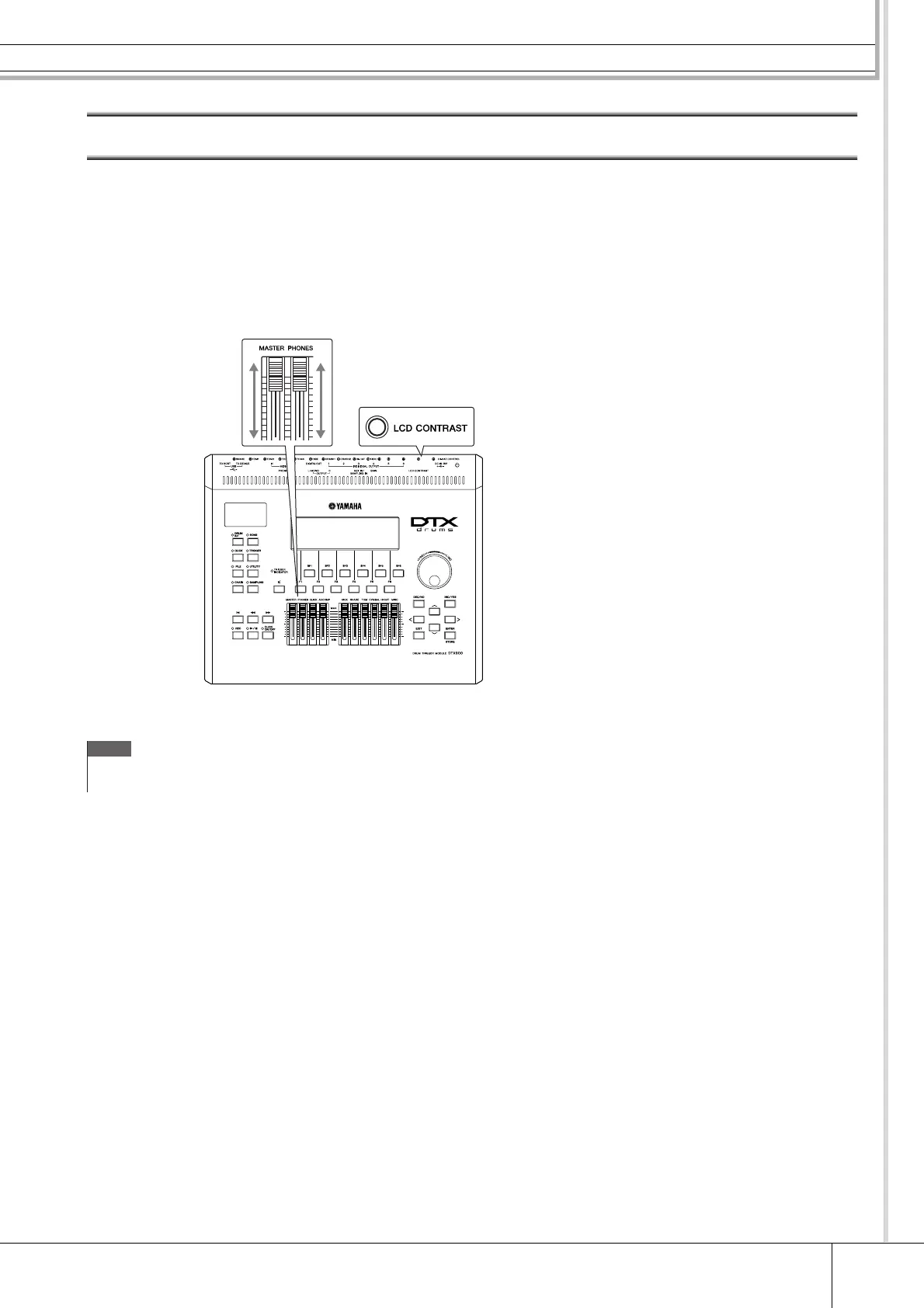
You can adjust the total volume levels of the DTX900 sound. Using the MASTER slider adjusts the output volume of the ste-
reo mix from the OUTPUT L/MONO and R jacks. Using the PHONES slider adjusts the output volume of the stereo-mixed
sounds for the PHONES jack. This is independent from the MASTER slider setting. For details about all of the sliders as
well as the PHONES and MASTER, see page 31.
If the display is not easily visible, use the Contrast control on the rear panel to adjust for optimum visibility.
888
Adjust the total volume by using the
MASTER slider/PHONES slider
Adjust the display contrast
with the Contrast control.
DTX900
NOTE
•Keep in mind that the LCD display is not a touch screen type. Do not touch
and press the display directly or forcefully.



 To Next Page