Recording Your Drum Performance to a Song
Quick Guide
Quick Guide
DTX900 Owner’s Manual
47
4
Select the desired Preset Song as the copy source then press the
[ENTER/STORE] button.
The display prompts you for confirmation. To cancel the Copy Song operation, press
the [DEC/NO] button.
5
Press the [INC/YES] button to execute the Copy Song operation.
6
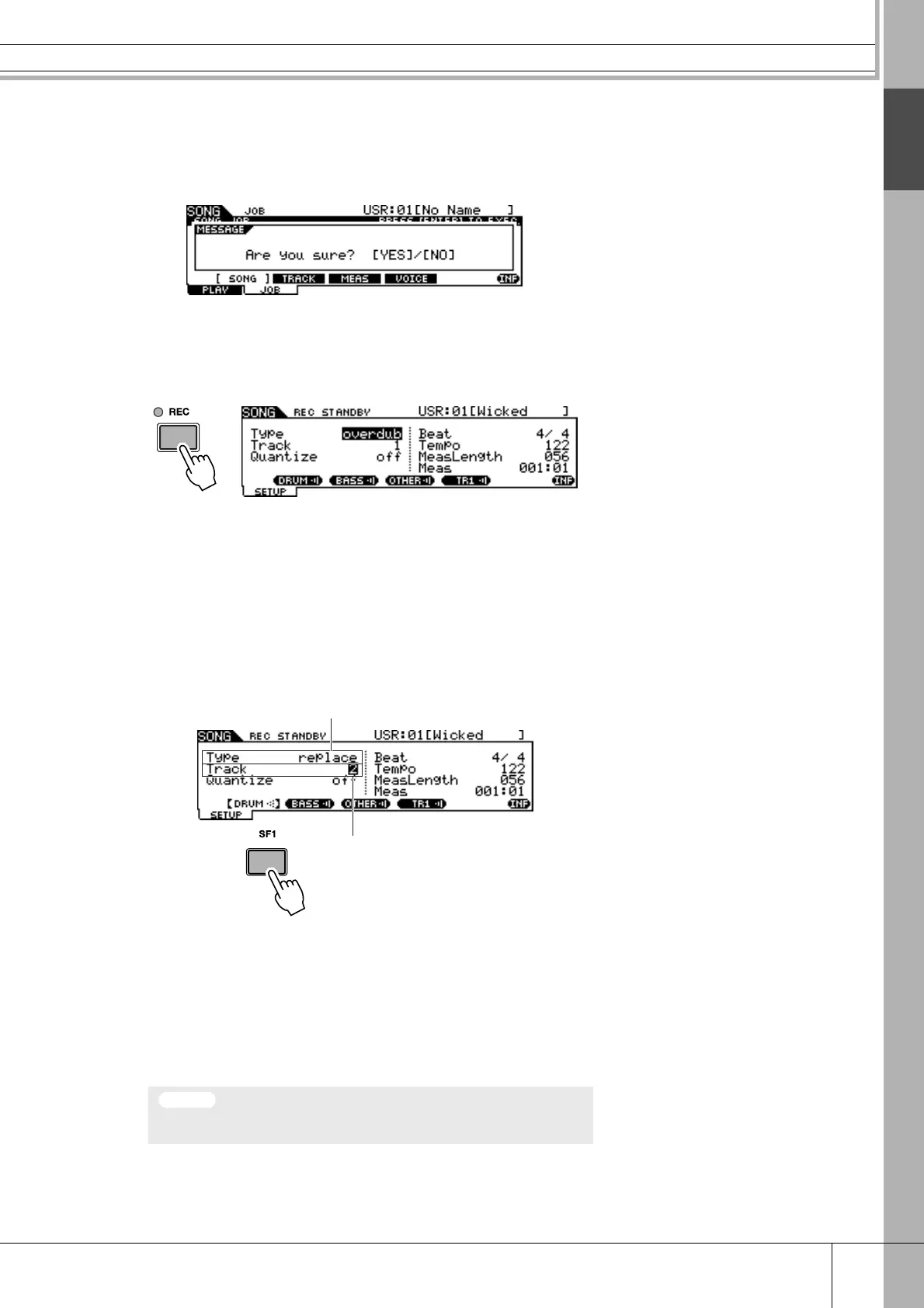
Press the [REC] button to call up the REC STANDBY display.
7
Move the cursor to “Type,” then set this parameter to “replace.”
8
Move the cursor to “Track,” then set this parameter to “2.”
Because the Preset Song data is recorded only to track 1, you can record your drum
performance to track 2 along while track 1 plays back.
9
Press the [SF1] DRUM button to mute the drum part of the Preset
Song data.
10
Press the [>>
>>
/■] (Play/Stop) button to start recording.
11
After recording stops automatically when the last measure is
reached, press the [>>
>>
/■] (Play/Stop) button to hear the newly
recorded Song.
You can stop recording at the middle of the Song by pressing the [>/■] button.
12
Save the recorded Song to a USB storage device.
• Be careful to avoid turning the power off or disconnecting the AC adaptor during record-
ing; otherwise your recorded data will be lost.
Tra ck = 2
Type = replace
NOTICE



 To Next Page