Basic Structure of the DTX900
Reference
DTX900 Owner’s Manual
67
Drum Kit mode
Reference
Song modeClick modeTr igger modeFile modeUtility modeChain modeSampling mode
Song
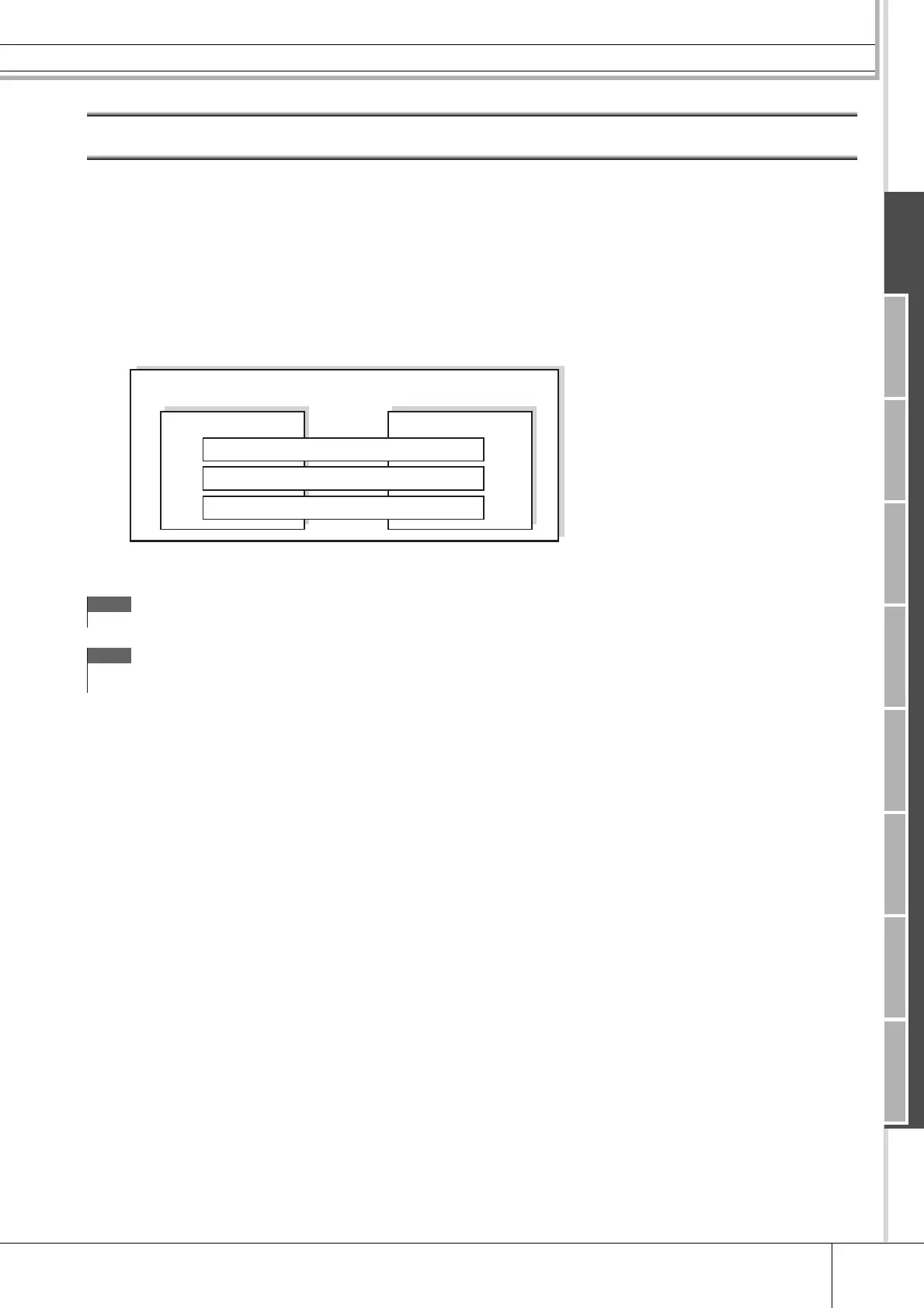
A song consists of two sequence tracks (Tracks 1 and 2) and header data.
Each of two sequence tracks contains MIDI sequence data of 16 MIDI channels (channel 1 – 16). The DRUM, BASS and
OTHER parts correspond to MIDI channels 10, 3, and the other channels respectively. These parts can be muted, regardless
of which tracks they are on, by pressing the [SF1], [SF2] and [SF3] buttons.
The header data at the beginning of the song contains general song information such as Drum Kit number, tempo and time
signature (BEAT), as well as program change and volume data for each MIDI channel. These types of data are automatically
transmitted to the tone generator block when you select a song.
When song playback is started, this data is transmitted to the tone generator block for the sounds to be played back.
Playback of each Song can be started by hitting the specified pad as well as pressing the [>/■] (Start/Stop) button. The func-
tion that lets you start/stop playback of a Song by hitting the specified pad is referred to as “Pad Song” (Page 93). Each Drum
Kit can feature up to four Trigger Input Sources to which a Pad Song is assigned. Some Preset Drum Kits provide special
Pad Song settings.
Since the DTX900 can play one main Song (normally started via the [>/■] button) and up to four Pad Songs at a time, you
can play short phrases, such as a guitar riff or a chorded brass hit by hitting pads while playing the drum kit along with the
main Song.
The Pad Song settings for each Drum Kit can be performed in the display called up via [DRUM KIT] → [F5] PAD → [SF3]
PADSONG.
NOTE
• All the Preset Songs are recorded to the track 1.
NOTE
•Even if the [SF1] DRUM button is turned off, the drum part of only track 1
can be muted.
Song
Track 1 Track 2
DRUM — MIDI channel 10
BASS — MIDI channel 3
OTHER — MIDI channels 1, 2, 4-9, 11-16



 To Next Page