Playing Along With the Click
Quick Guide
Quick Guide
DTX900 Owner’s Manual
33
Changing the Tempo and Time Signature (Beat) of the Click
1
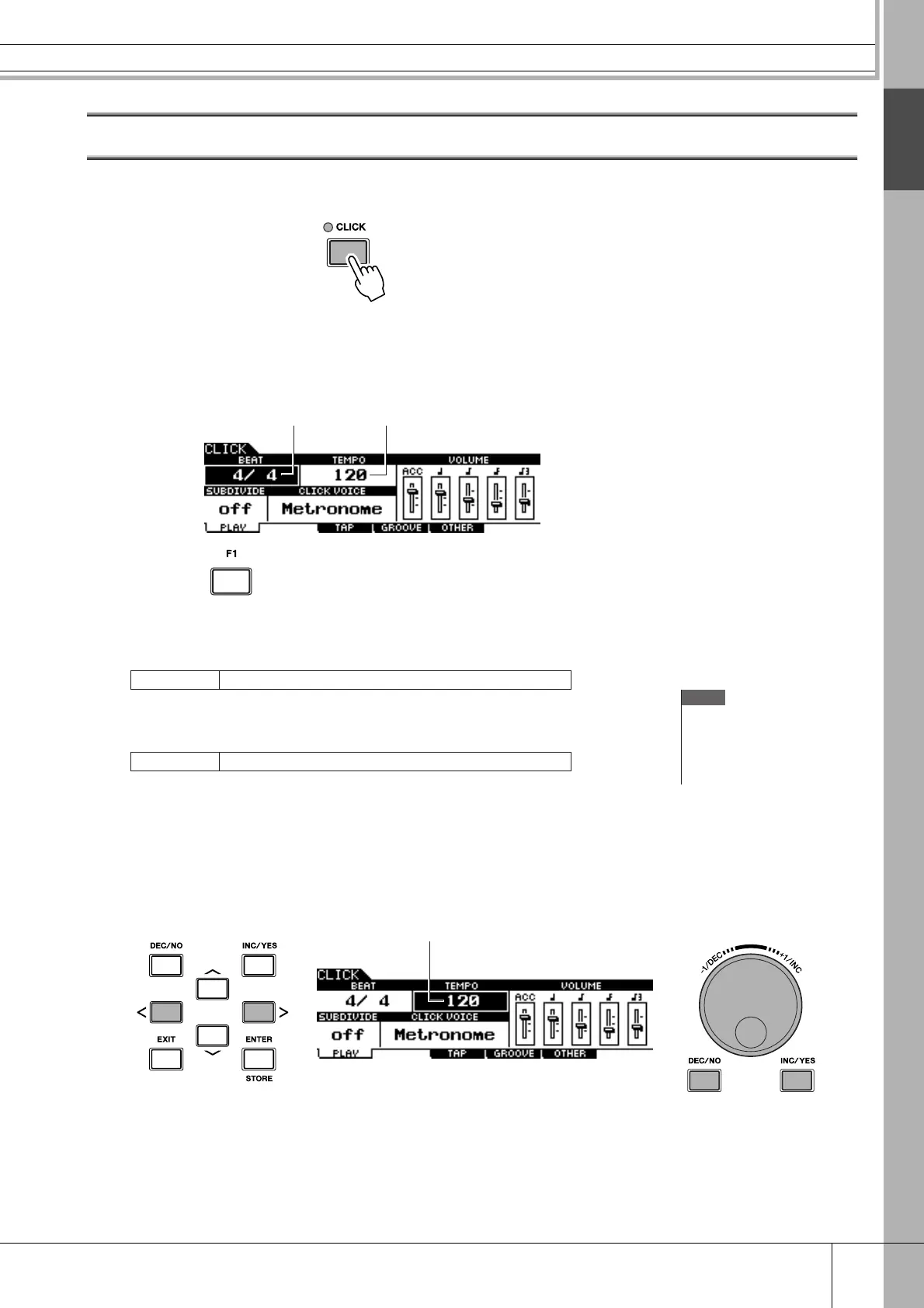
Press the [CLICK] button to enter the Click mode.
2
Press the [F1] PLAY button to call up the Click Play display, if
necessary.
1
BEAT (Time Signature)
Indicates the time signature of the Click. You can select one of the following values.
B
TEMPO
Indicates the tempo value of the Click. You can set the value over the following range.
3
Move the cursor to the TEMPO or BEAT (Time Signature) by using
the Cursor buttons, then set the value by using the [INC/YES] but-
ton, [DEC/NO] button or data dial.
Settings
1/4 – 16/4, 1/8 – 16/8, 1/16 – 16/16
21
NOTE
• When MIDI Sync ([UTILITY]
→
[F5] MIDI
→
[SF2] SYNC
→
MIDI
Sync) is set to “MIDI,” “MIDI” is
displayed as the TEMPO value
and cannot be set.
Settings
030 – 300
Cursor
Setting the valueMoving the cursor



 To Next Page