Basic Operation
DTX900 Owner’s Manual
15
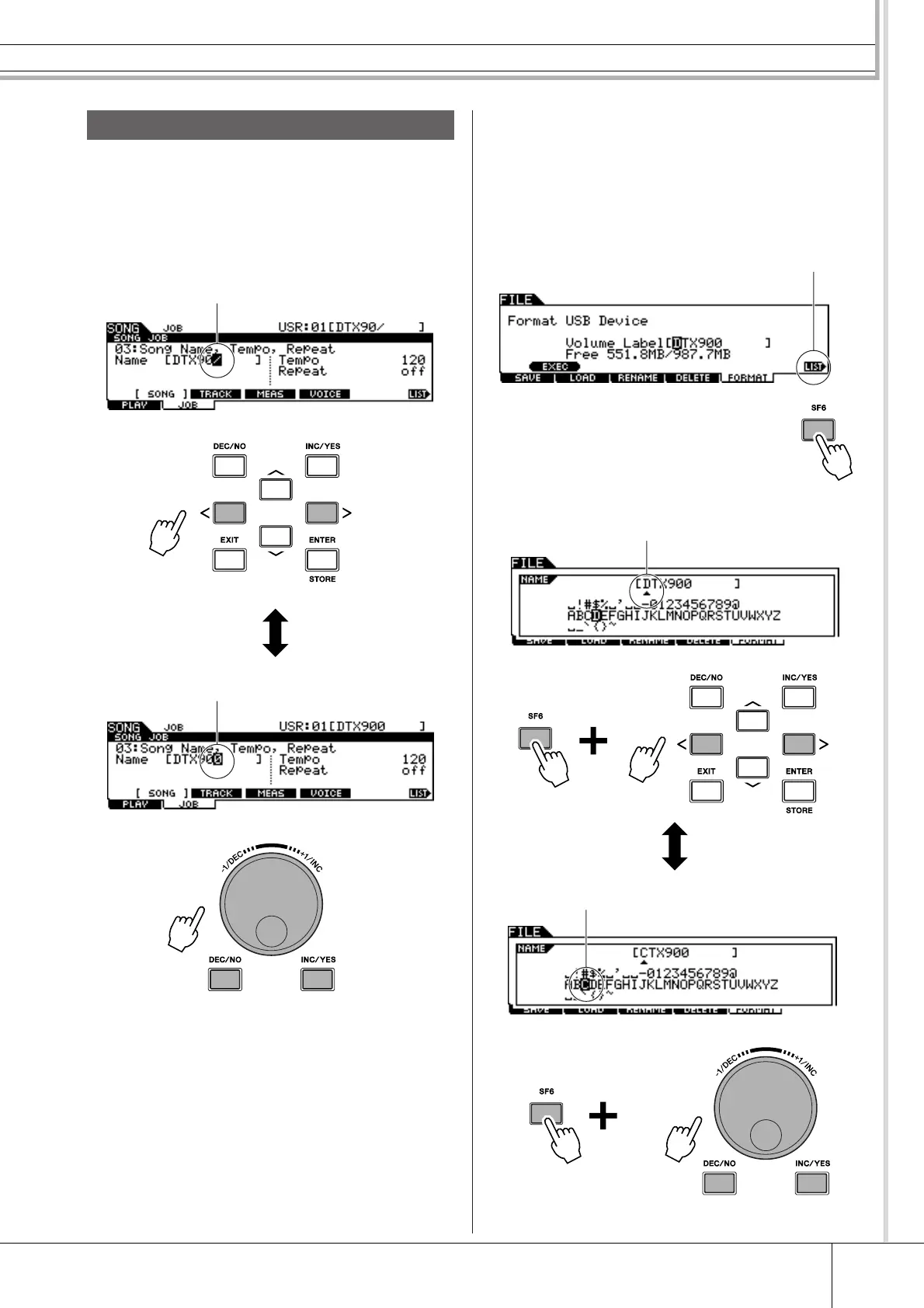
As shown below, you can set the name by repeating the two
operations – moving the cursor to the desired location by
using the Cursor buttons and then selecting a character by
using the data dial, [INC/YES] button, and [DEC/NO] but-
ton.
■ Using the character list
If you find it difficult to select the desired characters with
the above method, you may want to use the following
method – selecting the characters directly from a list.
Inputting Characters (Naming, etc.)
Move the cursor to the desired location in the name
Select a character at the cursor location
When the cursor is located at the Name, this [LIST]
icon appears and you can call up the Character List
display by holding the [SF6] button. Release the
[SF6] button to return back to the original display.
Perform the operations below while holding the [SF6] button.
Move the cursor to the desired location.
Select a character for the cursor location in the name.



 To Next Page