Basic Structure of the DTX900
Reference
64
DTX900 Owner’s Manual
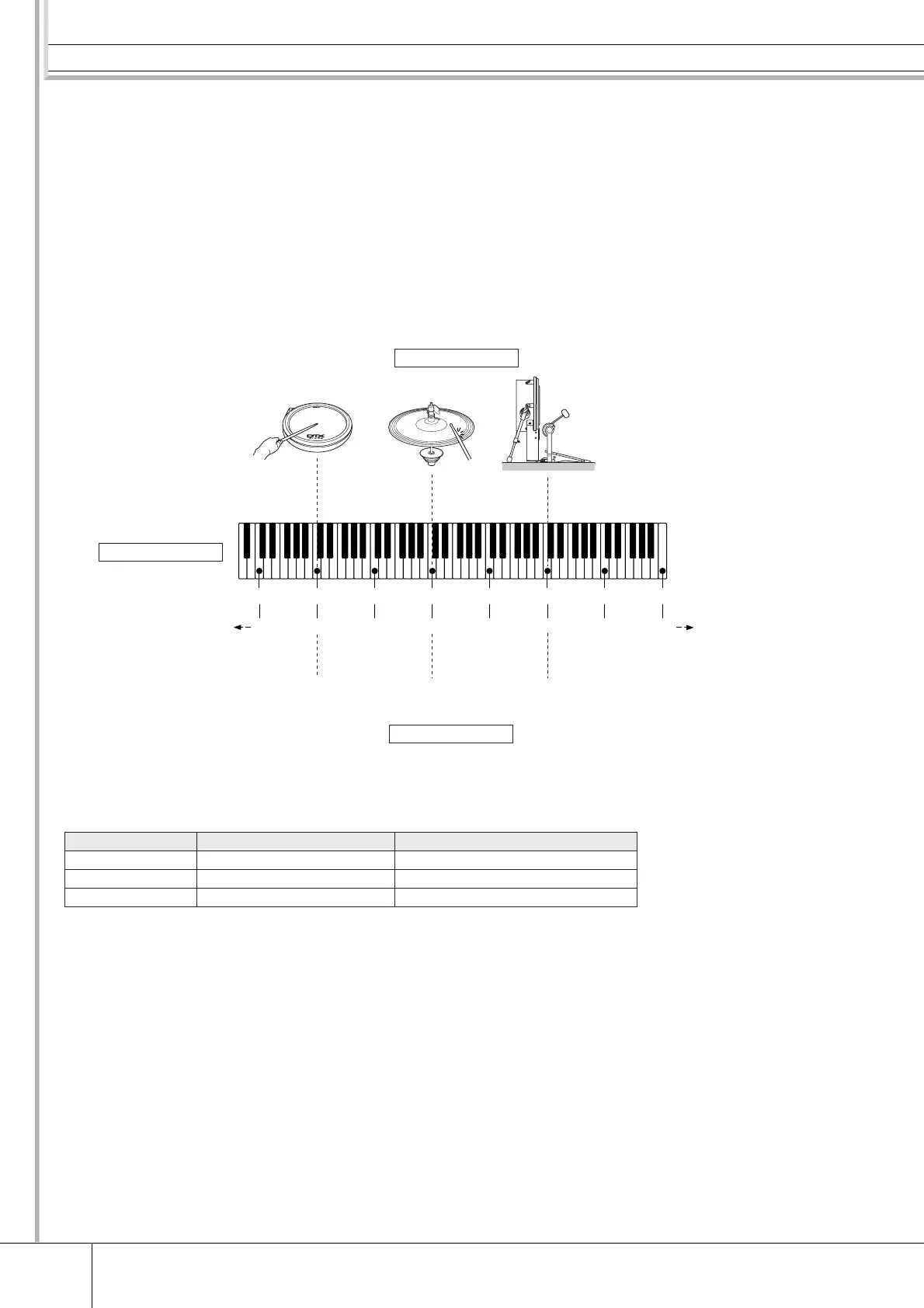
■ Drum Voices and MIDI note numbers
One important thing to understand is that separate Drum Voices are assigned to MIDI note numbers
when using the Stack/Alternate function (page 86). While you may not need to pay attention to MIDI
note numbers when using other functions, using the Stack/Alternate function requires that you set the
MIDI note number instead of the Drum Voice.
For the currently selected Drum Kit, you can confirm which Drum Voice is assigned to each MIDI note
number in the display called up by pressing the [DRUM KIT] , [F2] VOICE, [SF1] SELECT buttons in
order, setting the SOURCE to MIDI, then selecting a MIDI note number on the “NOTE NO” column.
From this display, you can change the Drum Voice assigned to the MIDI note number, meaning that
you can change the Drum Voice assigned to the Trigger Input Source (pad).
In the examples above, the Trigger Input Sources and Drum Voices listed below are assigned to the MIDI note numbers C1,
C3 and C5 respectively.
MIDI note number Trigger Input Source Drum Voice
C1 Head section of the XP120SD Head shot sound of the snare drum
C3 Edge section of the RHH135 Edge shot sound of the hi-hat cymbal
C5 KP125W Kick sound of the bass drum
C0
240
C1
36
C2
48
C3
60
C4
72
C5 C6 C7
84 96 108 127
Trigger Input Source
XP120SD RHH135 KP125W
Drum Voice
Head Shot sound Hi-hat Edge
Shot sound
Bass Drum Kick
sound
MIDI Note Number



 To Next Page