190 PSR-A3000 Owner’s Manual
Saving Master Compressor Settings
The Master Compressor settings you have edited can be saved as a User Compressor type.
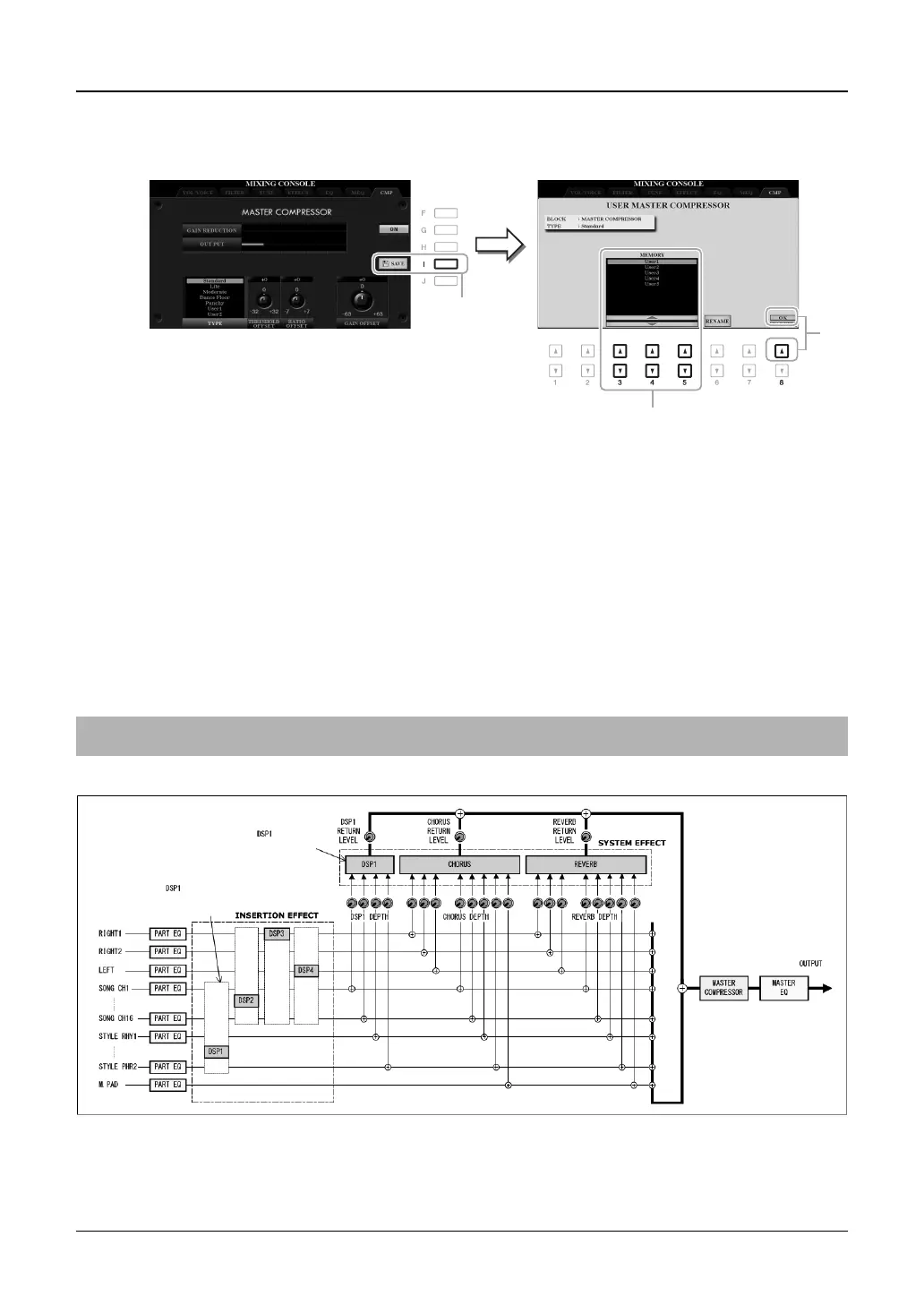
1 Press the [I] (SAVE) button to enter the USER MASTER COMPRESSOR display.
2 Select the destination to which the User Master Compressor is to be saved, by using the
[3 ]–[5 ] buttons.
If necessary, change the User Master Compressor name. Press the [6 ] (RENAME) button to call up the
Character Entry window, enter the name then press the [8 ] (OK) button.
3 Press the [8 ] (OK) button to carry out the Save operation.
4 Press the [EXIT] button to return to the previous display.
The saved Master Compressor type is shown in the TYPE selection list.
Block Diagram
Connection =
System Effect
Connection =
Insertion Effect


 To Next Page
 Loading...