PSR-A3000 Owner’s Manual 71
4
USB Audio Player/Recorder – Playing Back and Recording Audio Files –
4
USB Audio Player/Recorder
– Playing Back and Recording Audio Files –
The convenient USB Audio Player/Recorder function allows
you to play back audio files (WAV or MP3) saved to a USB flash
drive — directly from the instrument. Moreover, since you can
record your performances and recordings as audio files (WAV)
to a USB flash drive, it is possible to play back the files on
computer, share them with your friends, and record your own
CDs to enjoy as well.
You can play back audio files saved to the USB flash drive in the following formats.
• WAV ......44.1 kHz sample rate, 16 bit resolution, stereo
• MP3 ......MPEG-1 Audio Layer-3: 44.1/48.0 kHz sample rate, 64 – 320 kbps with
variable bit rate, mono/stereo
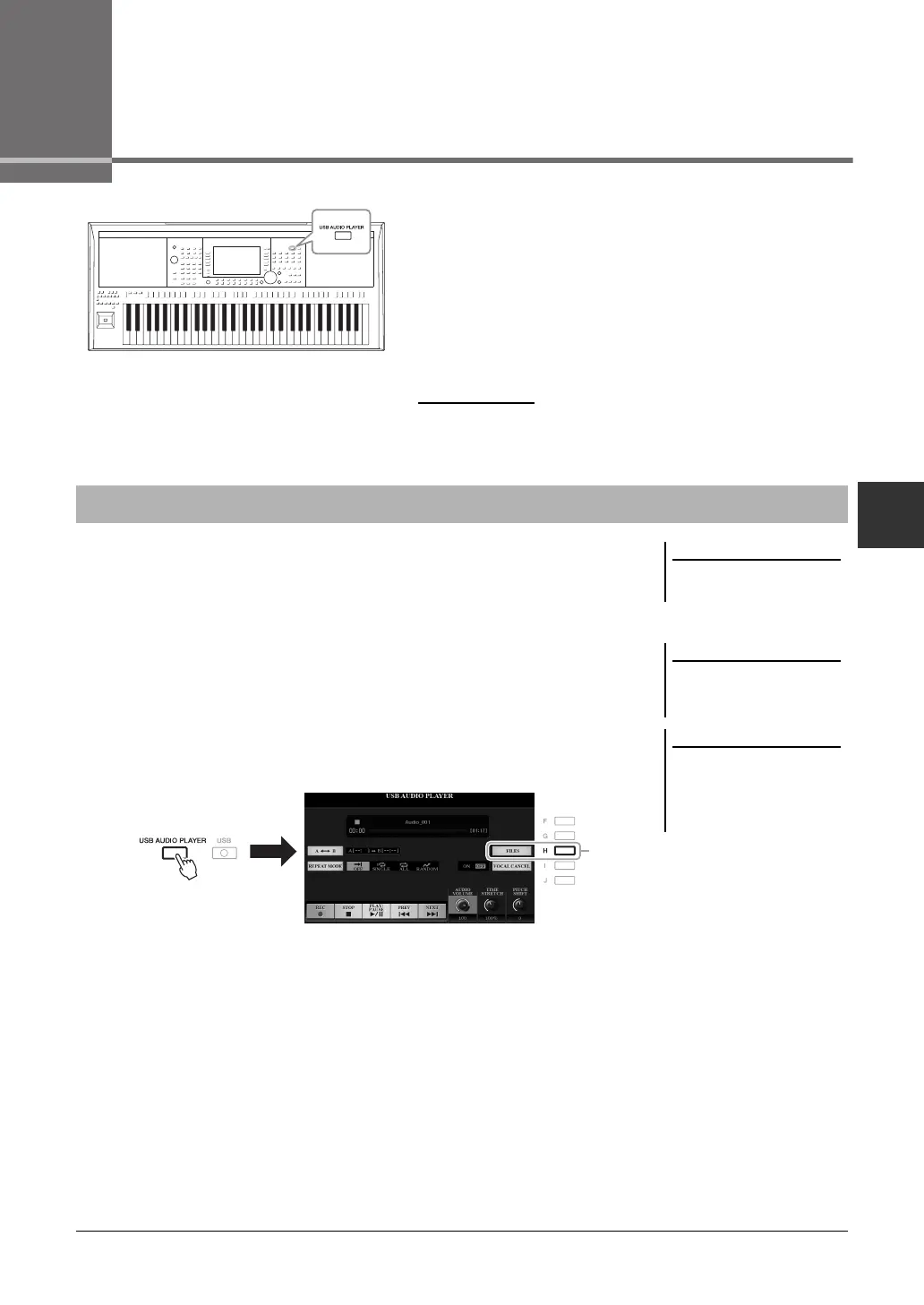
1 Connect the USB flash drive containing the audio files to the
[USB TO DEVICE] terminal.
2 Press the [USB AUDIO PLAYER] button to call up the USB
AUDIO PLAYER display.
3 Press the [H] (FILES) button to call up the Audio File Selection
display.
For instructions on playback and recording of MIDI Songs, refer to page 62.
Playing Back Audio Files
DRM (Digital Rights Management)
protected files cannot be played back.
Before using a USB flash drive, be sure
to read “Connecting USB Devices” on
page 95.
While selecting the desired audio file
(WAV) in the Audio Link Multi Pad
function (step 5 on page 78), the [USB
AUDIO PLAYER] button does not func-
tion.



 To Next Page
 Loading...