PSR-A3000 Owner’s Manual 23
Starting Up
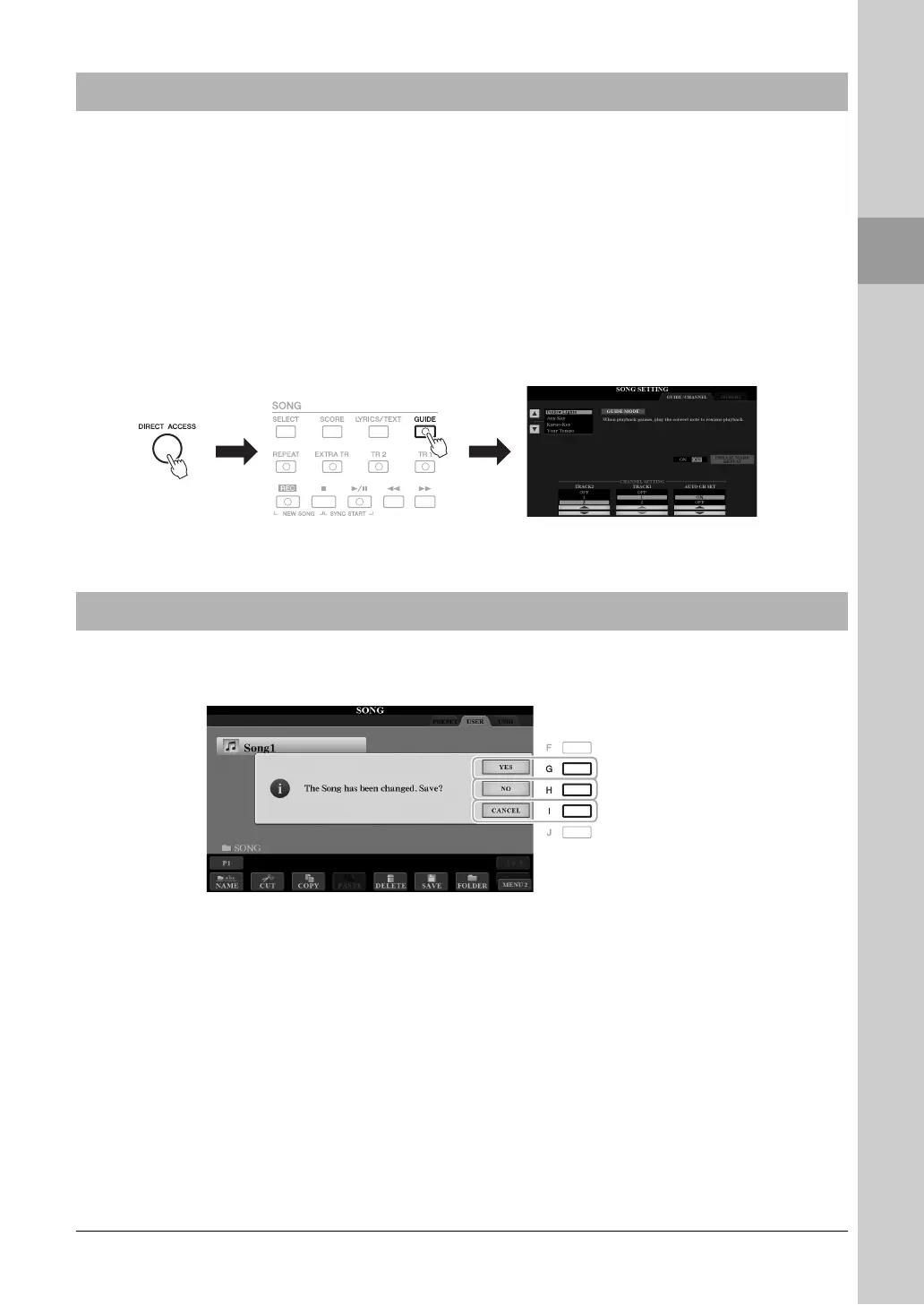
With the convenient Direct Access function, you can instantly call up the desired display — with just a single
additional button press. Refer to the “Direct Access Chart” on page 210 for a list of the displays that can be called
up with the Direct Access function.
1 Press the [DIRECT ACCESS] button.
A message appears in the display prompting you to press the appropriate button.
2 Press the button (or move the joystick or connected pedal)
corresponding to the desired setting display to instantly call up
that display.
For example, pressing the [GUIDE] button calls up the display in which the
Guide mode can be set.
A message (information or confirmation dialog) sometimes appears on the screen to facilitate operation. When the
message appears, simply press the appropriate button.
Calling Up the Desired Display Instantly — Direct Access
Messages Shown in the Display



 To Next Page
 Loading...