CONNECTIONS
Setting up the speaker parameters automatically (YPAO)
En 43
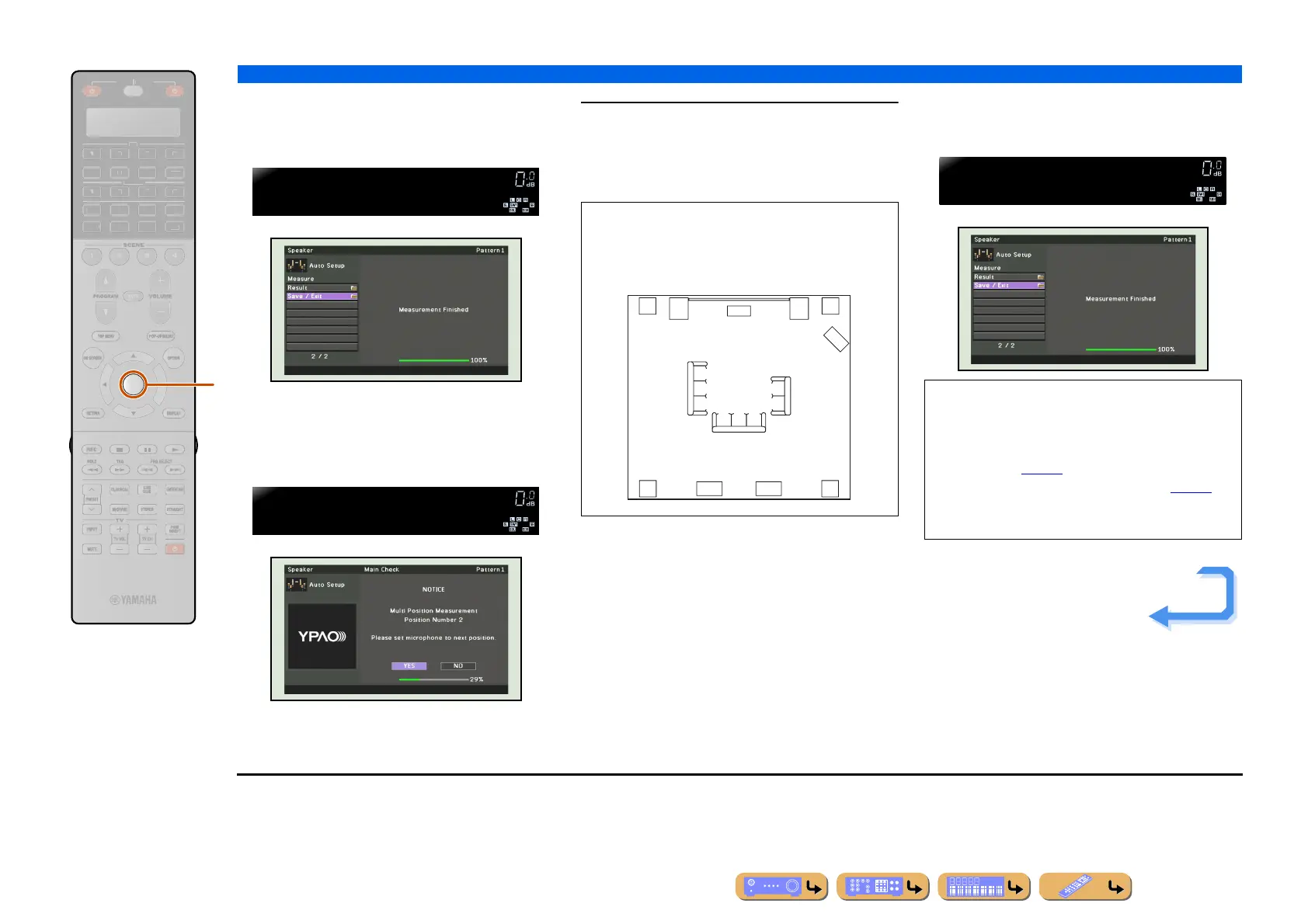
When “Multi Position” is set to “No” in step 5
The following display appears when measurement
finishes without any problems.
Go to step 8.
When “Multi Position” is set to “Yes” in step 5
The following display appears when measurement at the
first position finishes without any problems.
Go to step 7.
7
Replace the optimizer microphone at your
choosing position and press iENTER to
restart the automatic measurement.
Auto measurement restarts in 10 seconds.
Repeat step 7 until the measurement at all listening
positions are made.
The following display appears when measurement at
the last position finishes without any problems.
ENTER
R
E
ECEIVE
DI
-A
B
LTI
ET
H
N
D
K
IRI
A
i
Save/Exit
Measure.Finish
YPAO
VOLUME
>YesNo
MLT.Position2?
YPAO
VOLUME
The following illustration shows how to place the
optimizer microphone to optimize the setup of this
unit for eight listening positions for example. Up to 8
listening positions can be measured. J1
6
8
7
4 5
12 3
NOTE
If a problem occurs, an error message or report is
displayed either during or after acoustic measurement.
Refer to “When an error message is displayed during
measurement” (☞
p. 46), or “When a warning
message is displayed after measurement” (☞
p. 46) to
resolve the problem and measure acoustics with
YPAO again.
Save/Exit
Measure.Finish
YPAO
VOLUME
Continues to the
next page
J
1 : Measure from the most frequent listening position, such as
directly in front of the TV, first.












 To Next Page