CONNECTIONS
Setting up the speaker parameters automatically (YPAO)
En 44
8
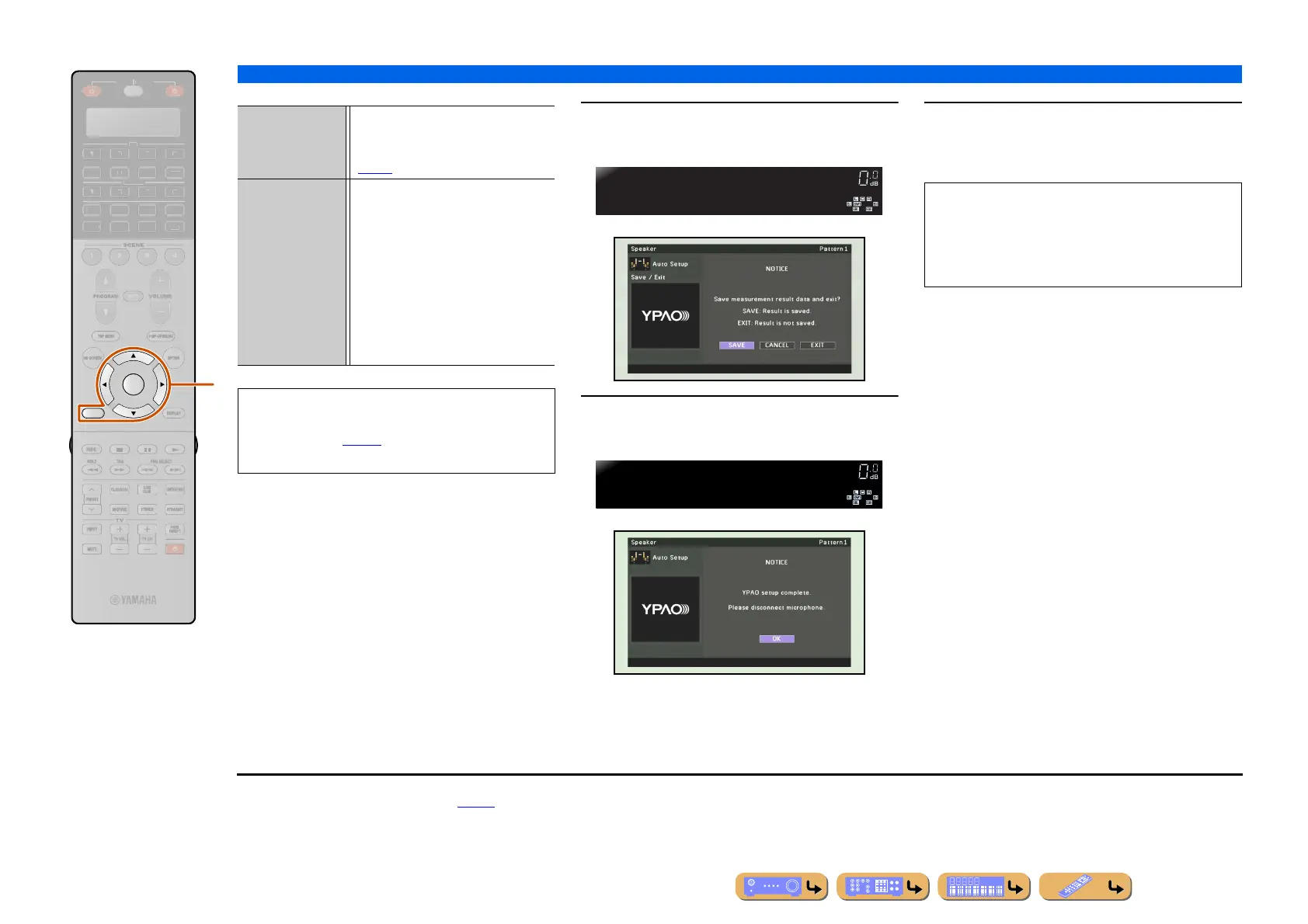
Press iCursor B / C to select “Save/Exit”
and press iENTER.
9
Press iCursor D / E to select “SAVE”
and press iENTER.
10
Press iENTER.
Automatic setup is completed. Disconnect the
YPAO microphone.
RETURN
ENTER
R
E
ECEIVE
DI
-A
B
LTI
ET
H
N
D
K
IRI
A
i
Result Displays the results of automatic
acoustics measurement. Refer to
“Reviewing automatic setup parameters”
(☞p. 45) for details.
Save/Exit SAVE Applies the result to the
speaker setup and
finishes the automatic
measurement. J1
CANCEL Returns to the previous
screen.
EXIT Finishes the automatic
measurement without
applying the result to the
speaker setup.
• When the warning message appears on this display,
refer to “When an error message is displayed during
measurement” (☞
p. 46) for details.
• Press
iRETURN to return to the previous screen.
Select:Save
Save/Exit
YPAO
VOLUME
DisconnectMic
FINISH
YPAO
VOLUME
The YPAO microphone is sensitive to heat. When you
have finished measuring, store the microphone out of
direct sunlight, and away from locations that may
experience high temperatures, such as on top of AV
equipment.
J
1 : The result of the measurement is assigned to the “Setting Pattern”
currently selected. Refer “Setting Pattern” (☞
p. 111) for details
on “Setting Pattern.”












 To Next Page