PLAYBACK
Listening to the SIRIUS Internet Radio
En 88
■
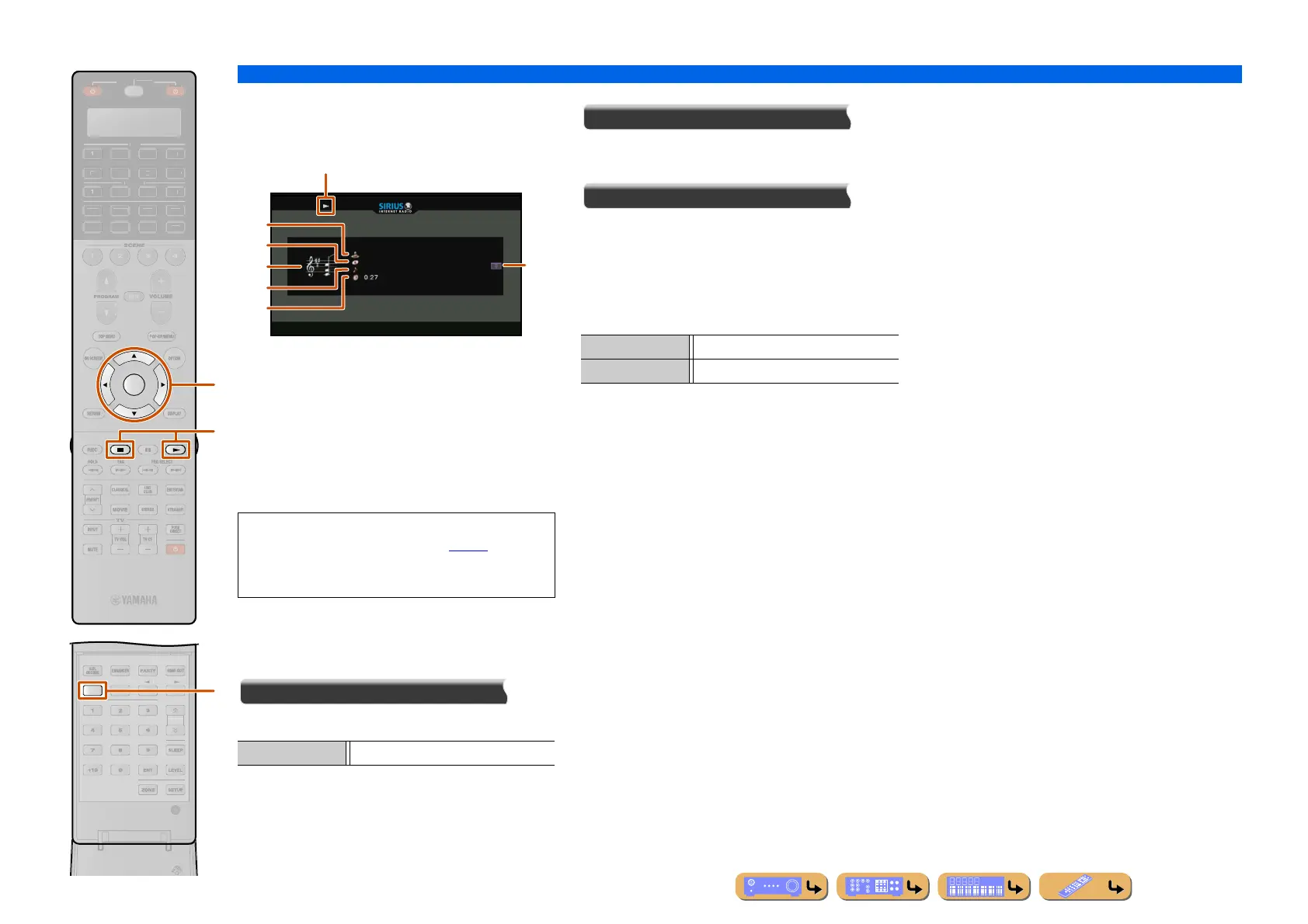
Operating from the Now Playing
view
a Play icon
b Album image
c Artist name
d Album title
e Screen button area
Buttons for available operations are displayed. See
“Screen buttons on the Now Playing view” for details.
f Song title
g Elapsed time
Screen buttons on the Now Playing view
To use these buttons, first press iENTER. Then select
the desired one with iCursor B / C and iENTER.
Play Control
Stops the current playback.
Scroll
Switches the scroll target (artist name, album name, or
song name).
Browse
Switches the display to the Browse view.
■
Operating basic playback functions
with the remote control
Use the following remote control keys to operate
(playback, stop, skip, etc.) your PC contents.
INFO
ENTER
T
N.
H
ATE
R
R
E
ECEIVE
DI
-A
B
LTI
ET
H
N
D
K
IRI
A
u
g
i
• You can switch the information displayed on the front
panel display by pressing
uINFO (☞p. 11).
• Album images are available only when the file
contains image data.
s (Stop) Stops playback.
a
e
b
c
d
f
g
gp Play
gs Stop












 To Next Page