•
THE DX7 VOICING SYSTEM
(a)
,
^
e
B e e B
DX7
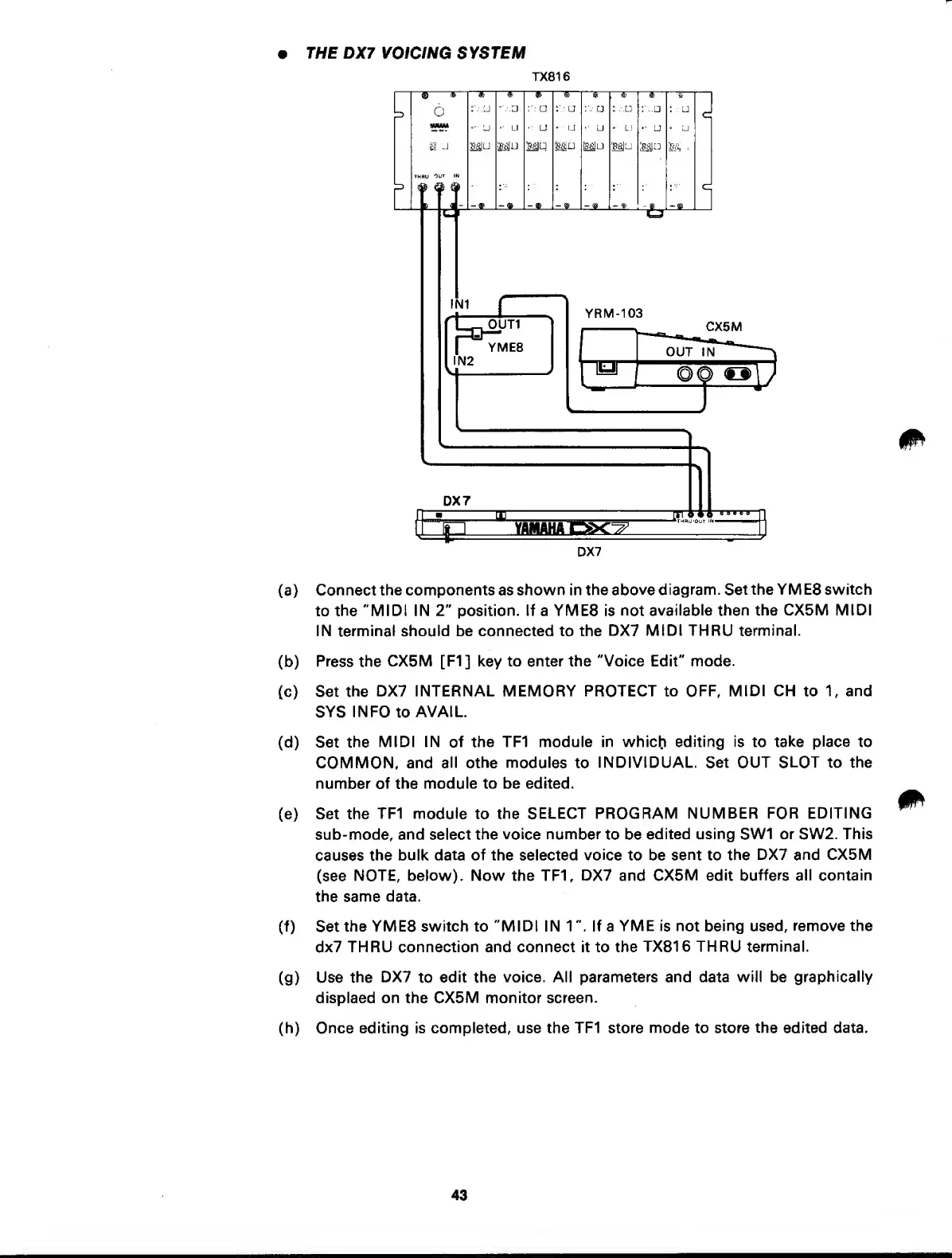
Connect
the components as shown in the
above diagram. Set
the YM E8 switch
to the
"MIDI IN
2"
position. If a YME8 is
not available then the
CX5M MIDI
IN terminal should be connected to the
DX7
MIDI THRU terminal.
(b)
Press
the
CX5M [F1]
key
to enter the "Voice Edit" mode.
(c) Set
the
DX7 INTERNAL MEMORY PROTECT to OFF,
MIDI CH
to
1,
and
SYS
INFO
to
AVAIL.
(d) Set
the
MIDI IN
of
the TF1 module in
whicb
editing is to
take place
to
COMMON, and
all
othe modules
to
INDIVIDUAL. Set OUT
SLOT
to the
number of the
module to be edited.
(e) Set the
TF1
module
to
the
SELECT PROGRAM
NUMBER
FOR
EDITING
sub-mode, and select the
voice number
to be
edited using
SW1
or
SW2.
This
causes
the
bulk data of the selected
voice
to be
sent
to
the
DX7
and
CX5M
(see
NOTE, below). Now the TF1, DX7 and
CX5M edit buffers
all
contain
the same data.
(f)
Set
the YME8 switch to "MIDI IN 1 If a YME
is not being used,
remove the
dx7
THRU connection and connect it to the
TX816
THRU terminal.
(g)
Use the
DX7
to
edit
the voice. All parameters and data will be
graphically
displaed on the CX5M monitor
screen.
(h)
Once
editing is completed, use the TF1 store
mode
to
store the edited data.
43



 To Next Page