S-Series IP PBX Administrator Guide
117
LDAP Attributes
The following table lists the most common attributes used to configure the LDAP lookup on IP
phones.
gn – givenName. First Name.
cn – commonName. LDAP attribute is made up from given name joined to
surname.
sn – surname. Last name or family name
dn – distinguishedName. Unique identifier for each entry
Mobile or cellular phone number
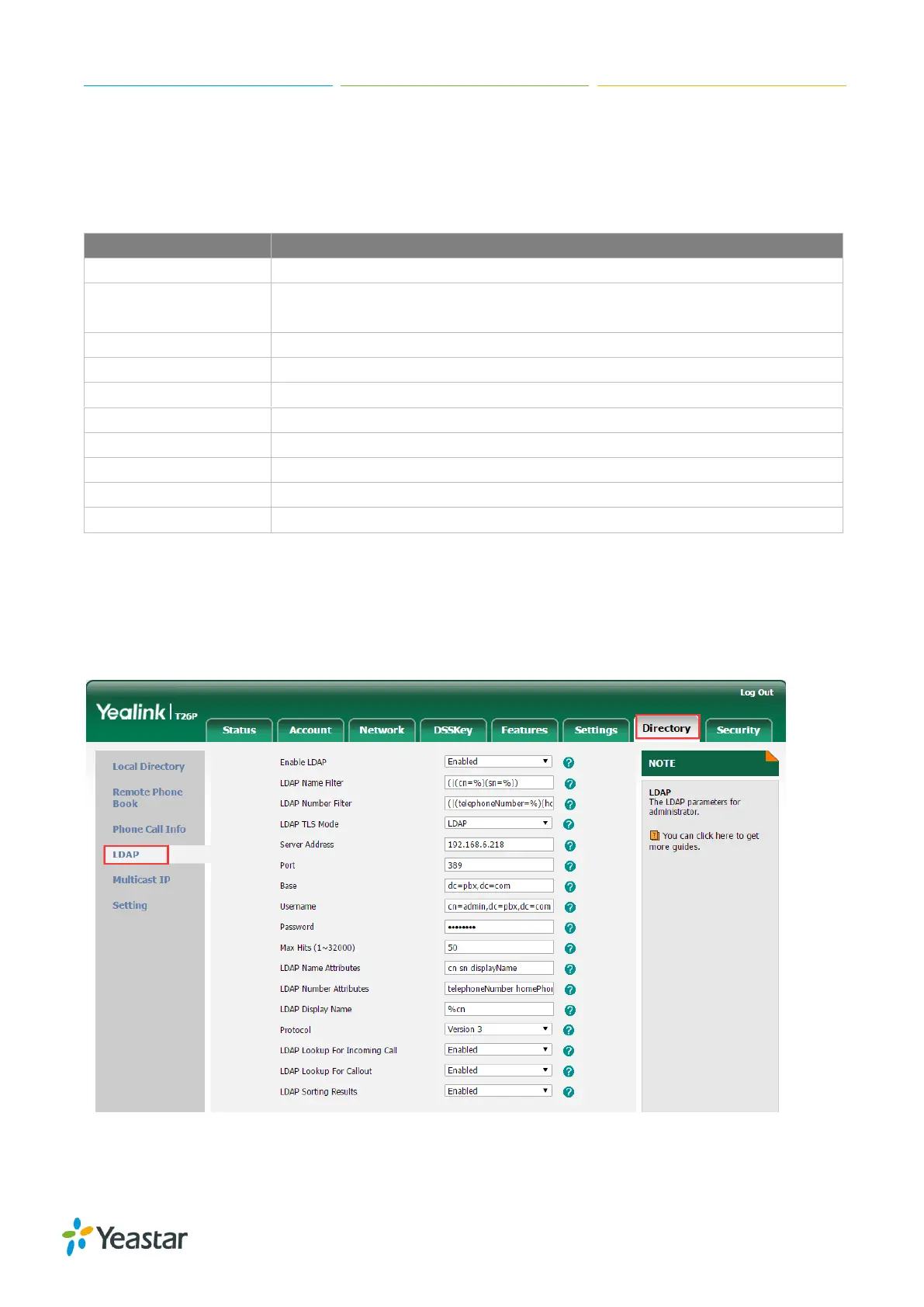
To configure LDAP via web user interface:
1. Click on Directory > LDAP.
2. Enable LDAP.
3. Enter the values in the corresponding fields according to the LDAP server settings.
Figure 17-8 LDAP Settings on IP Phone
4. Click Confirm to accept the change.


 To Next Page
 Loading...








