S-Series IP PBX Administrator Guide
70
2) Import Blacklist/Whitelist
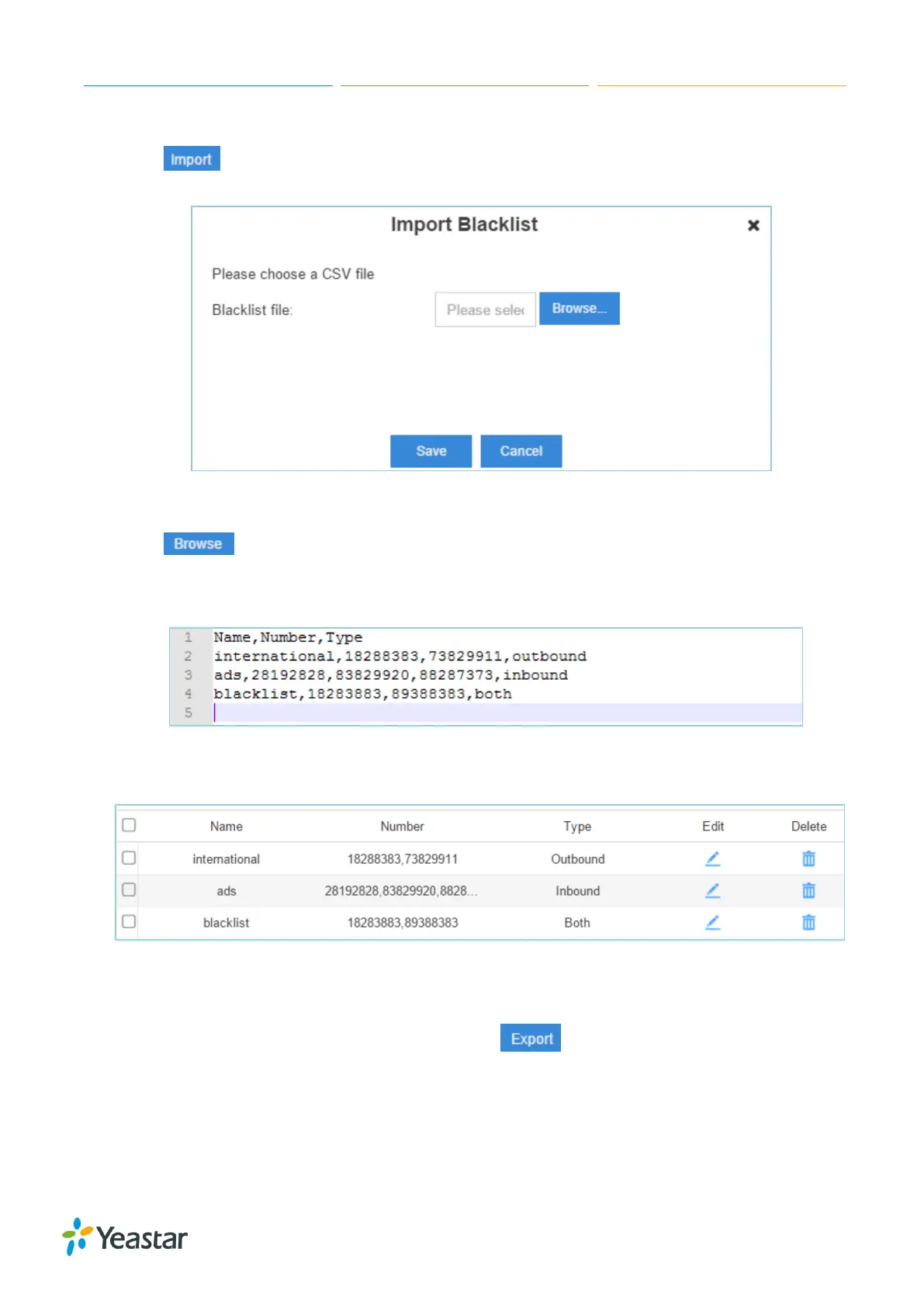
Click , you will see a dialog window shown as below.
Figure 7-10 Import Blacklist
Click and select the file to start uploading. The file must be a .csv file. Open the file
with notepad, check the sample below. You can export a blacklist/whitelist file from S-Series and
use it as a sample to start with.
Figure 7-11 Blacklist/Whitelist File
The sample csv file will result in the following speed dial in Yeastar S-Series.
Figure 7-12 Blacklist/Whitelist
10) Export Blacklist/Whitelist
Select the checkbox of the blacklist/whitelist, click , the selected blacklist/whitelist will
be exported to your local PC.
Pin List
PIN List is used to manage lists of PINs (numerical passwords) that can be used to access restricted


 To Next Page
 Loading...








