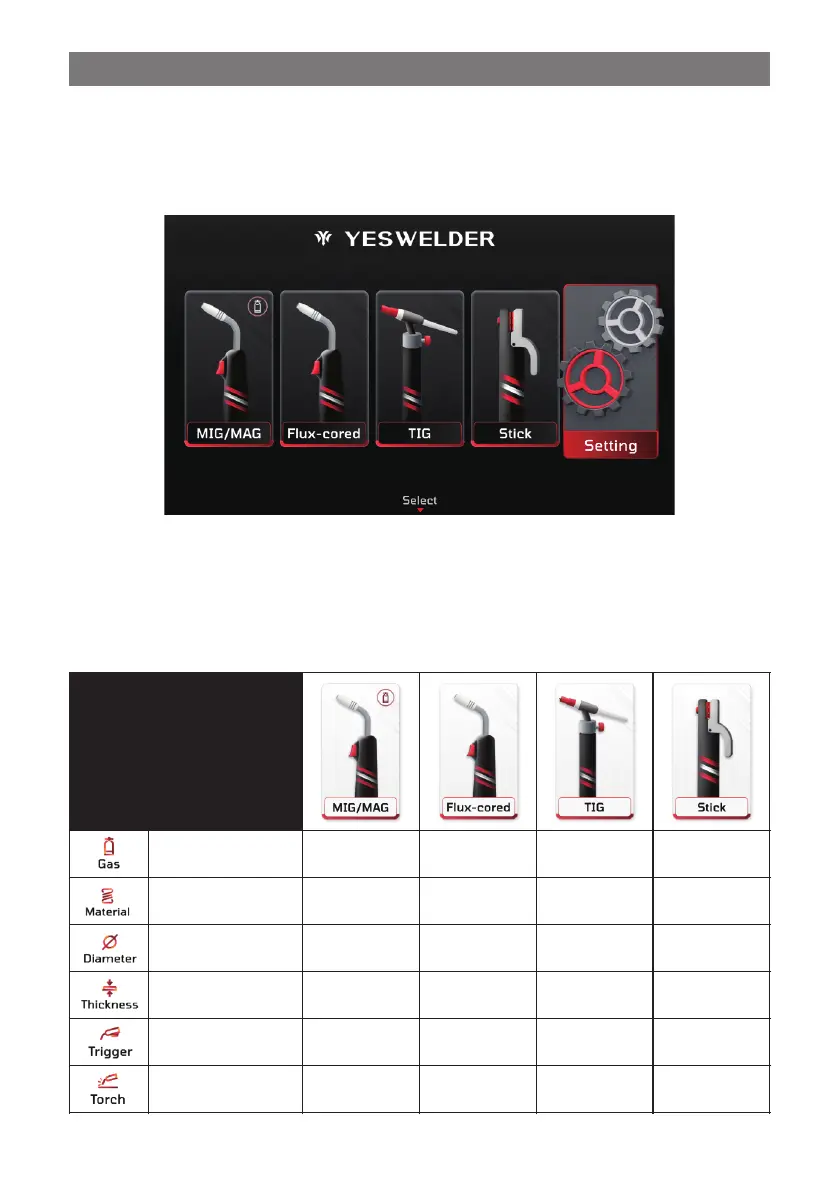
3.7 Setup for Home Menu
After powering on the machine and the startup screen appears, use the Home Menu button to navigate to the main menu. From
there, users can choose the welding mode (MIG/MAG, Flux-cored, TIG, Stick) and adjust the machine’s basic settings.
Note: The machine is tested before shipment. When restarted, it will automatically return to the screen used prior to shut-
down. To access the main menu in this case, press the Menu button on the panel.
In the Home Menu, each welding process features specific parameter icons on the screen. These icons represent various adjust-
able settings. For a clear understanding of these settings, refer to the “Welding Processes and Parameter Icon Reference Table”.
This table helps users quickly identify and adjust the parameters for each welding process.
Welding Processes and Parameter Icon Reference Table
MIG Gun/Spool
Gun Selection
- 15 -



 To Next Page