OPERATION
ZEISS TFT display touchscreen on the Axio Observer 7, 7 materials Axio Observer
132 431004-7244-001 12/2016
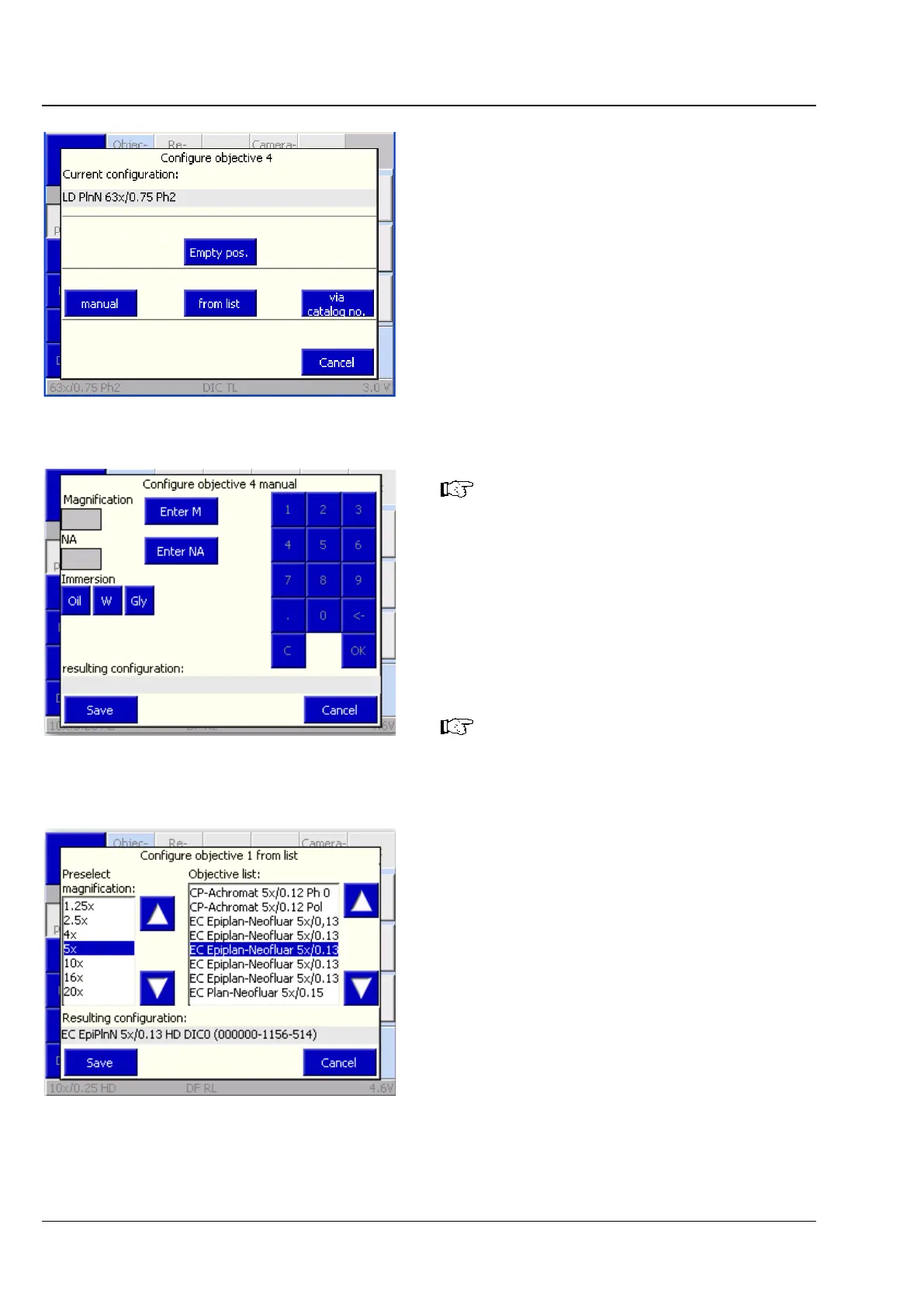
The following options can be selected from the
Configure Objective # pop-up window:
− manual button
The user must manually enter magnification,
numerical aperture (NA) and immersion
information.
− from list button
The user selects the magnification from the
Preselected magnification list, and a suitable
objective from the Objective list.
− via catalog no. button
The user must enter the ZEISS catalog number
(XXXXXX-XXXX-XXX) to select an objective.
Press Empty pos.
to clear the current
objective selection. Select the relevant
nosepiece position and confirm by
pressing Yes.
• Press the Save button to save the objective
configuration for the selected nosepiece
position or press Cancel to close the pop-up
window without saving the objective selection.
• If you are overwriting an existing objective
configuration, confirm by pressing Yes.
When entering the 13-
catalog number, the prefixed six zeros or
the affixed seven zeros should not be
entered (after 123456 enter a hyphen (-)
or enter 1234-567 and press OK
). The
missing zeros will be added
automatically.
Fig. 120 Settings -> Components ->
Objectives -> Configure Objective #
page
Fig. 121 Settings -> Components ->
Objectives -> Configure Objective #
-> manual page
Fig. 122 Settings -> Components ->
Objectives -> Configure Objective #








 To Next Page