OPERATION
Axio Observer TFT display touchscreen on the Axio Observer 7, 7 materials ZEISS
12/2016 431004-7244-001 139
(2) Buttons left
An administrator password must be
entered before the button
configuration can be changed. Users
who do not have administrator
privileges will be able to view the
button configuration, but will not be
able to edit it.
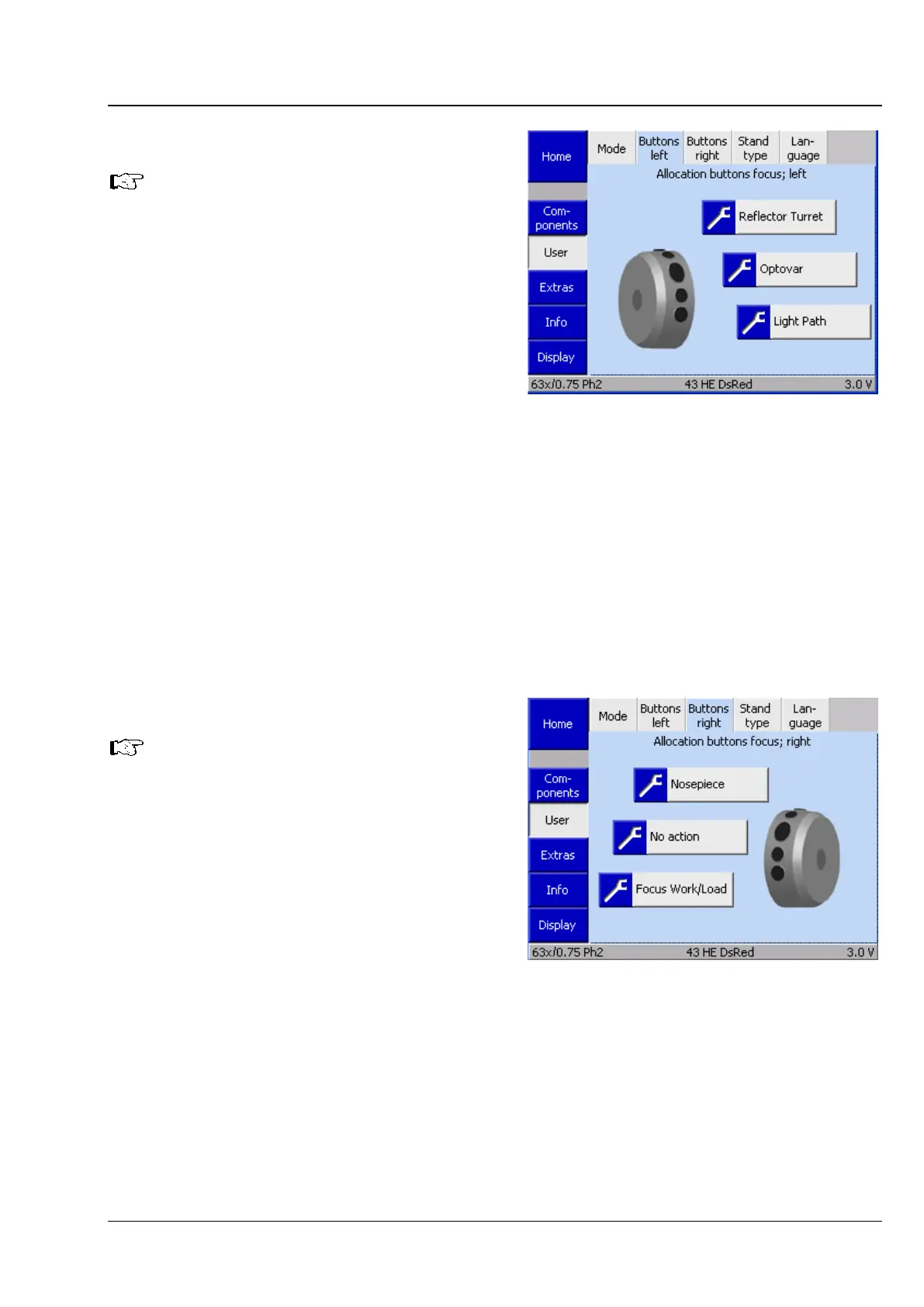
This tab is used to configure the buttons on the
left control ring. The controls are shown
symbolically. The two upper buttons and two
lower buttons are configured as pairs.
• Press the gray button to open a drop-down list.
• Use the ▲ ▼ buttons to select a function from
the list. Only functions which are actually
available with the current microscope
configuration are listed.
• Press Save to assign the required function.
Press Cancel to close the window without
selecting a function.
Use the same method for all other button
assignments.
(3) Buttons right
An administrator password must be
entered before the button
configuration can be
changed. Users
who do not have administrator
privileges will be able to view the
button configuration, but will not be
able to edit it.
To set the button configuration for the right
control ring, see the description for the previous
section (2) Buttons left.
Fig. 136 Settings -> User -> Buttons left
page
Fig. 137 Settings -> User -> Buttons right
page








 To Next Page