OPERATION
ZEISS TFT display touchscreen on the Axio Observer 7, 7 materials Axio Observer
128 431004-7244-001 12/2016
(2) Save position
The Save position button is used to define
coordinate positions for the five position buttons.
To define a position proceed as follows:
• Move to the desired XYZ position.
• If you wish to save the Z value, activate the incl.
Z checkbox.
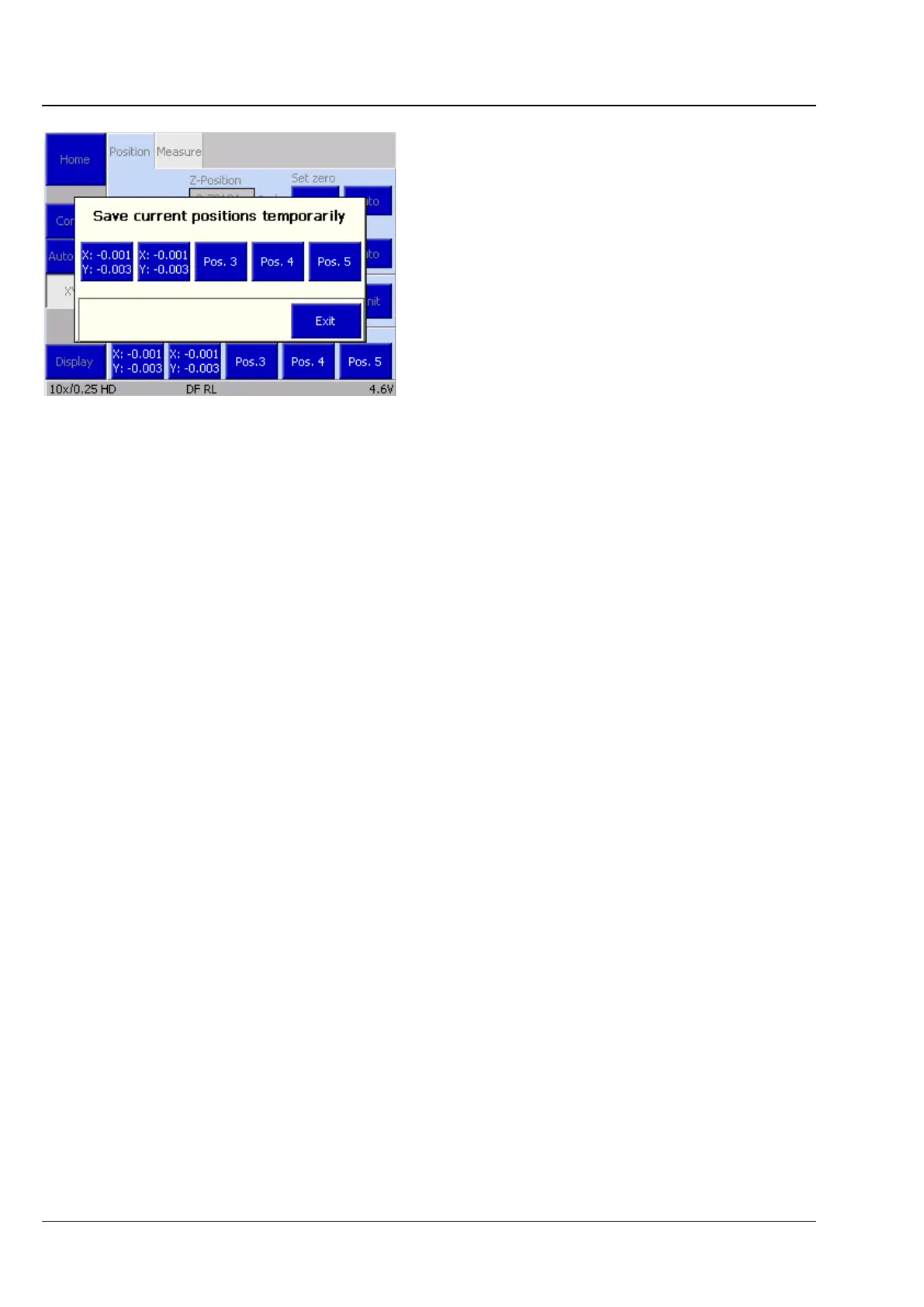
• Press the Save Position button. The Save
current positions temporarily window will
pop up.
The window contains five buttons: Pos.1 to Pos.5.
If coordinates have already been assigned to a
button, the XYZ values will be displayed, otherwise
the position number will be displayed.
• Save the current position by touching one of the position buttons. If coordinates have already been
assigned to this button, you will be asked to confirm that you wish to overwrite them.
• Close the window by pressing Exit.
• To delete a set of coordinates, press Delete, select the position button and confirm by pressing Yes.
(3) Moving to a saved position
There are five buttons in the lower Position area of the screen. Press a button to move to the saved
coordinate position. For details of how to save coordinates, see (2) Save Position above.
Fig. 113 Microscope -> XYZ -> Save positions








 To Next Page