INSTALLATION INSTRUCTIONS AND FIRST-TIME SET-UP
Axio Observer Reflector turret ZEISS
12/2016 431004-7244-001 55
4.11.2 Loading the reflector turret
To load the reflector turret with reflector modules,
it can be retracted from the stand either half-way
or completely.
• Rotate the locking lever (Fig. 34/2) downwards
and raise the cover (Fig. 34/1).
• Pull the reflector turret (Fig. 34/3) or (Fig. 35/1)
out of the stand to the first stop position (or
remove from the stand completely and place on
a suitable surface (stable desk).
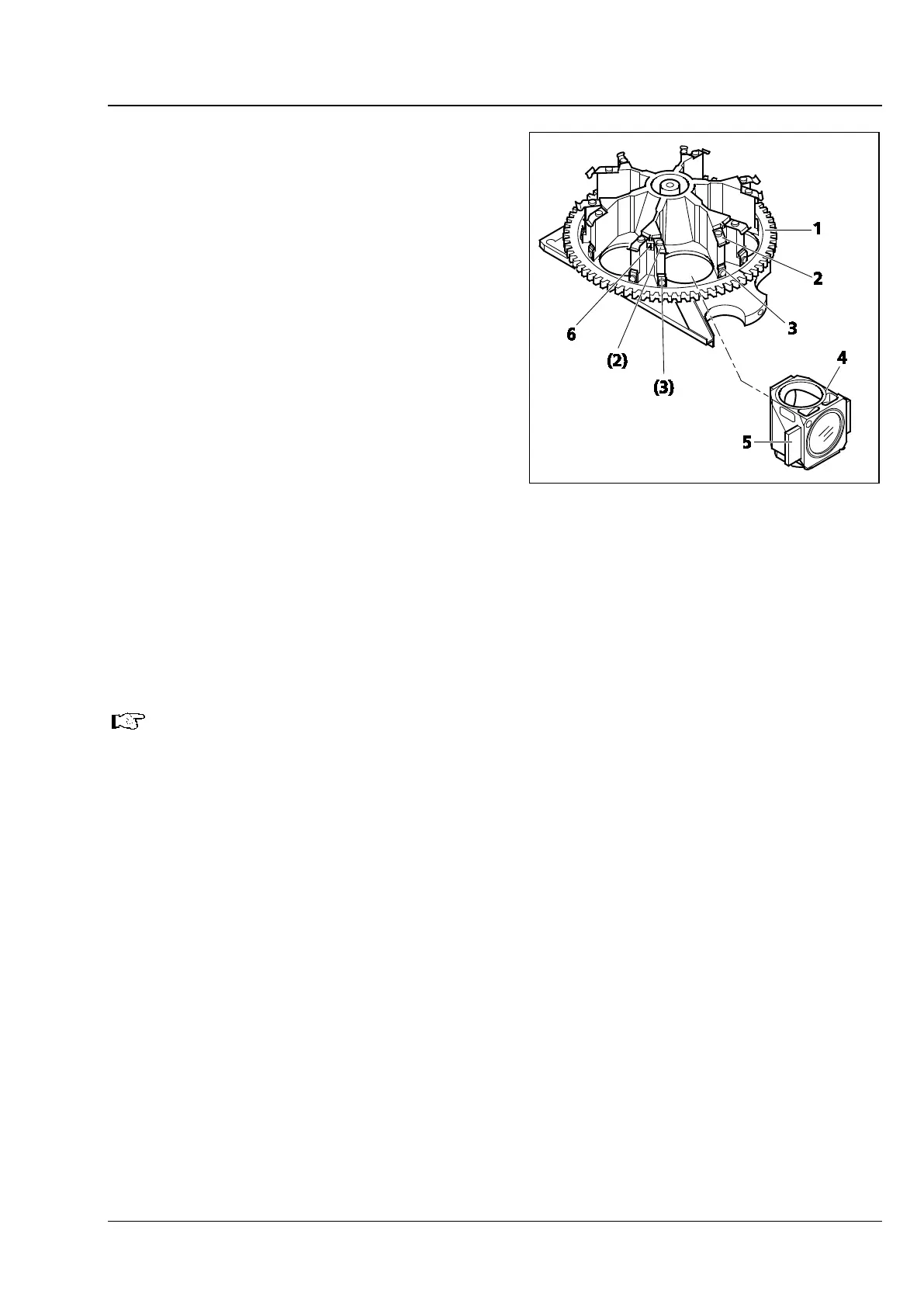
• Insert the reflector modules (Fig. 35/4) in the
relevant reflector position according to the filter
combination (see position marking Fig. 35/6),
starting with position 1 (emission filter is at the
bottom). To insert the reflector modules, insert
the retaining elements (Fig. 35/5) on the left
and right of the module into the two lower
spring clips (Fig. 35/3) diagonally from above,
then push the module against the upper spring
clips (Fig. 35/2) from the front until it clicks into
position.
• To remove a reflector module which is not longer needed, pull it first out of the upper spring clips,
then out of the lower clips.
• After loading, reinsert the reflector turret into the stand.
• Close the cover and rotate the locking lever upwards.
If a protection glass for the reflector turret was supplied on first-time delivery, it will already be
mounted.
If the equipment was retrofitted, sales personnel has fitted it.
Fig. 35 Fitting the reflector modules








 To Next Page