OPERATION
Axio Observer TFT display touchscreen on the Axio Observer 7, 7 materials ZEISS
12/2016 431004-7244-001 131
5.11.9 Settings
The Settings page can be accessed from the Home page by pressing the Settings button on the
navigation button bar.
The Settings page provides access to the following pages: Components, User, Extras and Info.
5.11.9.1 Settings -> Components
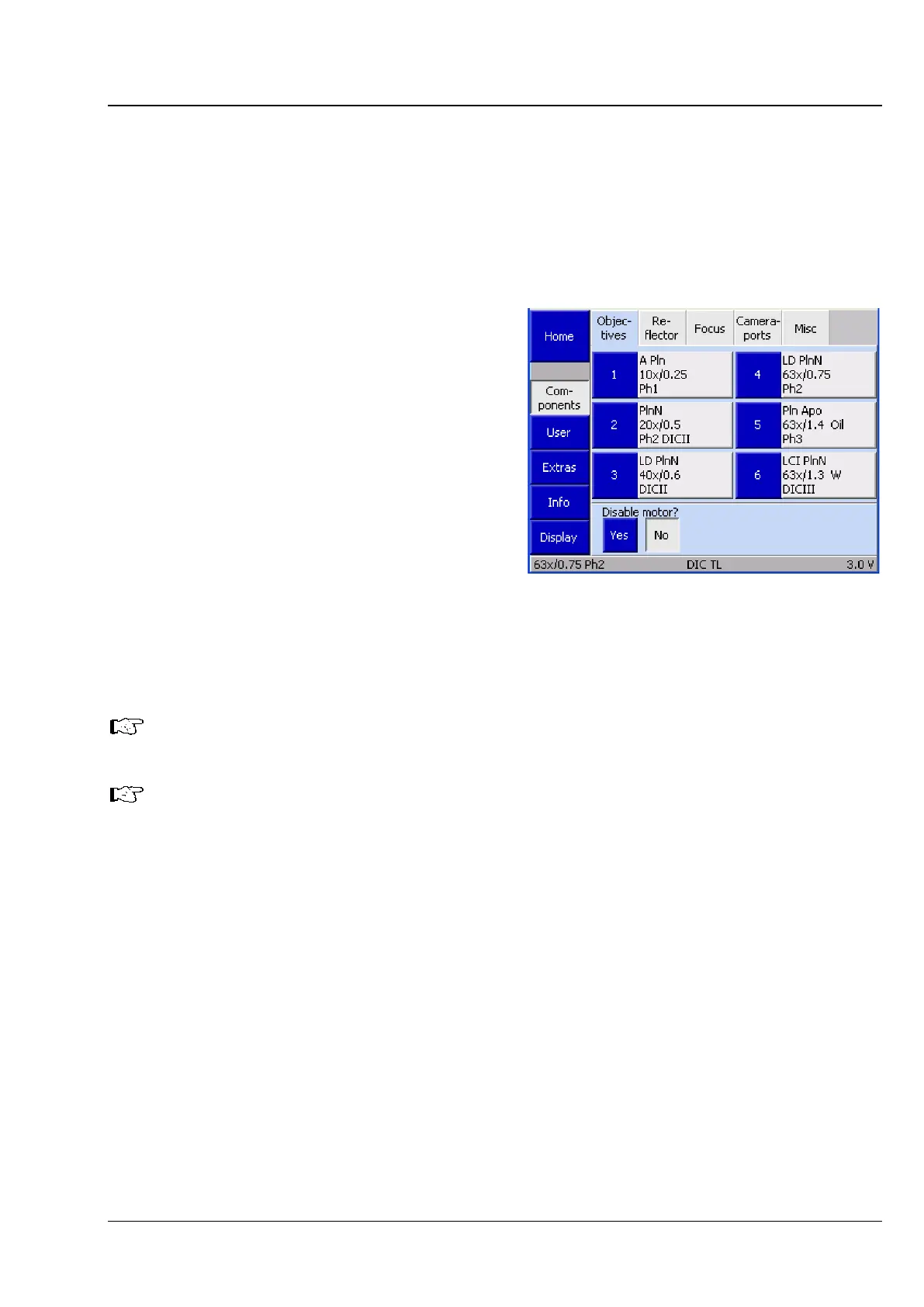
The Settings -> Components page contains the
six Objectives, Reflector, Focus, Stage, Camera
ports and Misc tabs.
(1) Objectives
The user can configure the nosepiece fittings using
this tab.
Up to six buttons are displayed. Before any
objectives have been configured, the buttons are
labeled only with the numbers of the nosepiece
positions.
After an objective position has been configured,
the following data is displayed: objective name,
magnification, numerical aperture (NA), immersion
Once a new objective has been assigned, the corresponding objective button on the
Microscope -> Control page will be labeled with the magnification and immersion type.
The Disable motor? - Yes button can be used to deactivate the motor if an objective heater or
a piezo focus is fitted under the objective.
• Press the relevant button to configure a turret position.
Fig. 119 Settings -> Components ->
Objectives page








 To Next Page