OPERATION
ZEISS Photomicrography using a digital camera and videomicroscopy Axio Observer
174 431004-7244-001 12/2016
5.16 Photomicrography using a digital
camera and videomicroscopy
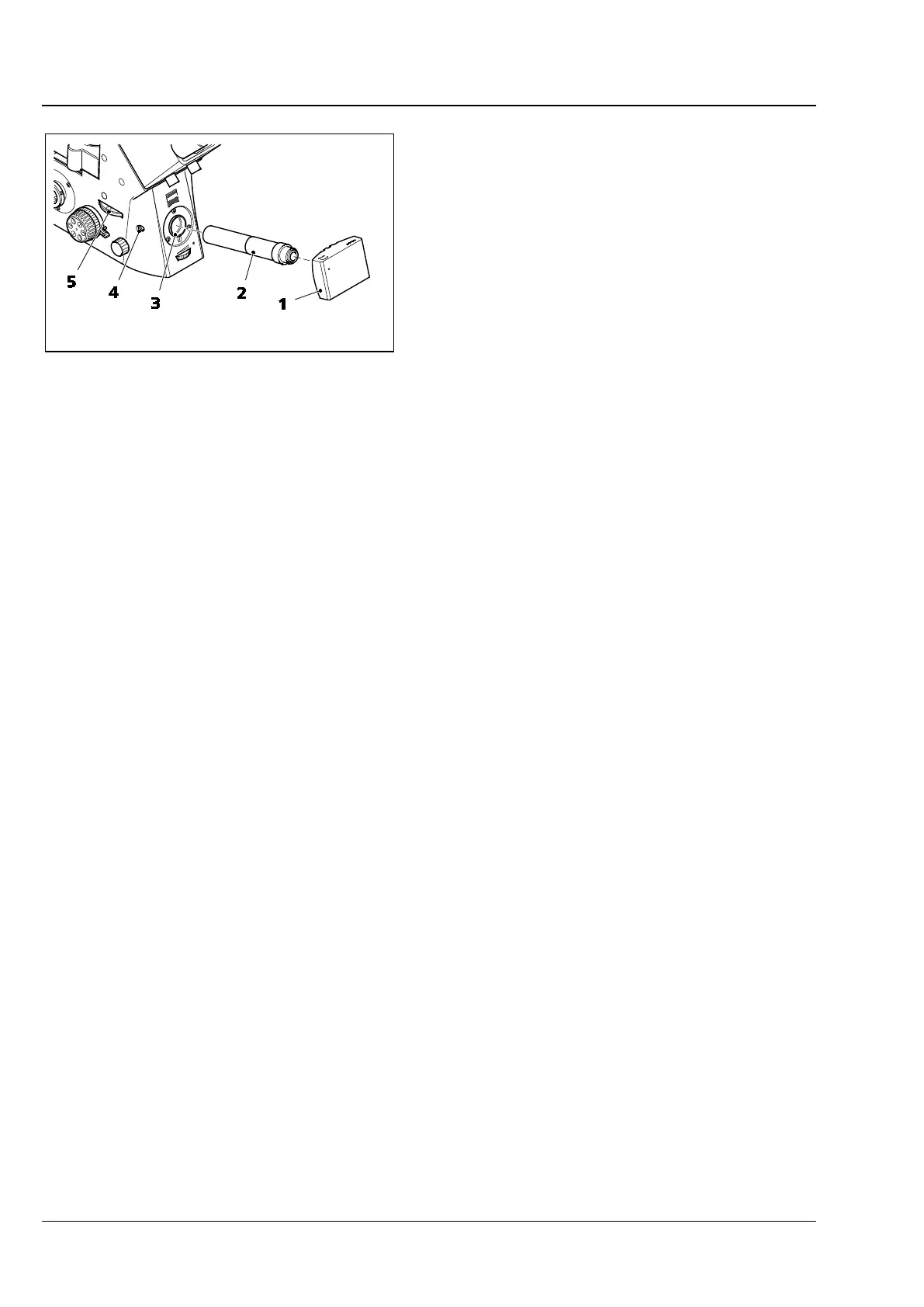
• The Axio Observer microscopes 5, 5 materials
and 7, 7 materials permit the connection of one
video camera or one digital camera (e.g.
Axiocam digital camera from ZEISS), (Fig. 163/1)
to the frontport via the V200 C 2/3” 0.63x
video adapter (Fig. 163/2).
• Attaching the video adapter is analogous to the
photo adapter. Attach the pre-mounted video
adapter (Fig. 163/2) to the frontport
(Fig. 163/3), align it and tighten clamping screw
(Fig. 163/4) using the 3 mm ball-headed
screwdriver.
• After switching the beam path (Fig. 163/5) from
visual observation to the frontport, 100 % of
the light is now available for the camera.
Fig. 163 Video attachment








 To Next Page