QUICK REFERENCE TO ON-SCREEN MENUS
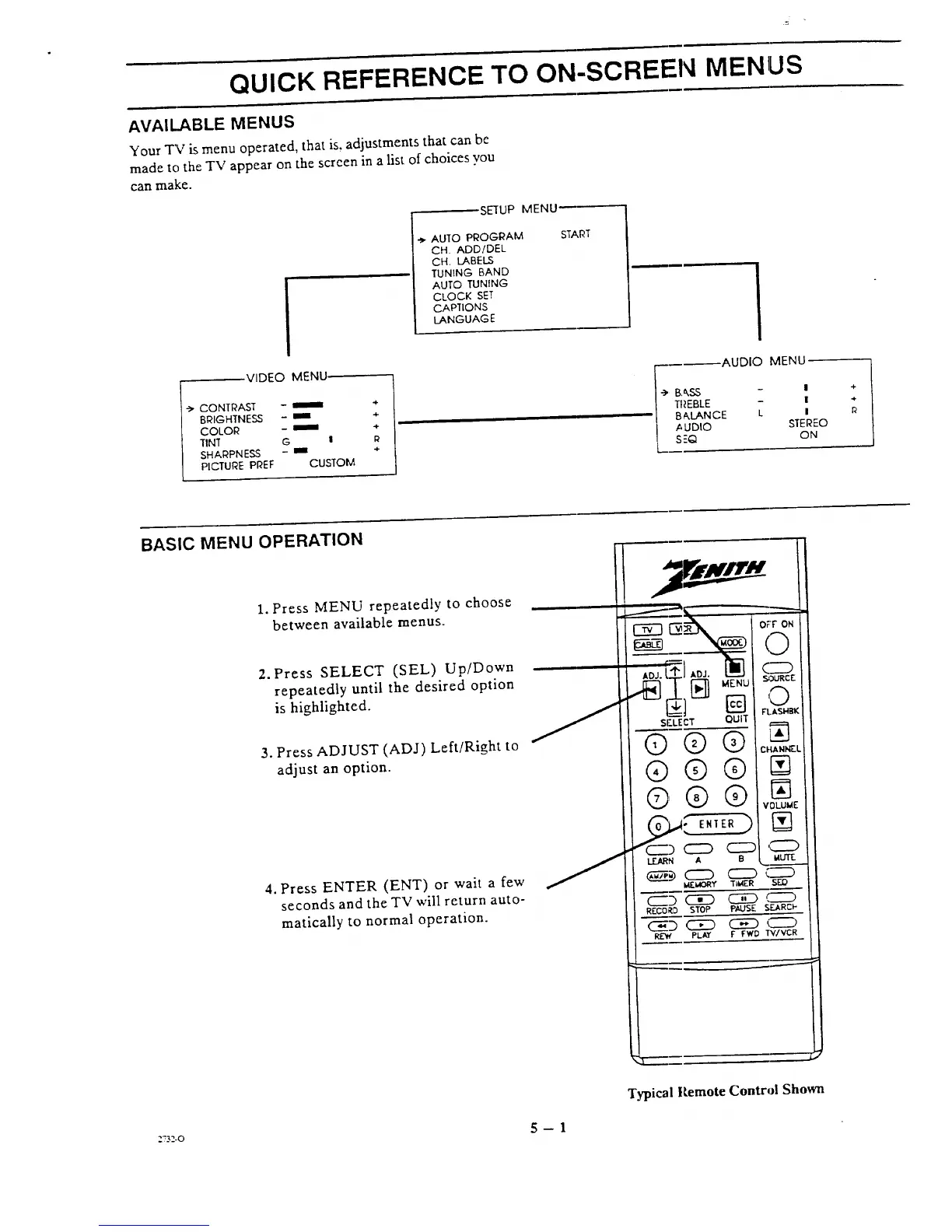
AVAILABLE MENUS
Your TV is menu operated, that is, adjustments that can be
made to the TV appear on the screen in a list of choices you
can make.
SETUP MENU-
AUTO PI_OC-RAM
CH. ADD/DEL
CH. LABELS
TUNING BAND
AUTO TUNING
CLOCK SET
CAPTIONS
LANGUAGE
STAP.T
'->CONTRAST
BRIGHTNESS
COLOR
TINT
SHARPNESS
PICTURE PREF
VIDEO MENU
-- I +
-- / ÷
G I R
-- IIII -I-
CUSTOM
AUDIO MENU
•-> BASS - l
TI_EBLE - =
BAxLANCE L I
,AUDIO STEREO
SF.Q ON
+
.+
BASIC MENU OPERATION
1. Press MENU repeatedly to choose
between available menus.
2. Press SELECT (SEL) Up/Down
repeatedly until the desired option
is highlighted.
3, Press ADJUST (ADJ) Left/Right to
adjust an option.
4. Press ENTER (ENT) or wait a few
seconds and the TV will return auto-
matically to normal operation.
Ot'r ON
0
N_URCE
0
FI,ASN_K
N
CHANI'__L
N
VOLUI_E
N
, MUlt.
S_
SEAR_P
TWVCR
I" L
Typical Remote Control Shown
zv,_'_.o 5 -- 1




 To Next Page