SETUP MENU
CAPTIONS
Purpose
Displays closed captions (CC) or informationa! text when
available on the selected channel.
SETUP MENU
AUTO PROGRAM
CH. ADDIDEL
CH, LABELS
TUNING BAND
AUTO TUNING
CLOCK SET
•"_ CAPTIONS
LANGUAGE
CAPTION I
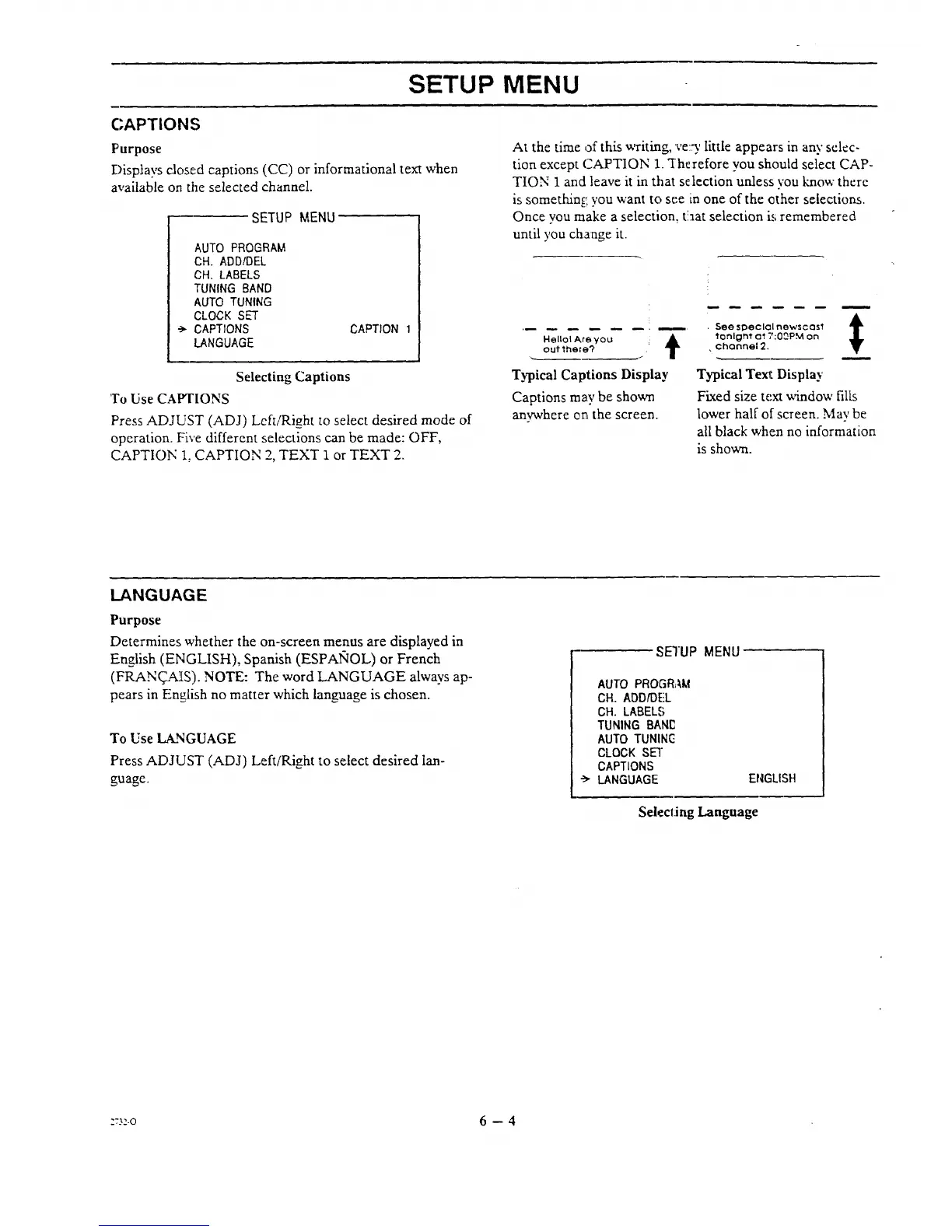
Selecting Captions
'To Use CAPTIONS
Press ADJUST (ADJ) Left/Right to select desired mode of
operation. Fi,ve different selections can be made: OFF,
CAPTION 1, CAPTION 2, TEXT 1 or TEXT 2.
At the time of this writing, ve:_' little appears in any selec-
tion except CAPTION 1. "Therefore you should select CAP-
TION 1 and leave it in that selection unless you "know there
is something,, you want to see in one of the ether selections.
Once you make a selection, t'.aat selection i,; remembered
until you change it.
Hollol Are you ' At
outthere?
Typical Captions Display
Captions may be shown
anywhere en the screen.
A
See special nowscas1 T
tonlgm_ at 7:0_PM on
÷channel2.
Typical Te_t Display
Fixed size text window fills
lower half of screen. May be
all black when no information
is shown.
LANGUAGE
Purpose
Determines whether the on-screen menus are displayed in
English (ENGLISH), Spanish (ESPAIqOL) or French
(FRAN_AIS). NOTE: The word LANGUAGE always ap-
pears in English no matter which language is chosen.
To Use LANGUAGE
Press ADJUST (ADJ) Left/Right to select desired lan-
guage.
SETUP MENU
AUTO PROGRAM
CH. ADDIDEL
CH. LABELS
TUNING BANC
AUTO TUNING
CLOCK SET
CAPTIONS
•-_ LANGUAGE
ENGLISH
Selecting Language
=_:.o 6 -- 4




 To Next Page