36 Installation and Operating Instructions V03
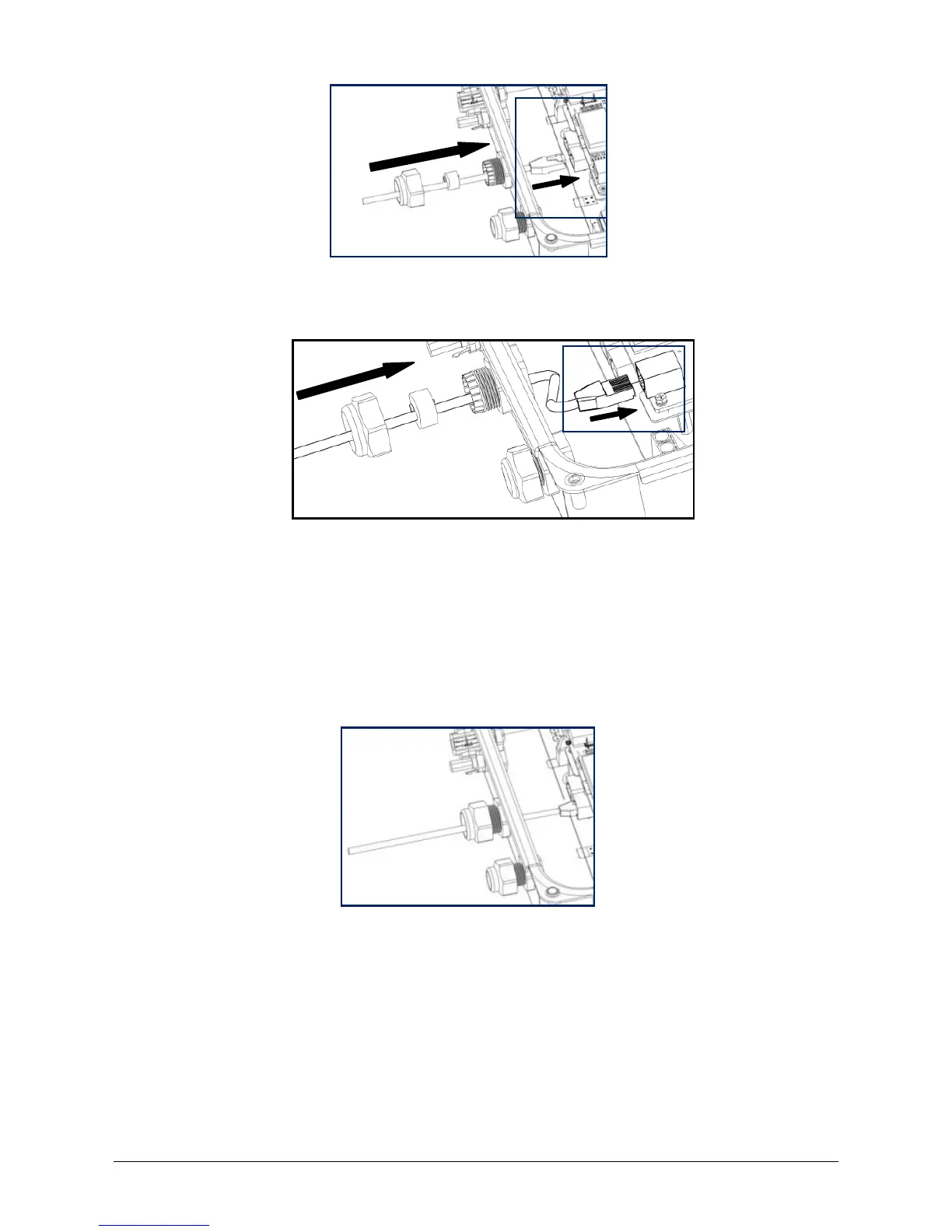
If the inverter has integrated ComBox (with Ethernet module), you need to insert the
network cable into the RJ45 keystone socket on the ComBox.
5. Connect the inverter to ZeverCom/ZeverManager or another communication
device via the above- mentioned network cable.
6. Press the sealing ring with the network cable into the cable gland, and then tighten
the swivel nut firmly (torque: 2.5-3.0Nm). Make sure the cable gland is mounted
properly. The cable gland must be adequately locked to prevent any movement of
the cable.
7. Secure the cover (torque: 2.2 - 2.5 Nm) using a screwdriver (T25).
Disassemble the network cable in reverse order.



 To Next Page