UNItivity 5000 Understanding the Components
User Manual
Copyright © 2022 Zinwave. All rights reserved. 2-1
2 Understanding the Components
UNItivity 5000 has core and optional components. Core components are all necessary for system
operation. Core components listed by operating band:
Part Number (order code and product
sticker)
Serial Number (on barcode and Hub
software)
030921nnnnnn or 030930nnnnnn
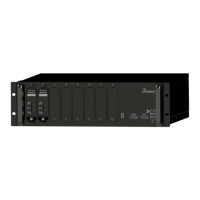
305-1004, Secondary Hub (rear AC inlet)
305-0005, Transport Module
305-1007, Remote Unit (higher power)
Part numbers starting with 305-xxxx indicate support for 150 – 2700 MHz frequency band.
Part Number (order code and product
sticker)
Serial Number (on barcode and Hub
software)
030930nnnnnn or higher hardware version
(has wideband support to 4.2GHz, can’t use
030921nnnnnn)
306-1004, Secondary Hub (rear AC inlet)
306-0005, Transport Module
Notes: xx = hardware version; nnnnnn = running serial number
Part numbers starting with 306-xxxx indicate support for 3300 – 4200 MHz frequency band.
Earlier 306-series products that operate over 3300 to 3800 MHz are still supported. A warning is shown
in the Event Log if 3800 hardware is installed in a 4200 system.
Only 305-XXXX hardware will operate together, and only 306-XXXX hardware will operate together. If
the product types are accidentally interconnected, an “Incompatible Hardware” error message will
result.
In addition to the core components, optional components are available to enhance the system’s


 To Next Page