UNItivity 5000 Understanding the Components
User Manual
Copyright © 2022 Zinwave. All rights reserved. 2-2
2.1.2 Primary Hub
A Primary Hub provides the interface to the RF sources and converts RF signals to optical. It then
connects via fiber to either Secondary Hubs and/or Remote Units.
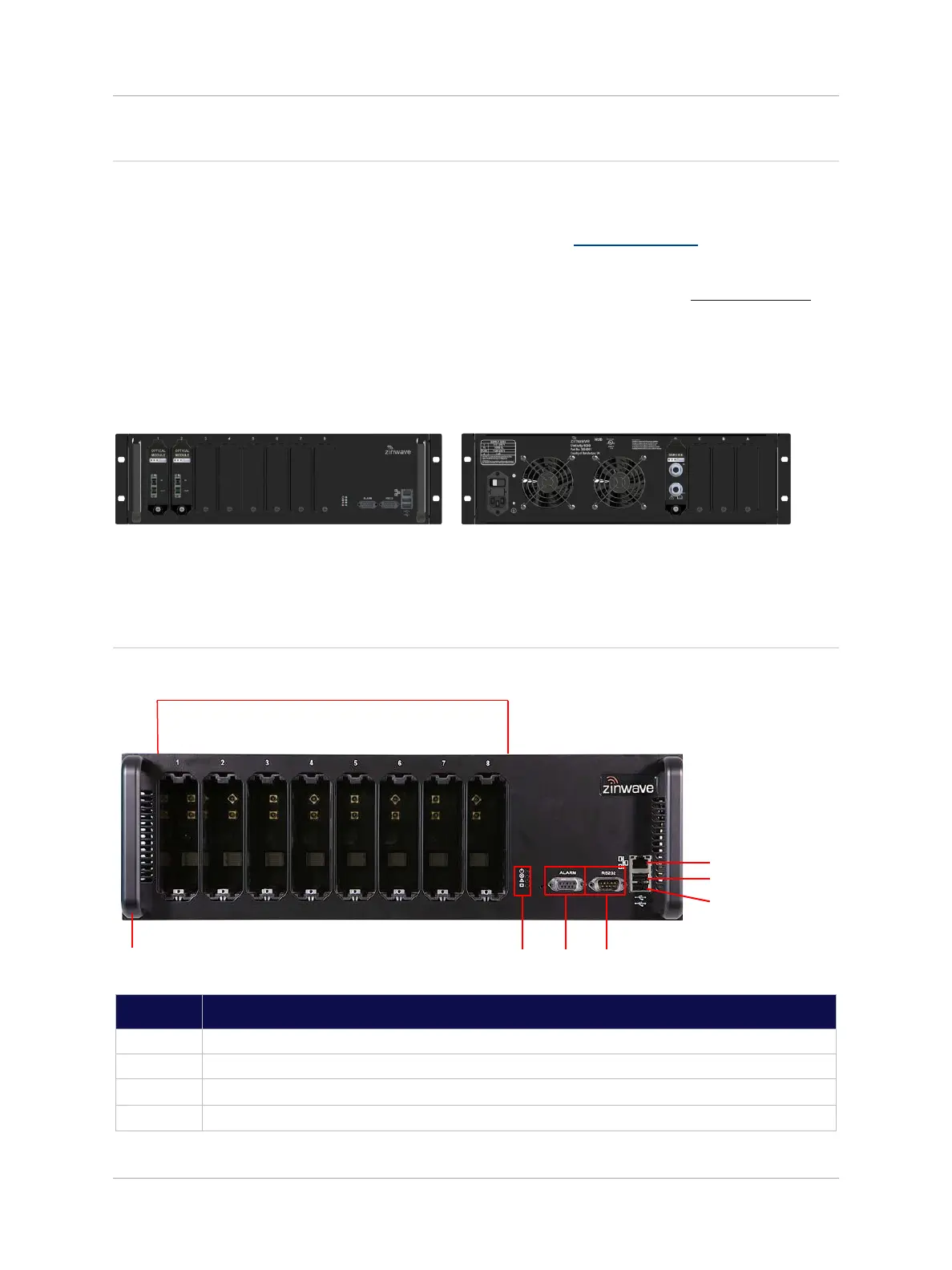
The Primary Hub includes at least one Service Module (see “Service Module”). Service Modules
interface with RF sources such as base stations or repeaters. The Hub can be equipped with up to four
Service Modules (installed in the rear) to accept any combination of frequencies within their entire
supported pass-band, and up to 8 Optical Modules (located at the front, see “Optical Module”) to
connect via optical fiber to Secondary Hubs or Remote Units directly. The Primary Hub supports single
or dual star configurations or a mix of both. The Primary Hub is normally co-located with a BTS or RF
source equipment.
Additionally, two hubs may be cascaded through the use of Transport Modules, so that Services
connected to the first, UniTransport Hub, may be coupled via fiber to the rear slots of other downstream
Primary Hubs.
Front View


 To Next Page