UNItivity 5000 Understanding the Configuration GUI
User Manual
Copyright © 2022 Zinwave. All rights reserved. 9-8
9.4.6 Changing User Passwords and Timeouts
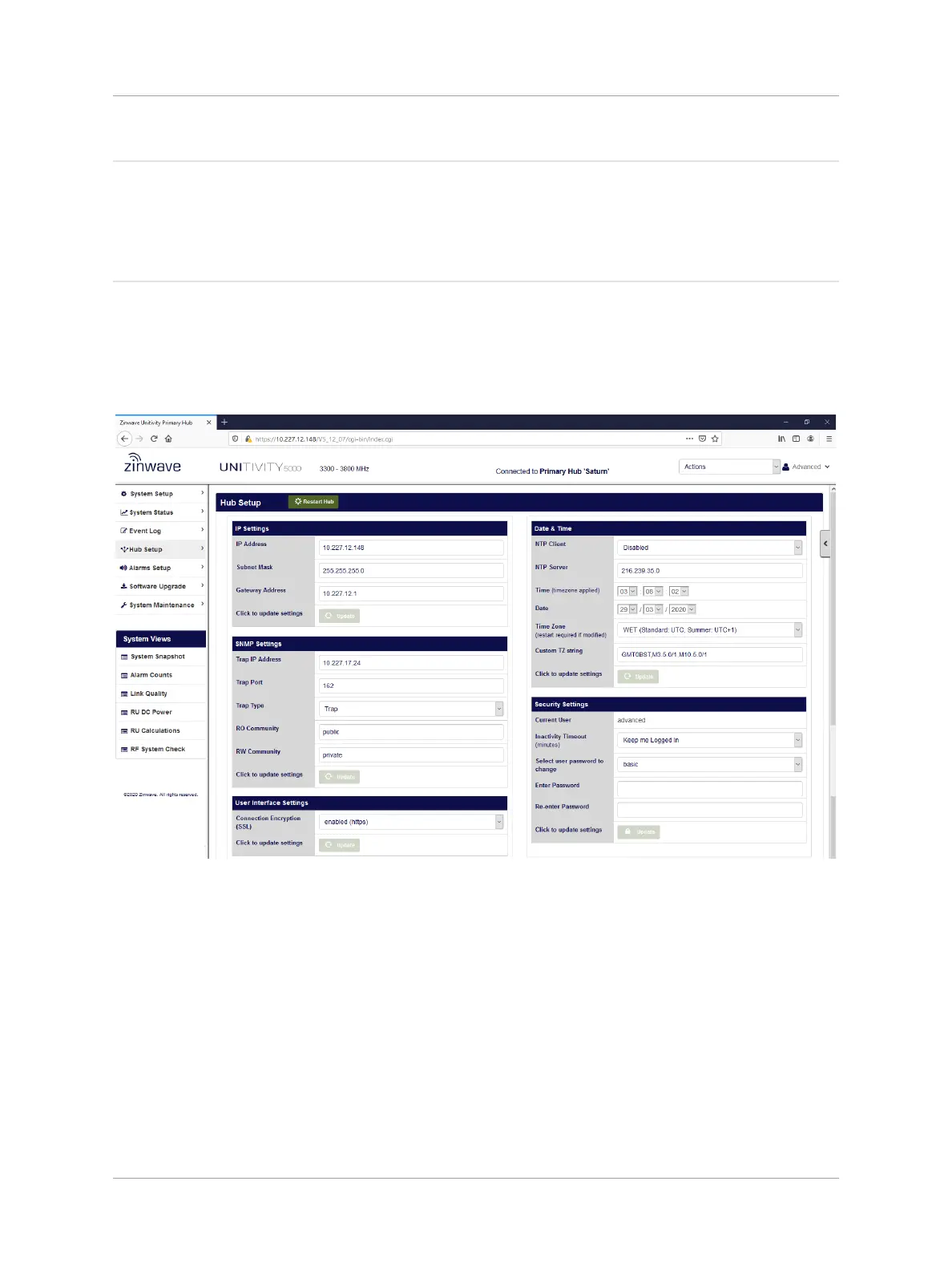
In the Security Settings section of the Hub Setup page an “advanced” user can change the password
for both an “advanced” and “basic” user. The Inactivity Timeout period can be set too.
To change User Security settings for a Hub
1. Click Hub Setup in the left navigation bar.
The Current user is shown in the Security Settings pane.
2. Select the desired number of minutes from the Inactivity Timeout pulldown in the Security
Settings pane to set the period of inactivity in the Configuration GUI before forcing a logout.


 To Next Page