UNItivity 5000 Understanding the Configuration GUI
User Manual
Copyright © 2022 Zinwave. All rights reserved. 9-9
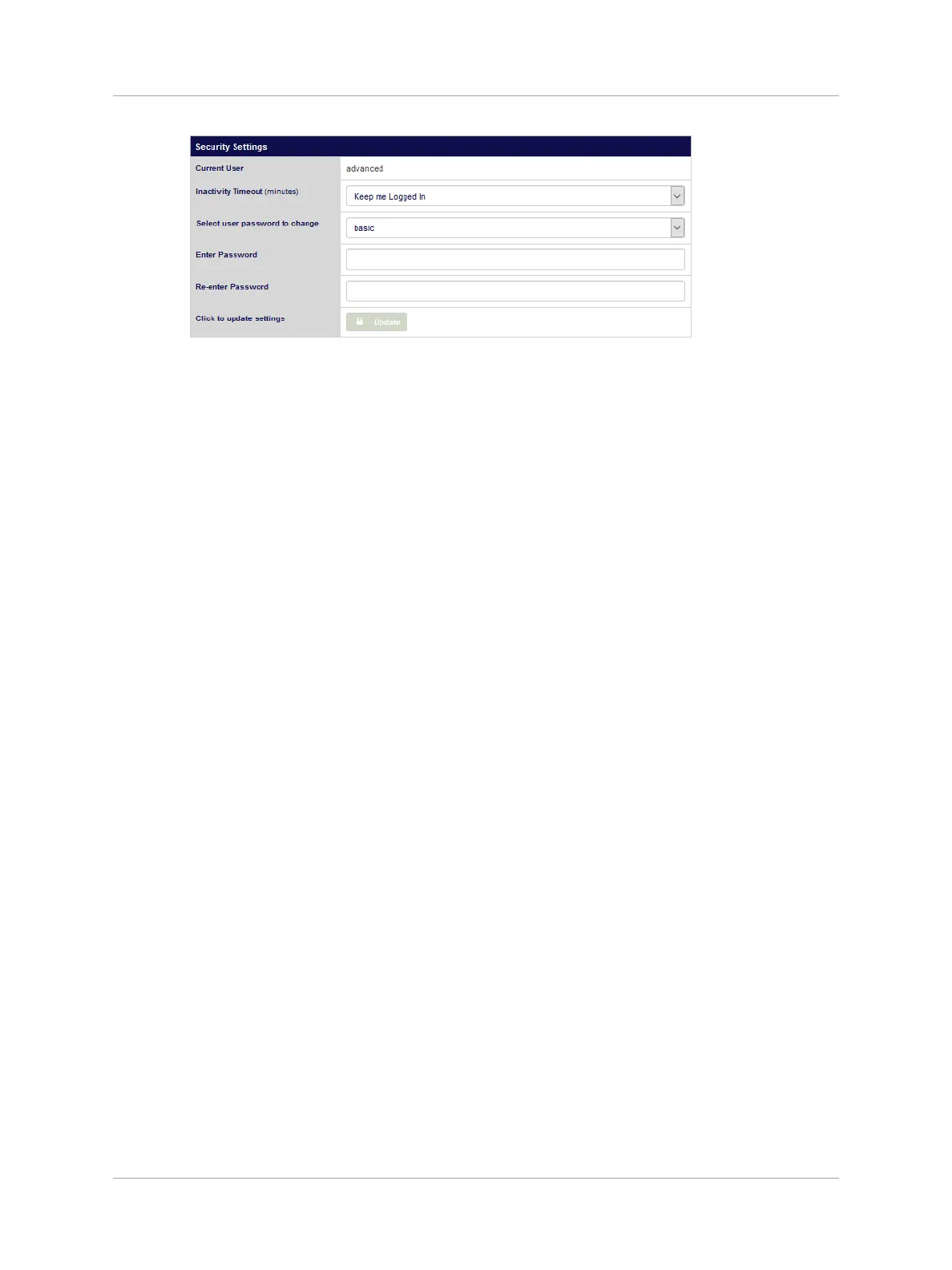
Advanced users can also choose to “keep me Logged in”.
3. To change a user password…
1. Select the user type password to change from the pulldown.
2. Enter a new password
3. Re-enter the new password.
4. Click Update.


 To Next Page