UNItivity 5000 Installing Remote Units
User Manual
Copyright © 2022 Zinwave. All rights reserved. 6-2
• Ensure that adequate space is provided to allow
for any power and signal cables to be connected
and that minimum bend radii of cables are met.
• Make sure there is room for antenna
connections to exit through the ceiling.
• Make sure there is adequate clearance around
the Remote Unit to allow some convection.
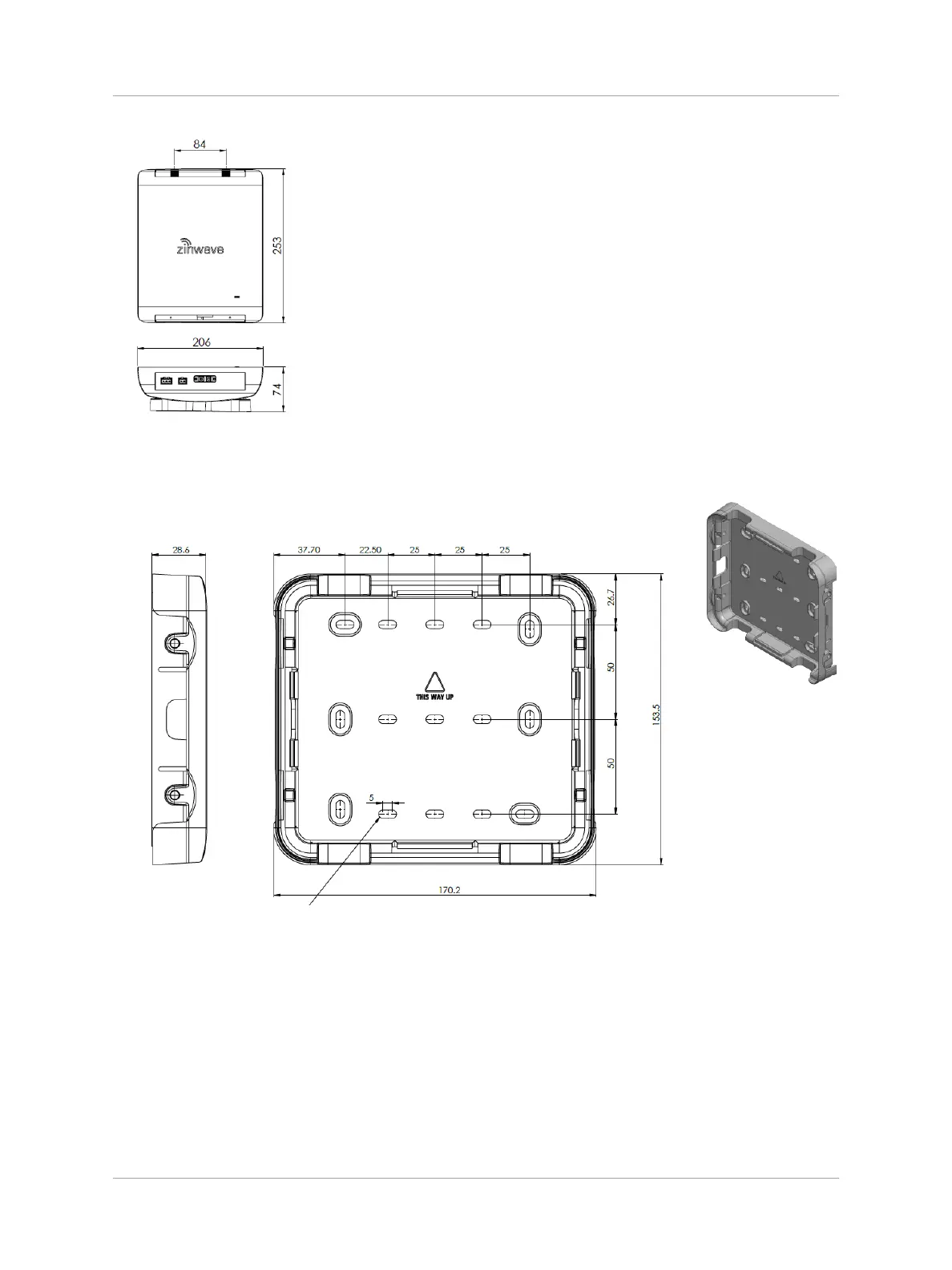
The following wall bracket is provided for mounting a Remote Unit:
1. Place the mounting bracket on the wall in the desired location and position (Horizontal or
Vertical).
2. Select 4 suitable screw holes for attachment and mark the 4 holes to be used with a pencil.
The holes selected should be sufficiently separated. Use one of the hole patterns shown
below, or a pattern derived from one of these 2 patterns where each screw may be moved to
an adjacent position.


 To Next Page