UNItivity 5000 Additional System Setup
User Manual
Copyright © 2022 Zinwave. All rights reserved. 11-16
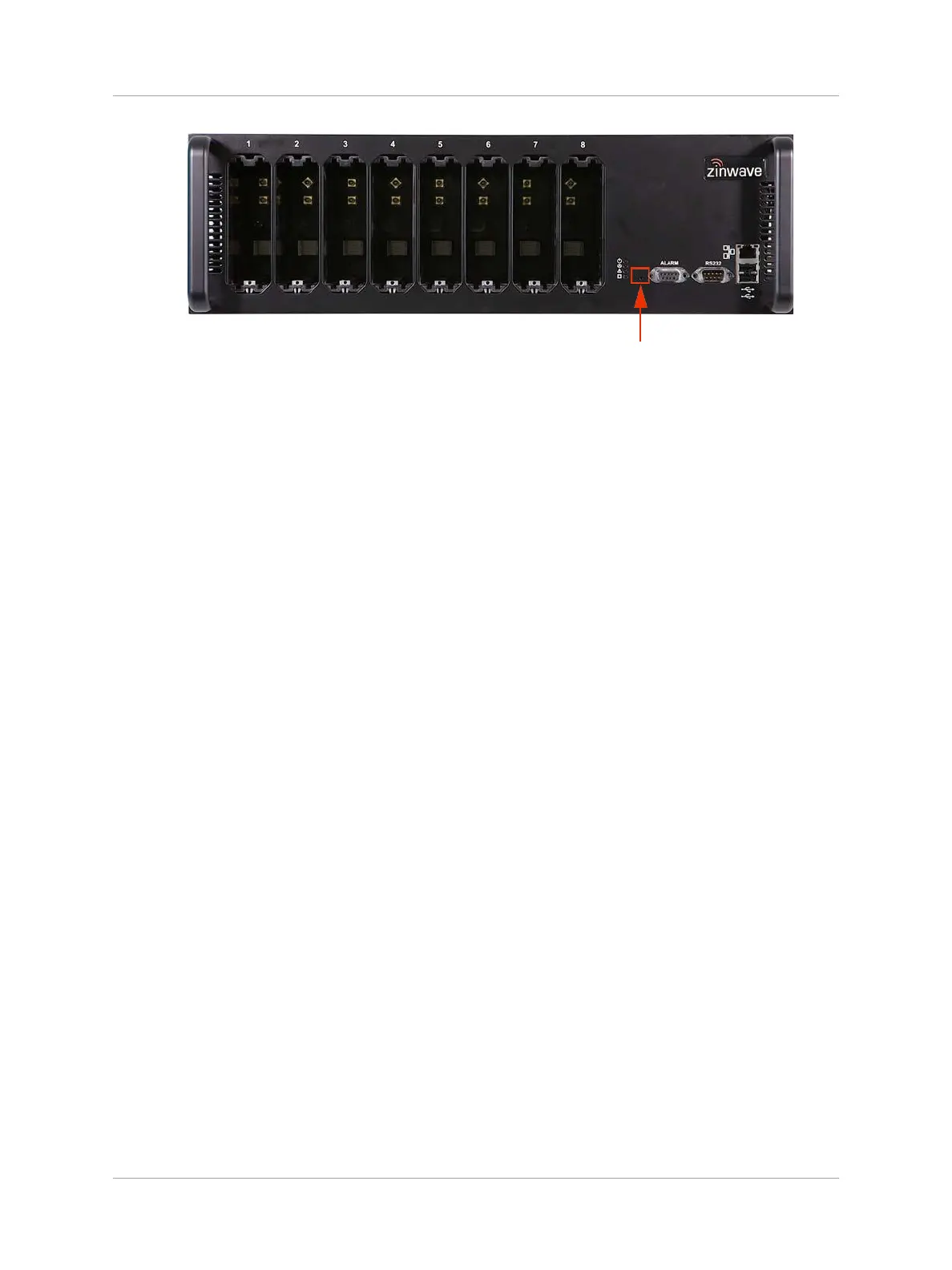
2. You need to insert the tip of the device into the hole as the button is set in from the front
face. The Hub restarts and the LEDs flash. The Hub is returned to the default IP address
and configuration settings:
• IP Address: default 192.168.0.2
• Sub Net: Default 255.255.255.0
• Gateway: Default 192.168.0.1
• Passwords: Advanced: supervisor
• NTP Settings: default disabled
• Alarm Settings: default condition Fault
Configure as desired as described throughout this manual.


 To Next Page