Notus User Manual
Page | 28 Copyright©2021 ZKTECO CO., LTD. All rights reserved.
Subnet Mask: The default value is 255.255.255.0, it can be modified according to the available
network parameters.
Gateway: The default value is 192.168.1.1, it can be modified according to the available network
parameters.
DNS: The default DNS address is 0.0.0.0. It can be modified according to the network availability.
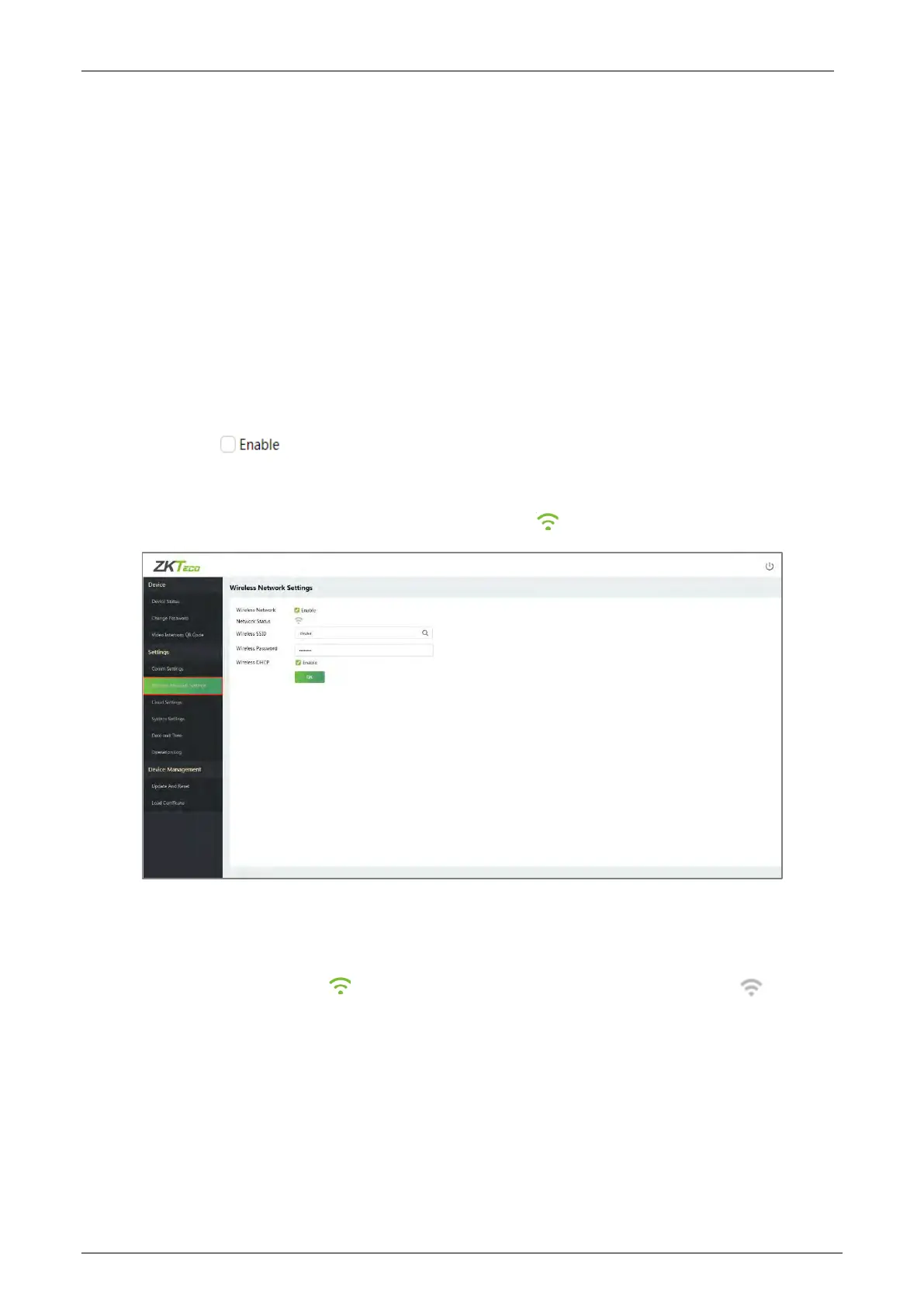
Wireless Network Settings 5.3.2
The device supports the Wi-Fi module, which is built-in within the hardware, to enable data
transmission via Wi-Fi and establish a wireless network environment. By default, the Wi-Fi is turned off.
The user needs to enable and set the related parameters on the WebServer.
1. Click the button to enable the Wi-Fi function.
2. When Wi-Fi is enabled, you need to enter the SSID and Password in the text box and then click
[OK].
3. If the Wi-Fi is successfully connected, it will display the logo.
The fields description is as follows:
Wireless Network: To enable or disable the Wi-Fi function.
Network Status: The icon indicates Wi-Fi is successfully connected, and the icon indicates
Wi-Fi is not connected.
Wireless SSID: Enter the SSID of the Wi-Fi network which you want to connect.
Wireless Password: Password of the Wi-Fi network.
Enable Wireless DHCP: Dynamic Host Configuration Protocol (DHCP) dynamically allocates IP
addresses to network clients. If the DHCP is enabled, then the IP cannot be set manually.


 To Next Page